You’re getting ready to sell your Chevy Silverado, or maybe you’re just trying to calculate your real-world MPG between fill-ups. Either way, knowing how to check the odometer on your Chevy Silverado is one of the most basic yet essential skills for any truck owner. The total mileage recorded in your vehicle’s computer tells you exactly how far your truck has traveled since the day it rolled off the assembly line. Unlike trip meters, this number is permanent and legally protected from tampering.
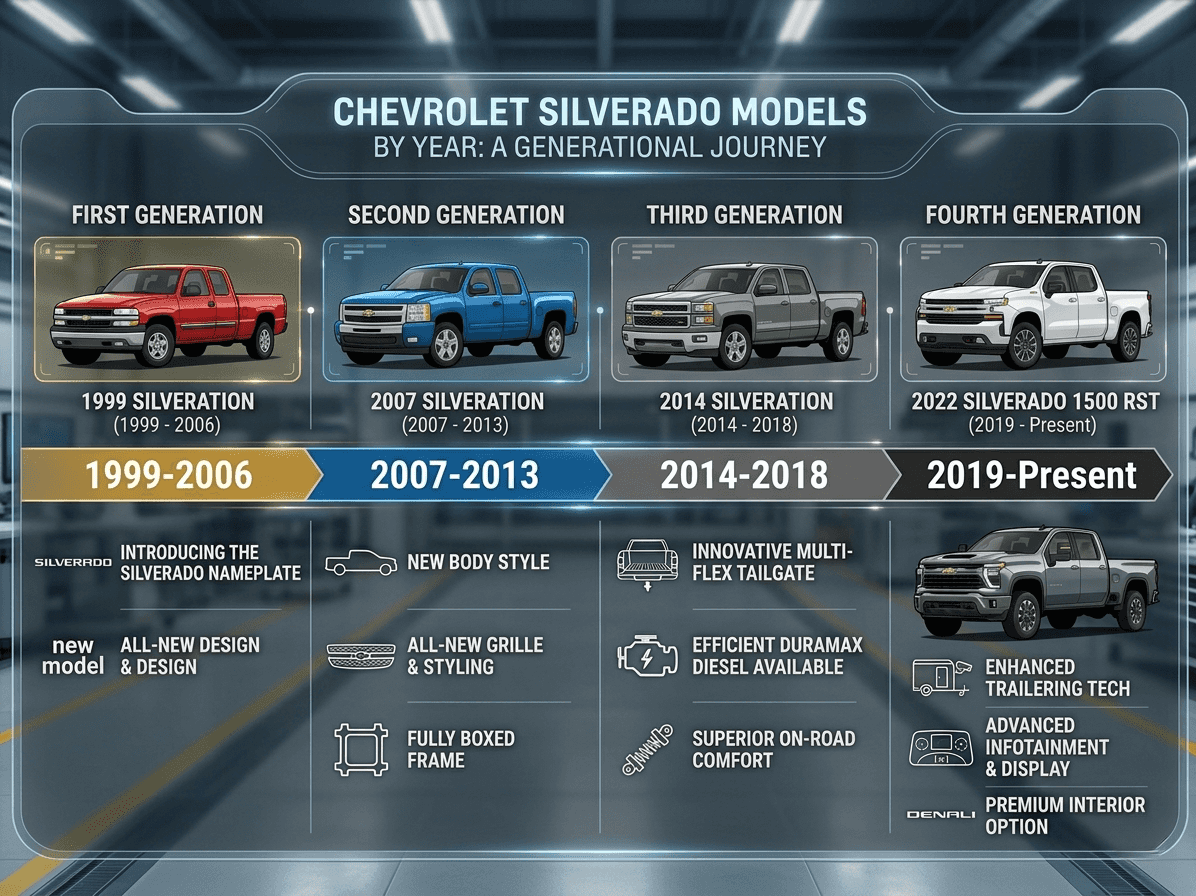
The method you use depends entirely on your Silverado’s model year. Older trucks (1999–2006) rely on a physical button on the instrument cluster, while newer models (2011 and up) use steering wheel-mounted controls. This guide walks you through both methods, explains how to use trip functions, and covers what to do if your display ever stops working.
Identify Your Silverado’s Control Type

Before you press anything, you need to know which interface your truck uses. The two main systems are the legacy cluster button (1999–2006) and the modern steering wheel DIC controls (2011 and newer). Most 2007–2010 models follow the older style unless they were upgraded.
Check the Instrument Cluster First
Turn the ignition to “ON” without starting the engine. Look at the dashboard near the speedometer. If you see a physical button labeled “ODO” or “TRIP” directly on the cluster face, you have the older system. If no button is visible but you spot controls on the left spoke of your steering wheel, your truck uses the modern Driver Information Center (DIC).
Visual cue: Older models display mileage in a small digital window below the speedometer. Newer models show data in a central color or monochrome screen between the gauges.
Check the Odometer on 1999–2006 Silverados

For early 2000s Silverados, the process is direct and requires no menus.
Press the Trip Button
- Turn the ignition to “ON.”
- Locate the trip/odo button on the instrument cluster, usually near the speedometer.
- Press it briefly to cycle between:
– ODO (total odometer)
– Trip A
– Trip B
The display will show your truck’s lifetime mileage under “ODO.” This number is permanent and cannot be reset by pressing or holding the button.
Reset Trip A or B
Need to track a new journey? Use the trip counters.
- Press the button until Trip A or Trip B appears.
- Press and hold for 3 to 5 seconds until the display resets to
0.0. - Release the button. The trip counter is now zeroed.
Pro tip: Use Trip A for fuel economy tracking. Reset it every time you fill up to calculate accurate real-world MPG.
Warning: Holding the button does not affect the total odometer. Tampering with actual mileage requires illegal tools and is prohibited under federal law.
Check the Odometer on 2011 and Newer Silverados
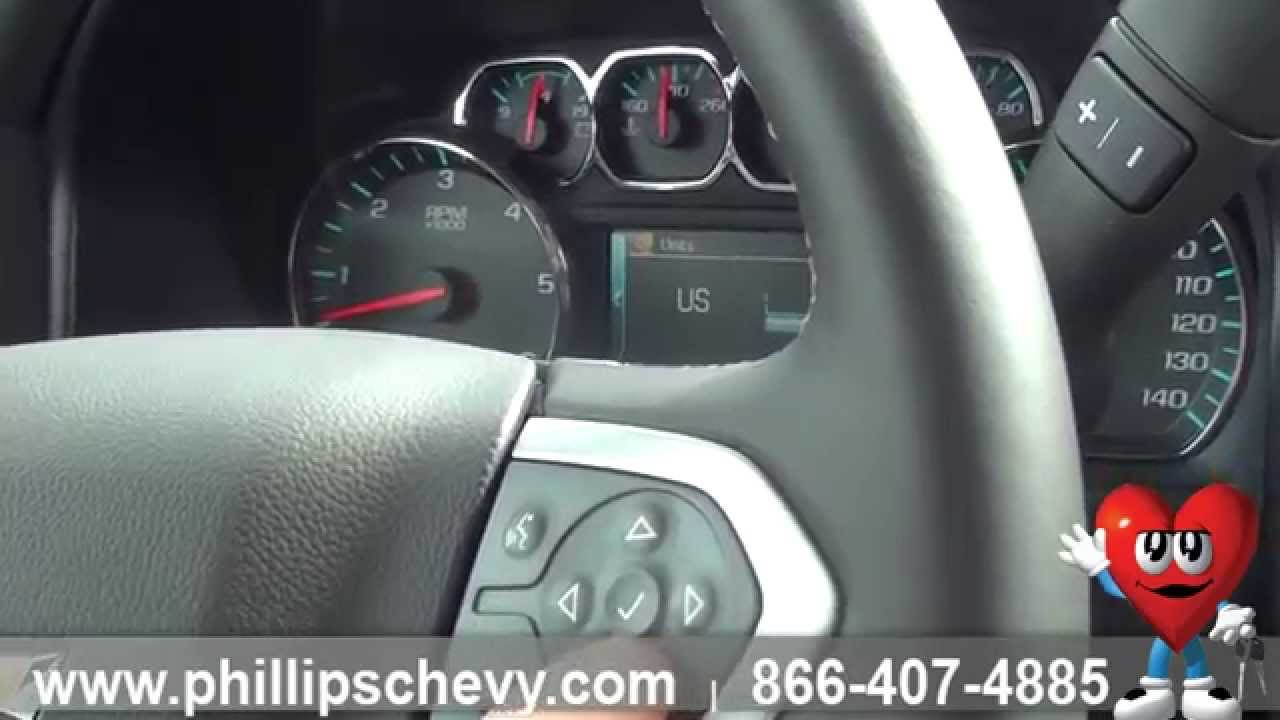
Modern Silverados use steering wheel-mounted DIC controls for quick access to vehicle data.
Press the Top Steering Button
- Turn the ignition to “ON.”
- On the left spoke of the steering wheel, find the DIC control buttons.
- Press the top button once.
The main display will show the total odometer reading, which is your truck’s cumulative mileage. No cycling needed; one press gives immediate access.
Cycle Through Trip and Fuel Data
Keep pressing the top button to scroll through additional screens:
– Trip A / B / C
– Fuel Range (miles left on tank)
– Average MPG
– Instant MPG
– Fuel Used
– Digital Speed
– Trip Timer
– Transmission Temperature
Each screen updates in real time, making it easy to monitor efficiency or towing performance.
Pro tip: Transmission temperature is critical when hauling. Heavy loads or steep hills can push fluid temps into dangerous zones. Check this screen every 15 minutes during tough drives.
Use Trip Meters Correctly
Trip meters are resettable tools designed for tracking specific journeys or fuel economy.
Why Use Trip A vs. Trip B?
- Trip A: Ideal for daily commutes or fuel tracking.
- Trip B: Useful for long road trips or service intervals.
To reset either meter:
1. Navigate to the desired trip meter using the DIC button.
2. Press and hold the same button for 3 to 5 seconds.
3. Wait for 0.0 to appear.
This reset is temporary and perfect for monitoring how far you’ve driven since your last oil change or gas fill-up.
Common mistake: Drivers often confuse trip reset with odometer reset. The total mileage cannot be altered through the DIC. Only trip counters can be cleared.
Read Transmission and Fuel Data
The DIC does more than show mileage. It functions as a real-time performance dashboard.
Monitor Fuel Economy Trends
Use Average MPG and Instant MPG to adjust your driving habits:
– Instant MPG fluctuates with acceleration.
– Average MPG resets when you clear Trip A or B.
If your average MPG drops suddenly, check tire pressure or scan for engine codes. Something may need service.
Watch Transmission Temperature

When towing, transmission fluid can overheat. The DIC displays fluid temp in °F or °C. Above 230°F (110°C), the risk of damage increases significantly. If temps climb:
– Reduce load or speed.
– Use lower gears on hills.
– Consider installing an auxiliary cooler for frequent towing.
Cycle to this screen before and after steep grades to stay ahead of potential problems.
Troubleshoot Display Problems
What if the odometer doesn’t show up when you press the button?
Try Basic Troubleshooting
- Turn the ignition off and on. This often resets a frozen DIC.
- Check fuses. Inspect the instrument panel fuse (refer to your owner’s manual for location).
- Look for power. Are other gauges working? If not, you may have an electrical issue.
Diagnose a Blank Screen
If the entire cluster is dark:
– Check battery voltage.
– Inspect the wiring harness behind the cluster.
– Test for blown fuses in the under-hood and dash fuse boxes.
If gauges work but mileage is missing, the issue may be internal to the cluster display itself.
Retrieve Mileage Without a Working Display
Even with a dead screen, your mileage data isn’t lost.
Use an OBD2 Scanner
The odometer reading is stored in the Powertrain Control Module (PCM), not just the dashboard.
Here’s how it works:
1. Plug an OBD2 scanner into the port under the dash (left of the steering column).
2. Power on the device.
3. Select “Vehicle Info” or “OBD2 Live Data.”
4. Find “Odometer” or “Stored Mileage.”
Professional mechanics and dealers use this method regularly. Advanced scanners like Autel or Snap-on can read PCM-stored mileage even with a failed cluster.
Note: Physical stickers with mileage (such as those in the glove box) are outdated and unreliable. Always trust the digital or PCM source.
Understand Active Fuel Management (AFM)
If your Silverado has a V8 engine, the DIC shows “V4” mode when Active Fuel Management is active.
What Does “V4” Mean?
- V8 Mode: All eight cylinders running (accelerating, towing).
- V4 Mode: Four cylinders deactivated (cruising, light load).
This switch happens automatically to save fuel. Expect 1–2 MPG improvement on highways when AFM engages.
When V4 Doesn’t Appear
If your truck stays in “V8” mode during light driving, possible causes include:
– Engine under load from AC or accessories.
– Outside temperature too cold.
– System fault (check engine light may be on).
A persistent “V8” readout without load could indicate a malfunction. Scan for codes if MPG drops unexpectedly.
Compare Model Year Differences
| Feature | 1999–2006 | 2011+ |
|---|---|---|
| Control Location | Dashboard cluster | Steering wheel |
| Odometer Access | Toggle with button | One press |
| Trip Reset | Hold 3–5 sec | Hold via DIC |
| Fuel Economy Display | No | Yes |
| Transmission Temp | No | Yes |
| AFM Indicator | No | Yes (“V4” mode) |
Note: 2007–2010 models may use either system. Check your steering wheel first. If no DIC buttons are present, use the cluster method.
Maintain Accuracy and Integrity
The total odometer is legally protected and stored in multiple vehicle modules.
Why It Can’t Be Reset
- Mileage is stored in both the PCM and the instrument cluster.
- Tampering is illegal under federal law.
- Dealers and mechanics can detect rollbacks via diagnostic tools.
Trust the System
Even if the display fails, the data remains intact. When selling your truck, the mileage on record is pulled from the PCM, not just what is visible on the screen.
Best practice: Record mileage manually every 6 months to track trends or detect anomalies.
Frequently Asked Questions About Checking Odometer on Chevy Silverado
Where is the odometer button on a Chevy Silverado?
On 1999–2006 models, the odometer button is located directly on the instrument cluster near the speedometer. On 2011 and newer models, the controls are on the left spoke of the steering wheel as part of the Driver Information Center.
Can you reset the odometer on a Chevy Silverado?
No, the total odometer cannot be reset through normal user controls. It is stored permanently in the vehicle’s computer. Only trip counters (Trip A and Trip B) can be reset by pressing and holding the appropriate button.
How do I check mileage without turning on the truck?
Turn the ignition to the “ON” position without starting the engine. This powers the instrument cluster and DIC, allowing you to view the odometer without running the motor.
What should I do if my odometer display is blank?
First, check the instrument panel fuse and battery voltage. If other gauges work but mileage is missing, the cluster display may be faulty. A mechanic can retrieve the stored mileage from the PCM using an OBD2 scanner.
Why does my Silverado show “V4” on the display?
“V4” indicates that Active Fuel Management has deactivated four cylinders to improve fuel economy. This is normal during light-load cruising and saves 1–2 MPG on highways.
How accurate is the odometer on a Chevy Silverado?
The odometer is highly accurate and legally regulated. The data is stored in both the instrument cluster and the PCM, making it tamper-resistant and reliable for resale and maintenance tracking.
Key Takeaways for Silverado Owners
- Check your odometer monthly to track wear and maintenance schedules.
- Use Trip A for fuel checks and compare DIC MPG to your own calculations.
- Monitor transmission temperature when towing to prevent costly repairs.
- Don’t panic when you see “V4” on the display. It means your engine is saving fuel.
- If the display fails, use an OBD2 scanner. Your mileage is still retrievable from the PCM.
Knowing how to check the odometer on your Chevy Silverado goes beyond reading a number. It gives you insight into your truck’s health, efficiency, and long-term value. Whether you drive a classic 2004 workhorse or a current 2020 model, a few button presses unlock powerful data. Start by identifying your control type, then make odometer checks a regular part of your ownership routine.