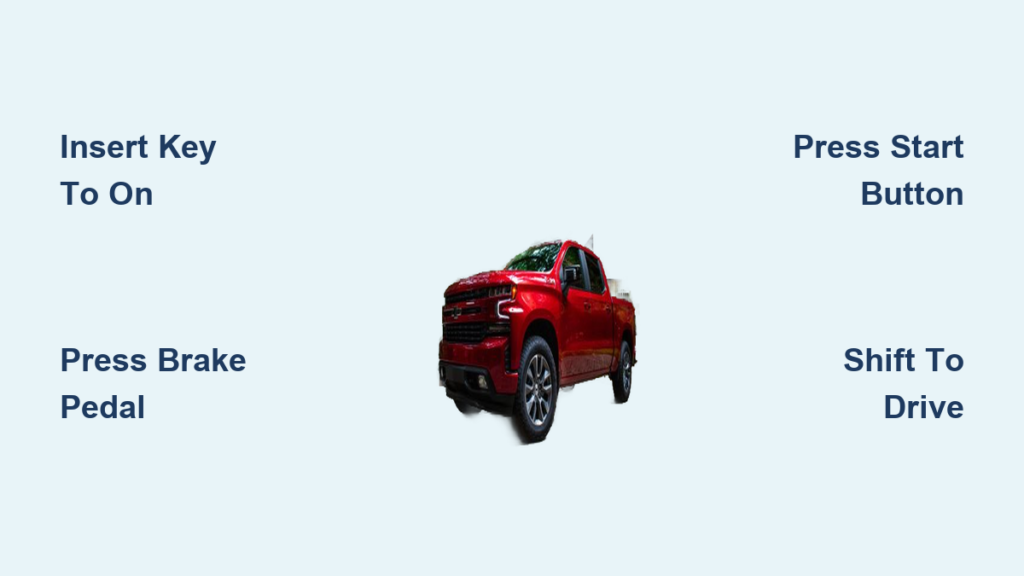
You’ve walked out to your Chevy Silverado on a freezing morning, pressed the remote start button, and watched the engine fire up from a distance. But now you’re inside, what’s next? Many owners get confused at this stage, thinking they need to crank the engine again. The truth is, starting a Chevy Silverado with the key after a remote start isn’t about ignition. It’s about authentication.
This guide walks you step by step through how to properly start your Chevy Silverado with the key, whether you use a traditional ignition or push-button start. You’ll learn the exact procedure, common mistakes to avoid, and what to do if the truck shuts off unexpectedly. Whether you’re new to the Silverado or just never fully understood the process, this article gives you everything you need to confidently transition from remote start to drive mode, safely and smoothly.
Identify Your Ignition Type

Before starting, know which system your Silverado uses. The method changes depending on whether you have a traditional key ignition or a push-button start.
Traditional Key Ignition
Found on older or base-trim Silverados (typically pre-2019 or lower trims), this system requires inserting and turning a physical key.
- What to look for: A cylindrical ignition slot on the steering column.
- Key type: Metal key with embedded transponder chip.
- Security feature: The truck won’t stay running without recognizing the key’s signal.
Push-Button Start (Keyless Ignition)
Standard on most modern Silverado trims (2019+ LT, RST, LTZ, High Country), this system uses a proximity key fob and a start/stop button.
- What to look for: A “Start/Stop” button on the dash with no key cylinder.
- Key type: Smart fob that stays in your pocket or bag.
- Requirement: Fob must be inside the cab for the system to detect it.
Knowing your type ensures you follow the right steps with no guesswork and no stalling.
How to Start After Remote Start: Step-by-Step

Once the engine is running via remote start, the vehicle is in idle mode, waiting for driver authentication. Here’s how to take control.
Insert Key and Turn to “On”
Whether you have a traditional or push-button system, the first step is to verify your presence.
For Traditional Ignition:
- Unlock and enter the truck.
- Insert the key into the ignition cylinder.
- Turn the key to the “Run” or “On” position, not “Start.”
– Why not “Start”? The engine is already running. Turning to “Start” may cause a brief stumble or grinding noise.
– What happens: The dashboard lights fully illuminate, and the system recognizes the key’s transponder.
For Push-Button Start:
- Enter with the key fob in your pocket or bag.
- Press and hold the brake pedal.
- Press the Start/Stop button once.
– No need to press and hold. One press is enough.
– Result: Engine continues running and the vehicle shifts to driver-controlled mode.
✅ Pro Tip: If the engine shuts off when you press the button, the fob battery may be weak or the system didn’t detect the fob. Try placing the fob directly on the dash or near the start button.
Shift Into Drive Without Restarting
After authentication, you’re ready to drive, but only if you follow the correct sequence.
Press Brake and Shift
- Keep your foot firmly on the brake pedal.
- Move the gear selector from Park (P) to Drive (D).
– The truck will not allow a shift unless:- The key is recognized.
- The brake is pressed.
- The start procedure is completed.
What If the Engine Shuts Off?
If the engine dies after you get in, don’t panic. This is normal behavior if the authentication step was missed.
Fix:
- Traditional key: Turn the key to “On,” wait 1–2 seconds, then gently turn to “Start” to restart.
- Push-button: Press the brake and press the start button again. This time, ensure the fob is detected.
⚠️ Warning: Never attempt to shift into Drive without completing the start sequence. The transmission will stay locked in Park.
Avoid Common Mistakes

Even experienced drivers make these errors. Learn them now to save time and frustration.
Mistake 1: Turning the Key to “Start” Immediately
- Problem: Causes a loud grinding or engine stutter.
- Why: The starter motor engages while the engine is already running.
- Fix: Always turn to “On” first, then let the system hand off control.
Mistake 2: Leaving the Key Fob Outside
- Problem: Engine shuts off after remote start or won’t stay running.
- Why: The system detects no authorized key inside.
- Fix: Always bring the fob into the cab, even if you have a physical key.
Mistake 3: Not Pressing the Brake
- Problem: Push-button start doesn’t respond.
- Why: The brake interlock prevents accidental shifting.
- Fix: Press the brake firmly before pressing start.
What Triggers an Automatic Shutdown?

The Silverado won’t let the engine run forever remotely. Know these limits to avoid surprises.
Time Limit: 10–15 Minutes
- The engine runs for 10 to 15 minutes after remote start.
- If you don’t enter and authenticate, it shuts off automatically.
- Purpose: Prevents fuel waste and carbon monoxide buildup.
Can You Extend the Runtime?
Yes, but only once.
How to Add More Time:
- While the engine is running remotely, press Lock, then hold Remote Start again.
- Lights flash and the engine continues.
- Total runtime: Up to 20–30 minutes, depending on model.
🔁 Note: After two cycles, you must start the truck manually to reset the timer.
Troubleshoot: Key Won’t Start the Truck
If the engine stops or won’t stay running, use this quick checklist.
Check These First
| Issue | Likely Cause | Solution |
|---|---|---|
| Engine dies after entry | Fob not detected | Place fob near start button or replace fob battery |
| No response when turning key | Dead vehicle battery | Jump-start or charge battery |
| Dashboard flashing | Security lockout | Wait 2 minutes and try again with key in ignition |
| Starter clicks but won’t crank | Weak battery or bad connection | Test battery voltage and inspect terminals |
When the Check Engine Light Is On
- Remote start may work, but the engine shuts off immediately after entry.
- Why: Active fault codes disable sustained operation.
- Action: Get the code scanned at a dealership or auto parts store.
Safety Rules You Must Follow
Remote start is convenient, but it comes with serious safety responsibilities.
Never Start in an Enclosed Garage
- Risk: Carbon monoxide poisoning, even with the door open.
- Rule: Only use remote start when the vehicle is outside or in a fully ventilated area.
Never Leave Kids or Pets Unattended
- Even with climate control running, temperatures can become dangerous quickly.
- Law: Many states prohibit leaving unattended minors in running vehicles.
Don’t Walk Away After Starting
- Once authenticated, the truck can be driven.
- Risk: Theft or accidental movement if left unattended.
Maximize Your Remote Start Experience
Use these tips to get the most from your Silverado’s system.
Set Climate Controls Before Exiting
- The remote start remembers your last settings.
- Before shutting off, set:
- Desired temperature
- Fan speed
- Defrost mode (for winter)
- A/C (for summer)
🌬️ Pro Tip: On cold mornings, leave defrost on so the system clears the windshield automatically.
Use the myChevrolet App for Long-Range Start
- Start your truck from your phone with no range limits.
- Requires:
- Active OnStar or Connected Services plan
- Vehicle with telematics module
- App Steps:
1. Open the myChevrolet app
2. Tap “Remote Start”
3. Confirm the command
📱 Bonus: The app shows if the start succeeded and how long the engine has been running.
Frequently Asked Questions About Starting a Chevy Silverado with a Key
Do I need to turn the key to “Start” after remote starting my Silverado?
No. If the engine is already running from a remote start, turn the key only to the “On” or “Run” position. Turning it to “Start” can cause a grinding noise or engine stumble because the starter engages while the engine is already on.
Why does my Silverado shut off when I get in after remote start?
This happens when the system fails to detect an authorized key inside the cabin. For push-button models, make sure the fob is in your pocket or place it near the start button. For traditional ignitions, insert the key fully and turn to “On” to complete authentication.
How long will my Silverado run after remote start?
Most Silverado models run for 10 to 15 minutes per cycle. You can extend this once by repeating the Lock and Hold Remote Start sequence, giving you up to 20 to 30 minutes total before the system shuts off automatically.
Can I shift into Drive without pressing the brake?
No. The brake pedal must be pressed before shifting out of Park. This safety interlock prevents accidental movement and is required whether you use a traditional key or push-button start.
What should I do if the check engine light is on and remote start fails?
An active check engine light will often disable remote start entirely. Drive or tow the truck to a dealership or auto parts store for a diagnostic scan, then repair the underlying issue before attempting remote start again.
Final Note on Starting Your Chevy Silverado with a Key
How to start a Chevy Silverado with the key isn’t about cranking the engine. It’s about taking control after a remote start. Whether you turn a physical key or press a button, the goal is to authenticate your presence so the truck lets you drive. Follow the steps: insert the key or press start, keep your foot on the brake, then shift to Drive. Avoid common errors like starting too soon or leaving the fob behind. Respect the safety limits and runtime rules. And if things go wrong, use the troubleshooting checklist to get back on track.
Now you’re not just starting your Silverado. You’re mastering it.