Walking up to your Chevy Silverado on a blazing summer day and opening the door to a wall of hot air is miserable. If you own a 2015 or newer Silverado, you can roll down windows with your remote before you even reach the door. No need to unlock first or touch a handle.
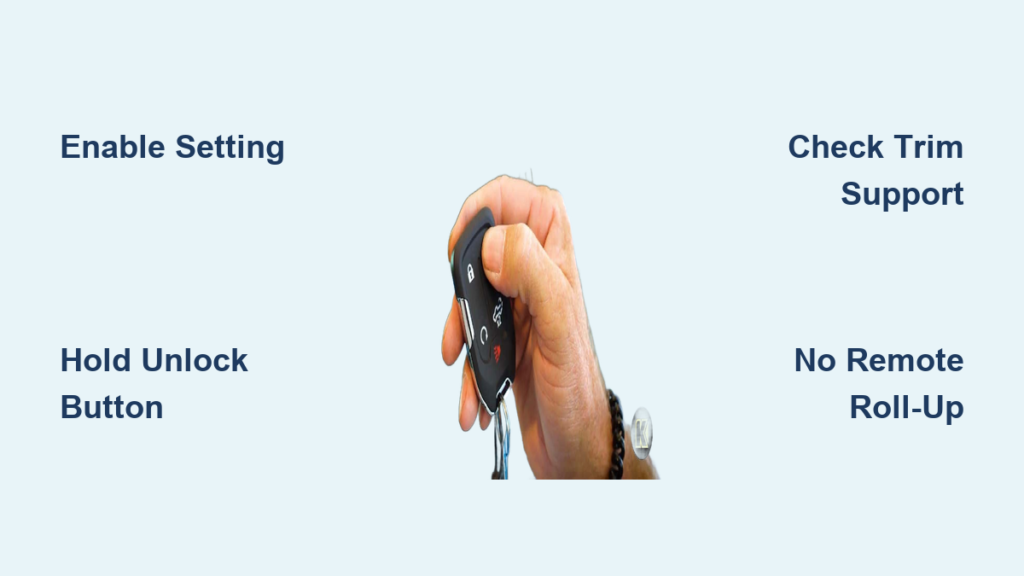
The trick is simple once activated: press and hold the “Unlock” button on your key fob, and every window lowers automatically. However, the feature ships disabled by default, so you must turn it on through your infotainment screen first. A major catch exists too: the factory system cannot roll windows back up remotely, only down.
This guide covers how to enable remote window drop, confirm your truck supports it, troubleshoot problems, and explore advanced options for remote roll-up. By the end, you’ll know exactly how to vent your cabin from across a parking lot.
Enable Remote Window Operation in Your Silverado

Before your key fob can lower windows, you must activate the feature in your truck’s settings. It is disabled by default on most 2015–2020+ Silverado models.
Access the Vehicle Settings Menu
Start your truck or switch the ignition to accessory mode. Tap the “Settings” icon on your center infotainment screen. This menu houses all customization options for locks, lights, mirrors, and windows.
From the main menu, select “Vehicle”, not “Phone” or “Sound.” This section controls remote functions. Keep the truck in park during this process for full menu access.
Activate Remote Window Roll-Down
Inside the Vehicle menu, navigate to “Remote Lock, Unlock, and Start.” Scroll until you find “Remote Window Operation.” Toggle the switch to “On.”
Once enabled, test the feature right away. Step outside, close all doors, and press and hold the “Unlock” button on your fob. All windows should begin lowering within two seconds. If nothing happens, confirm the toggle is on and that you are holding the button continuously.
Pro Tip: On LTZ trims and above, holding “Unlock” also unfolds power mirrors, provided “Remote Mirror Folding” is enabled under “Comfort and Convenience.”
Confirm Your Silverado Supports Remote Window Drop
Not every Silverado can roll windows down remotely. Compatibility depends on model year and trim level.
2015 and Newer Models
The remote window drop feature debuted with the 2015 Silverado on select trims, including LT and Denali. Owners have confirmed successful activation on these models.
From 2016 onward, the feature became more standardized. By 2020, it was clearly documented in vehicle settings, especially on LTZ and higher trims. Crew cab and double cab configurations generally support it, though rear window behavior can vary.
2014 and Older Models
If you own a 2014 or earlier Silverado, your truck does not support remote window operation from the factory. No menu setting or fob trick will enable it. The required hardware and BCM software were not included before 2015.
Even if your key fob looks identical to newer versions, the internal programming differs. Aftermarket modules can add this feature, but they require separate installation.
Quick Check: If your infotainment system lacks a “Remote Window Operation” toggle, your truck likely does not support it natively.
Use the Key Fob the Right Way
Knowing where to enable the feature is only half the battle. You must use the fob correctly to trigger the window drop.
Hold Unlock, Not Lock
To lower all windows, press and hold the “Unlock” button, which is the leftmost button on most Silverado fobs. Keep holding for about 1–2 seconds until the windows respond.
Do not press or hold the “Lock” button. Holding “Lock” folds in power mirrors (if enabled), but it does nothing to the windows.
✅ Correct: Hold “Unlock” = Windows go down
❌ Incorrect: Hold “Lock” = No window movement
Release to Stop Midway
If you only want to crack the windows slightly, release the button once they reach your desired position. The windows stop instantly. There is no auto-reverse or safety shutoff for obstructions during remote operation, so always ensure the window path is clear.
Warning: Never test this with hands or objects near the window seals. The motor is powerful and can cause injury.
Understand the Factory System’s Limitations

The factory remote window system offers real convenience, but it comes with significant restrictions that frustrate many owners.
Roll-Down Only, No Remote Close
The biggest limitation: you cannot roll windows up remotely using the stock system. No combination of button presses will close them from outside the truck.
This creates a real-world problem. You can vent hot air by lowering windows, but if rain suddenly starts or you realize a window is open after walking away, you must return to the vehicle to close them manually.
This logic gap contrasts sharply with competitors like Volkswagen and Mazda, where remote close is standard. It also differs from the Silverado’s own tailgate, which supports both remote lowering and raising.
Rear Windows May Not Respond
On crew cab models, front windows reliably drop when you hold “Unlock.” However, rear passenger windows may not operate unless your Body Control Module is updated or properly configured.
Some owners report only front windows moving until a BCM reflash is performed. If your rears are unresponsive:
– Recheck the “Remote Window Operation” setting
– Cycle the ignition off and on
– Try holding the button longer (up to 5 seconds)
If the rears still do not respond, a dealership or tuner may need to enable full four-window support.
Troubleshoot Non-Working Remote Windows
If your windows do not respond, do not assume the feature is broken. Follow these steps to diagnose and fix the issue.
Verify the Setting Is Activated
First, confirm that “Remote Window Operation” is toggled ON. It is easy to think you enabled it, only to discover it was never saved. Re-enter the menu:
Settings → Vehicle → Remote Lock, Unlock, and Start → Remote Window Operation
Toggle it off and back on, then test outside the vehicle.
Check Your Key Fob Battery
A weak fob battery can prevent long-press signals from registering. If other remote functions like lock and unlock are sluggish or require multiple presses, replace the fob battery (typically a CR2032).
Test the fob within 10 feet of the truck. Walls, metal structures, and electronic interference can block the signal.
Confirm Trim and Feature Eligibility
Not all trims support every remote function. For example:
– Mirror folding requires LTZ trim or higher (2020+)
– Remote window drop may be limited on base WT trims
Check your original window sticker if available, or consult your VIN with a dealer to confirm factory-installed features.
Test Your Button Technique
Many users fail because they tap instead of hold. You must press and hold the “Unlock” button continuously for at least 1.5 seconds. Avoid pulsing or double-pressing.
Try holding it for 3–5 seconds to ensure the command registers. If windows start moving but stop early, the BCM may be glitching. Cycle the ignition and retry.
Add Remote Window Roll-Up with BCM Reprogramming

Want to close windows remotely? The factory system will not let you, but a BCM reprogram can.
Reprogram the Body Control Module
Specialized tuners offer BCM updates that reverse the factory logic:
Hold “Lock” = Close all windows
This modification rewrites the vehicle’s core control logic and is typically performed via the OBD2 port using dealer-grade tools. Providers include MVI, Chris White Tuning, and GTX.
Some packages also add:
– Auto-up on “Lock” hold
– Sync with remote start
– Enhanced security timers
Note: This is not a DIY fix. It requires professional tuning equipment and expertise.
Verify Rear Window Support
Even with BCM mods, rear windows may not respond unless explicitly enabled in the tune. Confirm with your tuner whether four-window control is included.
Some users report front-only operation post-mod, requiring additional configuration.
Cost Consideration: BCM tuning typically ranges from $100–$250, depending on provider and location.
Try Alternative Cooling Strategies
Since you cannot close windows remotely, consider these smarter ways to manage cabin temperature.
Use Remote Start with A/C
Instead of venting hot air through open windows, use remote start to run the A/C for 15–30 seconds before entry. This actively cools the interior rather than just expelling heat. On hot days, it is more effective than passive venting.
Bonus: Remote start automatically closes the tailgate if equipped, adding security.
Install Windshield Shades
A custom-fit windshield shade can reduce interior temperatures by 30–50°F. Deploy it when parking to minimize heat soak. Pair it with tinted windows (within legal limits) for even better results.
Choose Light Exterior Colors
Dark-colored trucks absorb significantly more heat. A white or silver Silverado can be 20–30°F cooler inside than a black or dark blue one after sun exposure. If you live in a hot climate, color choice matters more than many buyers realize.
Explore Related Key Fob Functions on 2020+ Models
Your key fob controls more than just door locks. On 2020 and newer Silverados, it manages several convenience features when enabled.
Fold and Unfold Mirrors Remotely
On LTZ and higher trims, you can:
– Hold “Lock” = Fold mirrors in
– Hold “Unlock” = Unfold mirrors
This is useful for tight parking spaces or protecting mirrors in car washes. Enable it via Settings → Vehicle → Comfort and Convenience → Remote Mirror Folding.
Lower and Raise the Tailgate Remotely
2020+ Silverados with power tailgates allow:
– Press once = Lower tailgate
– Hold button = Raise (close) tailgate
Unlike windows, the tailgate supports two-way remote control, a feature many owners wish was shared with the windows.
Pro Tip: Use this when your hands are full. Just hold the tailgate button on the fob to close it from a distance.
Frequently Asked Questions About Chevy Silverado Remote Window Operation
Can I roll my Silverado windows up with the key fob?
No. The factory system only allows remote roll-down. Holding the “Unlock” button lowers all windows, but no button combination raises them. To add remote roll-up, you need a Body Control Module (BCM) reprogram from a professional tuner.
Which Silverado model years support remote window drop?
The feature is available on 2015 and newer Silverado models on select trims, including LT and Denali. By 2020, it was clearly documented on LTZ trims and higher. 2014 and older models do not support this feature natively.
Where do I find the remote window setting in my Silverado?
Navigate to Settings → Vehicle → Remote Lock, Unlock, and Start → Remote Window Operation on your infotainment screen. Toggle the switch to “On” to activate the feature.
Why do only my front windows drop when I use the remote?
On crew cab models, rear windows may not respond unless your Body Control Module is updated or specifically configured for four-window operation. Try cycling the ignition, rechecking the setting, and holding the button for up to 5 seconds. If the rears still do not respond, a dealer or tuner may need to enable full support.
Do I need to hold the button or just press it?
You must press and hold the “Unlock” button continuously for at least 1.5 seconds. A quick tap only unlocks the doors and does not trigger the windows. Holding for 3–5 seconds ensures the command registers properly.
Will remote window operation drain my key fob battery faster?
Not significantly. The feature uses the same long-press signal as other remote functions. However, if you notice sluggish lock or unlock responses, replace your fob battery (typically CR2032) to ensure reliable signal transmission.
Key Takeaways for Using Remote Window Drop on Your Silverado
The remote window roll-down feature on the Chevy Silverado (2015–2020+) is a powerful tool for quick cabin cooling, but only if you know how to enable and use it. By activating “Remote Window Operation” in your settings and holding the “Unlock” button on your fob, you can drop all windows from a distance before stepping inside.
The inability to close windows remotely remains a major drawback. While BCM reprogramming can fix this, it requires professional help and costs $100–$250. Until GM updates the factory logic, Silverado owners must choose between ventilation and security.
For best results, combine remote window drop with remote start and a windshield shade to stay cool, comfortable, and in control every time you approach your truck. Start by enabling the feature in your infotainment settings today, then test it from outside your vehicle to confirm everything works as expected.