
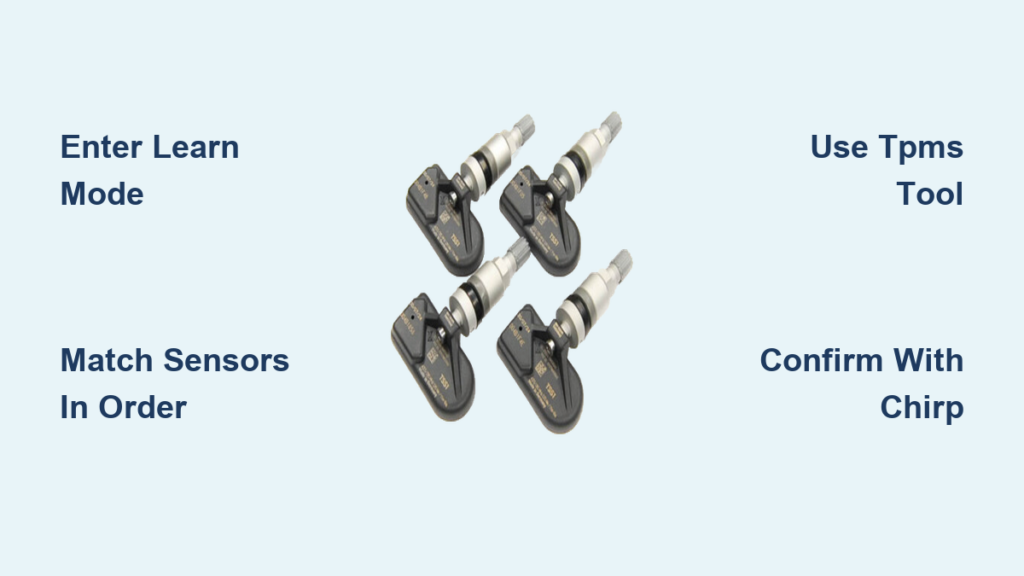
That blinking tire pressure light on your Chevy Silverado’s dashboard can be frustrating, especially right after rotating your tires or switching to a winter set. The light isn’t broken. It’s telling you the system needs to relearn where each sensor is located. Knowing how to reset TPMS on Chevy Silverado trucks saves you a trip to the dealer and keeps your pressure readings accurate. This guide covers every method, from the key fob trick to professional OBD tools, so you can finish the job in under five minutes.
Enter TPMS Learn Mode on Your Silverado

Before your truck can recognize new sensor positions, it must enter “Tire Learning Active” mode. The activation method depends on your model year and trim level.
Use the Key Fob Method (2008–2014 Models)
For most 2008–2014 Silverados, the key fob offers the fastest entry into learn mode.
- Turn the ignition to ON/RUN with the engine OFF.
- Press and hold the LOCK and UNLOCK buttons at the same time.
- Keep holding for about 5 seconds.
- Listen for a double horn chirp to confirm activation.
- Check the DIC for the “TIRE LEARNING ACTIVE” message.
⚠️ No chirp? Roll down the driver’s window to reduce signal interference and try again.
Use the DIC Buttons (2008–2020 Uplevel Trims)
If your Silverado has a Driver Information Center with control buttons, this method works well.
- Turn the ignition ON and leave the engine OFF.
- Press the vehicle info button until “RELEARN TIRE POSITIONS” appears.
- Press SET/RESET to confirm.
- Wait for the double horn chirp and the “TIRE LEARNING ACTIVE” message.
Use the Trip Odometer Stem (Base Models 2015–2020)
Base work trucks without DIC buttons rely on the trip odometer stem instead.
- Turn the ignition ON with the engine OFF.
- Press the trip reset stem repeatedly until “RELEARN TIRE POSITIONS” displays.
- Press and hold the stem.
- Keep holding until you hear a double horn chirp and the message changes.
Use an OBD2 Scanner (All Years, Fastest Option)
For the quickest, most professional reset, a TPMS scan tool like the ATEQ VT56 or VT46 handles everything through the OBD2 port.
- Plug the scanner into the OBD2 port under the dash.
- Select “Relearn TPMS” or “Sync-ID” mode.
- Follow the on-screen prompts.
- The whole process finishes in under 2 minutes with no driving required.
💡 Pro Tip: This method is ideal for seasonal tire swaps or shops handling multiple vehicles daily.
Match the Sensors in the Correct Order

Once learn mode is active, you have 5 minutes to match all four tires. The first tire must be matched within 2 minutes, or the system will abort.
Follow the Required Sequence
The ECU expects sensors in this exact order:
- Left Front (driver side)
- Right Front (passenger side)
- Right Rear
- Left Rear
🔄 Skipping or reordering tires results in incorrect position data on your dash display.
Activate Sensors with a TPMS Tool (Recommended for 2012+)
For 2012 and newer Silverados, a TPMS activation tool is required. The old air-down trick no longer works reliably.
- Stand near the Left Front tire.
- Place the tool’s antenna against the sidewall near the valve stem.
- Press the activate button.
- Wait for a single horn chirp confirming the sensor ID was captured.
- Repeat for each tire in sequence.
🕒 Average time per tire is 30 seconds, with the full reset done in under 3 minutes.
Try the Pressure Variation Method (Pre-2012 Only)
Older Silverados (2007–2011) may respond to pressure changes instead of a tool.
- Remove the valve cap from the Left Front tire.
- Add or release air for 5–10 seconds.
- Wait up to 30 seconds for a single horn chirp.
- Move to the next tire in order.
❌ Warning: This method fails on most 2012+ models. Use it only if you have no tool and an older truck.
Complete the Reset Process
After matching all four sensors, confirm the system accepted them and exit learn mode properly.
Confirm with the Final Horn Chirp
- After the Left Rear sensor is activated, you’ll hear two horn chirps.
- The DIC will stop showing “TIRE LEARNING ACTIVE.”
- Turn the ignition OFF to exit learn mode completely.
✅ The ECU now knows which sensor belongs in which position.
Recheck Tire Pressures
- Use a reliable gauge to verify all tires are at placard PSI (found on the driver’s door jamb).
- The relearn process, especially the air-down method, may have altered your pressures.
- Replace all valve caps to prevent slow leaks and false alerts.
Troubleshoot Common TPMS Reset Failures
Even with the right steps, things can go sideways. Here’s how to get back on track.
System Aborts Before Completion
If the process stops early, check these common causes:
- Timeout exceeded? You have 5 minutes total and 2 minutes for the first tire.
- Window closed? Signal interference can block sensor signals. Lower the driver’s window during relearn.
- Weak tool battery? Replace or recharge your TPMS tool.
🔁 Fix: Turn the ignition OFF, then back ON, and restart the entire sequence.
Double Chirp Happens Too Early
Hearing two chirps before finishing all four tires means the system failed to capture a sensor ID.
- Move the tool closer to the valve stem.
- Make sure the tire is properly inflated.
- Restart the relearn sequence from the beginning.
No Horn Response at All
If you hear nothing, verify these basics:
- Ignition is ON, engine is OFF.
- Parking brake is fully engaged.
- TPMS tool battery is charged.
- Sensor frequency matches your model year:
- 2004–2018: 315 MHz
- 2019: Dual frequency (315/433 MHz)
- 2020+: 433 MHz
🧰 A mismatched sensor frequency means the tool and sensor can’t communicate.
Diagnose Persistent Issues with DTCs
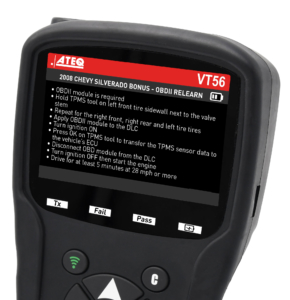
If the warning light stays on after a successful relearn, retrieve Diagnostic Trouble Codes (DTCs) for deeper insight.
Scan for Sensor Faults
- Connect a TPMS scanner with OBD2 capability (such as the ATEQ VT56).
- Select “Service” > Make/Model/Year > DTC.
- Review codes for issues like:
- Sensor not responding
- Low sensor battery
- ECU communication error
🔍 Code C0770, for example, may indicate a failed sensor that needs replacement and relearn.
Prevent Future TPMS Problems

A successful reset is just the start. Keep your system reliable with these habits.
Relearn After Every Tire Change
Always perform a TPMS reset when you:
- Rotate tires every 7,500 miles
- Swap seasonal wheels (winter/summer sets)
- Replace a damaged sensor
- Install new wheels or tires
🔄 Skipping the relearn leads to wrong pressure readings on your dashboard.
Use Correct Tire Sizes
When upsizing or changing tire dimensions:
- Keep overall diameter within ±3% of stock.
- Match or exceed the load rating on the door placard.
- Use a tool like the ATEQ VT56 to adjust placard pressure settings in the ECU for non-standard tires.
⚖️ Incorrect sizing can void your warranty and trigger TPMS errors.
Invest in a Personal TPMS Tool
Instead of paying $50+ per visit at the dealership, a personal tool costs $55–$100 and pays for itself quickly.
- ATEQ VT56/VT46: Professional-grade, supports OBD relearn in under 2 minutes.
- Generic GM-compatible tools: Budget-friendly with high success rates on Silverados.
💬 User Insight: “I’ve used my $60 tool on three GM trucks. It paid for itself in two uses.”
Frequently Asked Questions About Resetting TPMS on Chevy Silverado
Do I need a tool to reset TPMS on a 2015 Silverado?
Yes. For 2012 and newer Silverados, a TPMS activation tool is the only reliable method. The older air-down technique no longer works consistently on these models.
How long does the TPMS relearn process take?
The entire process should take under 5 minutes. You have a 2-minute window to match the first tire and a 5-minute total limit to finish all four. Using an OBD2 scanner can cut this down to under 2 minutes.
Will rotating my tires trigger the TPMS light?
Yes. Tire rotation changes the position of each sensor, so the ECU needs a relearn procedure to remap them. Always reset TPMS after every rotation to keep pressure data accurate.
Can I reset TPMS without driving?
Yes. Using an OBD2-compatible TPMS tool like the ATEQ VT56 allows a full reset without moving the vehicle. Manual methods (key fob, DIC, trip stem) also work without driving.
What happens if I skip the relearn after swapping tires?
The dashboard will display incorrect pressure readings for each tire position, and you may get false low-pressure warnings. Over time, this can compromise safety and tire life.
Why does my Silverado use different sensor frequencies?
Sensor frequency changed over the years to meet regulatory and technical standards. 2004–2018 models use 315 MHz, 2019 models support dual frequency, and 2020+ models use 433 MHz. Always match your tool and sensors to your truck’s frequency.
Final Thoughts on Resetting TPMS on Your Chevy Silverado
Resetting the TPMS on your Chevy Silverado is straightforward once you know the correct sequence. Start by entering learn mode using the key fob, DIC buttons, or trip stem, depending on your trim. Match each sensor in order: Left Front → Right Front → Right Rear → Left Rear. Confirm success with the double horn chirp, recheck your tire pressures, and you’re done.
For 2012 and newer trucks, skip the outdated air-down method and invest in a TPMS activation tool. A $60 scanner pays for itself after just two uses and eliminates dealership trips for good. Keep your tire data accurate, your warnings reliable, and your Silverado running safely in every season.



