Did you just get a new Chevrolet Silverado and want to ditch the clutter of extra remotes? Programming your Silverado garage door opener using the built-in HomeLink system is easier than you think, and it’s a game-changer for convenience. Whether you’re driving a 2017 or a 2026 model, this guide walks you through every step, including troubleshooting tips and model-specific fixes.
The process is straightforward for most models: reset the HomeLink module, capture the remote signal, and complete a final sync at the motor if needed. But if you skip one step, especially the rolling code handshake, you’ll press the button and nothing happens. You’ll learn how to sync your garage door in minutes, avoid common pitfalls, and ensure your system works flawlessly every time.
Reset HomeLink System First

Before programming, clear any old codes to prevent interference and ensure a clean setup.
Clear Stored Codes
Press and hold both outer buttons on the overhead console (left and right of the center button). Hold them together for 5–10 seconds until the center LED starts flashing rapidly. This wipes all previous devices from memory.
If you’re selling the truck or had issues syncing, extend the hold to 30 seconds for a full factory reset. This ensures no access codes are left behind, which is critical for home security.
Check LED Behavior
After releasing the buttons, the LED should be off or blinking slowly. If it stays solid or doesn’t respond, double-check that you pressed the outer buttons only, not the center one. On some 2017–2019 models, turn the ignition to ON (engine off) to power the system fully before resetting.
Program Using Handheld Remote
This method works for most Silverado models (2018–2026) and is the fastest way to sync your garage door.
Position Vehicle Correctly
Park your Silverado inside the garage or directly in front of the door. Make sure the vehicle is within range of the garage door motor for later syncing, especially if using rolling code technology.
Start Programming Mode
Pick your desired HomeLink button, whether Button 1, 2, or 3, and press and hold it. The LED will begin blinking slowly, signaling the system is ready to receive a signal.
Sync With Garage Remote
While still holding the HomeLink button, take your handheld garage remote and press and hold the corresponding button. Hold it 1–2 inches from the HomeLink panel for best results.
Keep both buttons pressed. After 10–30 seconds, the LED will switch from slow to rapid flashing. Once it does, release both buttons immediately. The signal is now stored.
Test the Connection
Press the programmed HomeLink button once. If the garage door opens or closes, you’re done, and no further steps are needed.
If nothing happens, your opener likely uses rolling code encryption, which requires an additional sync at the motor unit. Move to the next section.
Fix Rolling Code Sync Issues
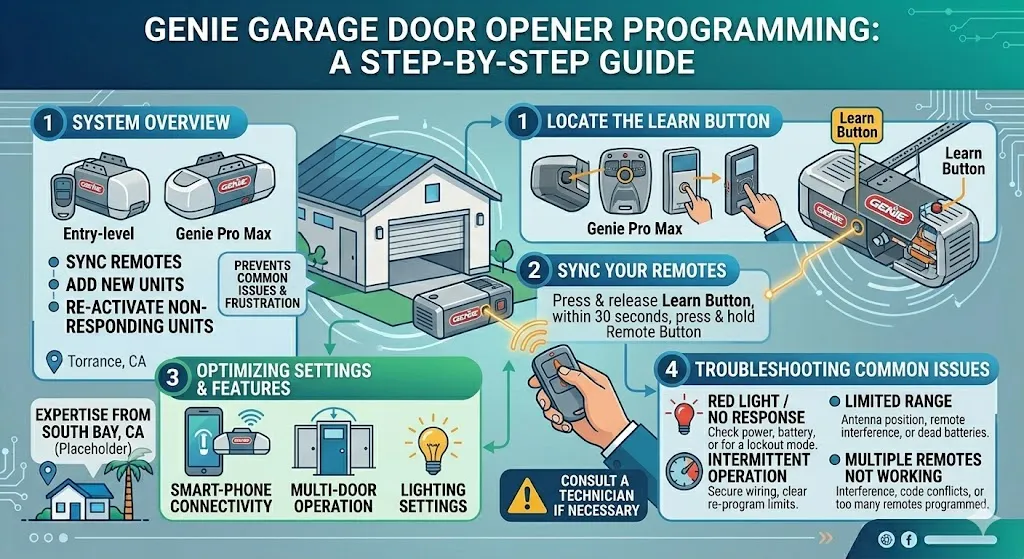
Most modern garage doors (Genie, Chamberlain, LiftMaster) use rolling codes for security. Without this final handshake, the HomeLink learns the signal but can’t activate the door.
Locate the Learn Button
Go to the garage door opener motor mounted on the ceiling. Find the “Learn” or “Program” button. It’s usually small, recessed, and may have an LED next to it.
- Genie: Often a black button near the antenna
- Chamberlain/LiftMaster: Colored button (yellow, purple, red, or orange)
Activate Motor Learning Mode
Press and hold the Learn button until the LED lights up or begins blinking (about 2–3 seconds). Once active, you have 20–30 seconds to return to the vehicle and complete the sync.
Complete Vehicle Sync
Back in the Silverado, press the programmed HomeLink button firmly.
- Standard method: Press and hold for 2 seconds
- Genie-specific fix: Try pressing the button once, then twice, then three times in quick succession if the first attempt fails
The garage door should respond immediately. If it moves, the sync is complete.
Confirm Solid Indicator Light
Return to the motor unit. The LED should now be solid green (or steady, depending on the model), confirming full synchronization. If it’s still blinking, repeat the process.
Use Mobile or Universal Remote
If you’re using a smartphone-controlled garage opener or universal remote instead of the original handheld, the steps change slightly.
Prepare the Mobile Device
Ensure your mobile opener is already paired with the garage door motor. The Silverado HomeLink can’t program the opener directly; it only copies an active signal.
Begin Sync Process
Press and hold the button on your mobile garage remote. At the same time, press and hold the desired HomeLink button in the truck.
The HomeLink LED will blink slowly at first, then switch to rapid flashing within 20–30 seconds.
Finish and Test
Release both buttons as soon as the LED flashes rapidly. Wait a few seconds for the light to turn off completely, then test the button.
Only one mobile device can be linked per HomeLink button. Avoid interference by keeping other remotes away during setup.
Troubleshoot Common Failures
Even with correct steps, programming can fail. Here’s how to fix the most frequent issues.
No LED Response
If the HomeLink light doesn’t blink when you press a button:
- Check ignition position: On 2017–2018 models, turn the key to ON (engine off) to power the system
- Verify reset success: Re-do the 10-second outer-button hold
- Inspect for damage: Ensure no liquid spills or debris affect the console
Light Stays Slow Blinking
If the LED never shifts to rapid flash:
- Replace remote battery: Weak batteries are the #1 cause of sync failure
- Reduce distance: Hold the remote 1–2 inches from the panel
- Avoid interference: Turn off nearby Wi-Fi extenders or Bluetooth devices temporarily
Door Doesn’t Move After Sync
This almost always means the rolling code handshake was skipped.
- Perform the Learn button sync at the motor unit
- For Genie H8000 models: Turn ignition to ON, press Learn until LED is solid, then retry
- Try the 1-2-3 press sequence during sync
System Won’t Reset
If the LED doesn’t flash rapidly during reset:
- Confirm you’re pressing only the two outer buttons
- Hold for up to 30 seconds—some systems take longer
- Cycle the ignition off and on, then retry
Model-Specific Tips by Year

Slight variations exist across model years. Use these shortcuts for faster results.
2017 Silverado 1500 LTZ
Users report sync issues with Genie openers unless the ignition is ON. Follow these steps:
- Turn key to ON (dash lights active, engine off)
- Hold outer buttons for 20 seconds to clear memory
- Program remote while holding it 1 inch from panel
- Complete rolling code sync at motor
This powers the HomeLink module more reliably than accessory mode.
2025–2026 Silverado with Google Built-In
Newer trims integrate with the MyChevrolet app and Google ecosystem. The physical button method may not work.
- Open the MyChevrolet app on your phone
- Navigate to Vehicle Settings > HomeLink
- Follow on-screen prompts to initiate programming
- You may still need to press the Learn button on the motor
Check your digital owner’s manual if the console method fails.
Maintain Security and Performance
Once programmed, keep your system running smoothly and secure.
Erase Codes Before Selling
Always perform a 30-second reset before trading in or selling your Silverado:
- Press and hold both outer buttons for 30 seconds
- Confirm rapid flashing, then release
- This removes all access to your garage and home systems
Prevent Future Sync Issues
- Replace garage remote batteries annually
- Keep the HomeLink panel clean and dry
- Reprogram after power outages or motor unit replacements
Test Range and Reliability
After setup, test the button from outside the garage. If it works at 10–15 feet but not from the street, the signal is weak. Reprogram with a fresh remote battery.
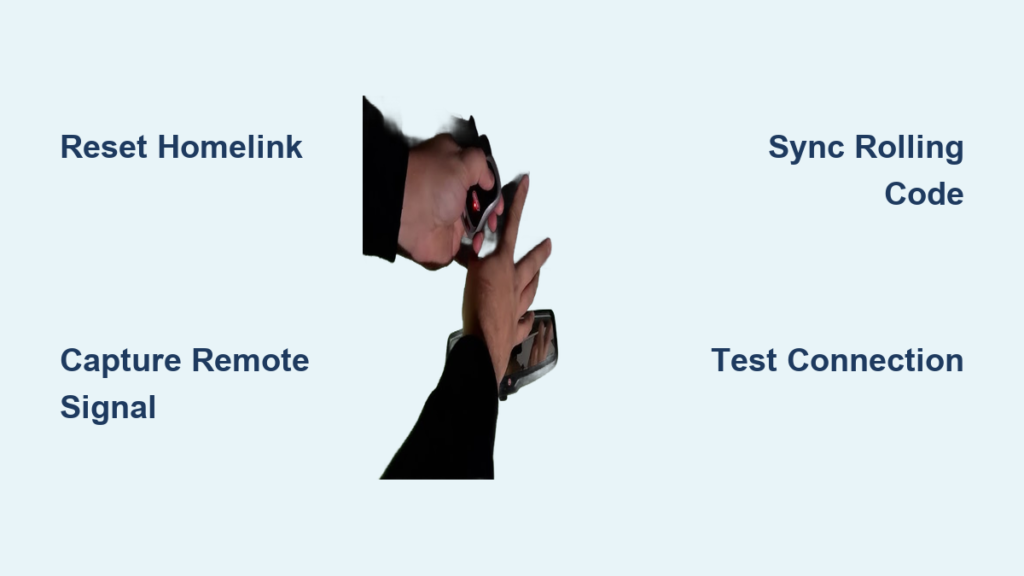
Quick Reference: 4-Step Sync Guide

Reset the System
Hold Outer Button 1 + 2 for 10 seconds until LED flashes rapidly. Release.
Capture Remote Signal
Hold desired HomeLink button. Simultaneously hold garage remote (1–2 inches away). Wait for LED to rapid flash, then release both.
Sync Rolling Code (If Needed)
Press Learn on motor until LED activates. Return to vehicle. Press HomeLink button (try 1x, 2x, 3x if needed). Door should move.
Final Test
Press HomeLink button from inside cab. Confirm door opens/closes. Check motor LED is solid, not blinking.
Frequently Asked Questions About Programming Silverado Garage Door Openers
Why won’t my Silverado HomeLink learn my garage remote?
The most common cause is a weak remote battery. Replace it and hold the remote 1–2 inches from the HomeLink panel. If the LED still won’t shift to rapid flashing, interference from other devices or an incorrect reset may be the issue.
Do I need to press the Learn button on my garage door motor?
Yes, if your opener uses rolling code technology (most post-1996 Genie, Chamberlain, and LiftMaster units). Without this handshake, HomeLink captures the signal but cannot activate the door. Press the Learn button on the motor, then return to your truck within 30 seconds.
How do I program a 2017 Silverado with a Genie H8000 opener?
Turn the ignition to ON (engine off). Hold both outer HomeLink buttons for 20 seconds to clear memory. Program the remote while holding it 1 inch from the panel, then complete the rolling code sync at the motor unit.
Can I use my phone to program HomeLink instead of a remote?
Yes, if your mobile garage opener is already paired with the motor unit. Press and hold the mobile remote button and the HomeLink button simultaneously until the LED flashes rapidly. Note that only one mobile device can be linked per HomeLink button.
How do I erase HomeLink codes before selling my Silverado?
Press and hold both outer buttons on the overhead console for 30 seconds until the center LED flashes rapidly. This factory resets the system and removes all stored access codes for security.
Do 2025 and 2026 Silverados use the same HomeLink steps?
Not always. Newer models with Google Built-In may require programming through the MyChevrolet app or in-vehicle settings menus. If the physical button method fails, check your digital owner’s manual for app-based instructions.
Key Takeaways for Programming Your Silverado Garage Door Opener
Programming your Silverado garage door opener takes just minutes when you follow the right sequence. Always reset the HomeLink system first to clear old codes, then capture the remote signal by holding both buttons until the LED flashes rapidly. If your door uses rolling code technology, complete the motor unit handshake by pressing the Learn button and returning to your truck within 30 seconds.
Test the system from a normal driving distance to confirm reliable range. Before selling your vehicle, perform a 30-second reset to erase all access codes and protect your home security. With these steps, you’ll eliminate guesswork and enjoy seamless, one-button access to your garage every time.