If your Chevy Silverado is showing speed in kilometers instead of miles, you’re not alone. This is a common issue with Canadian imports, former fleet vehicles, and trucks that recently had service on their control modules. The fix depends entirely on your truck’s model year and available controls.
Below, you’ll learn exactly how to change km to miles on Chevy Silverado models from 1999 to present. Whether your truck has a touchscreen, steering wheel buttons, or just a single stem, this guide covers every method available.
Modern Touchscreen Models (2019–Present)

Silverados from 2019 onward make this conversion quick and intuitive through the infotainment screen.
Access Units via the Settings Menu
- Turn on the vehicle and wait for the touchscreen to boot.
- Tap the gear icon (Settings) on the right side of the home screen.
- Scroll down and select “Units” from the menu.
- Choose “US” to switch to miles, Fahrenheit, and PSI.
- The change applies instantly with no restart needed.
Pro Tip: Selecting “US” updates all metrics at once. Speed, fuel economy (MPG), tire pressure (PSI), temperature (°F), and navigation distances all convert simultaneously.
Confirm the Change Worked
After switching, verify the conversion with these quick checks:
- Speed test: Drive at 60 mph and confirm the display reads 60, not 60 km/h (which equals only 37 mph).
- Fuel range: Check “Distance to Empty.” It should now show miles (e.g., 250 mi) instead of kilometers.
- Climate readout: Exterior temperature should appear in °F.
This method works across all 2019+ Silverado trims, including LT, RST, LTZ, and High Country.
Mid-Gen DIC System (2014–2018)

Silverados built between 2014 and 2018 use the Driver Information Center (DIC) controlled by steering wheel buttons. No touchscreen required.
Use Steering Wheel Controls
- Turn the ignition on (engine can be off).
- Press the “OK” or check mark button on the steering wheel to enter the DIC menu.
- Use the arrow buttons to scroll to “Vehicle Settings” or “System Settings.”
- Select “Units” or “Metric/U.S. Units.”
- Choose “U.S. Units” and press OK to confirm.
The display switches immediately. All readings, including odometer, trip computer, fuel economy, and outside temp, now show in imperial units.
What to Watch For
- If you don’t see a “Units” option, your trim may lack full DIC functionality. This is common in base WT models.
- Some trucks show “Imperial” instead of “U.S. Units.” Both produce the same result.
- After selection, exit the menu completely to ensure the setting saves.
This process also applies to GMC Sierra, Chevrolet Tahoe, and Suburban from the same years.
Arrow Button Method (Specific 2014–2018 Trims)
Some Silverados with basic steering wheel controls use a slightly different navigation path.
Navigate with Arrow Keys
- Press the side arrow button to open the info panel.
- Use the down arrow to highlight “Units.”
- Press the check mark (OK) to enter.
- Use the right arrow to access options.
- Scroll down to “Imperial” and select it with the check mark.
Warning: Choosing “Metric” will switch everything back to kilometers and Celsius. Double-check your selection before confirming.
Once confirmed, the speedometer updates in real time. This method is common on work-truck trims where simplicity is prioritized over advanced menus.
Older Clusters (1999–2006)
Pre-2007 Silverados often have minimal digital interfaces. Unit changes here are limited and sometimes impossible without professional tools.
Check for Physical Buttons
Look above the instrument cluster for a small stem-type button. If present:
- Pressing it cycles between odometer and trip A/B.
- Holding it resets trip mileage to 000000.
- It does not access unit settings.
On most 1999–2006 models, the unit system is set at the factory or during module programming. If your truck shows km/h, it likely came that way from a prior owner, fleet, or Canadian import.
Can You Switch It?
- No DIC buttons? Then no user-accessible unit change exists.
- Trim with full DIC? Rare, but possible. Check for additional buttons on the dash or cluster.
- If available, navigate to “Options” > “Units” > “U.S.” using the stem button to scroll and confirm.
Otherwise, reprogramming is required (see below).
Base Models and No-DIC Trucks (2007–2013)
This is where things get tricky. Many 2007–2013 Silverados, especially base WT or fleet models, came with stripped-down instrument clusters.
Why You Can’t Change It Through Menus
- Single-stem control only: Only cycles trip meters and system checks.
- No “Settings” menu: Even holding the button won’t reveal unit options.
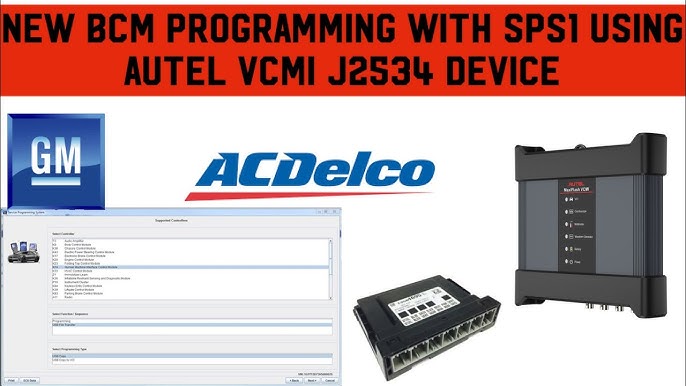
- Units locked in BCM: The Body Control Module stores the measurement system, and without physical DIC buttons, you can’t access the setting.
Important: Disconnecting the battery or resetting the system won’t change km to miles. The setting is stored in non-volatile memory.
Required Fix: BCM Reprogramming
To switch from km to miles on these models, you need professional intervention:
- A GM-certified scan tool (like GM GDS2 or Tech2)
- Access to dealer-level software or a qualified mechanic
The technician will:
- Connect the scanner to the OBD2 port.
- Navigate to BCM Programming.
- Change the regional setting from Metric to U.S. Standard.
- Reboot the system.
Cost typically runs $75–$150 at most dealers or independent shops with proper equipment.
What Changes When You Switch?

Switching from km to miles doesn’t just affect speed. It updates your entire dashboard ecosystem at once.
| System | Metric | U.S. Units |
|---|---|---|
| Speed | km/h | mph |
| Odometer | kilometers | miles |
| Fuel Economy | L/100km | MPG |
| Range | km to empty | miles to empty |
| Temperature | °C | °F |
| Tire Pressure | kPa or Bar | PSI |
| Navigation | km distances | miles |
| Speed Signs | km/h recognized | mph recognized |
All changes happen simultaneously when you select “U.S. Units.”
Troubleshooting Common Issues
Display Reverts to Kilometers
Cause: BCM setting wasn’t saved or reverted after a module reset.
Fix:
– Re-enter the unit menu and reselect “U.S. Units.”
– If no menu exists, suspect BCM corruption. This requires a scan tool reset.
Temperature Stays in Celsius
Even after switching units, temperature won’t budge? Try this:
- Exit the menu completely and restart the vehicle.
- Hold the infotainment power button for 10+ seconds to force a hard reset.
- Recheck the “Units” setting. Some systems require full exit to sync.
No “Units” Option in Menu
Likely cause: Base-model cluster without full DIC.
Options:
– Confirm your trim has steering wheel controls or dash buttons.
– If not, BCM reprogramming is the only solution.
– Avoid third-party “unit switch” apps. They don’t work on GM BCMs.
Quick Reference by Model Year
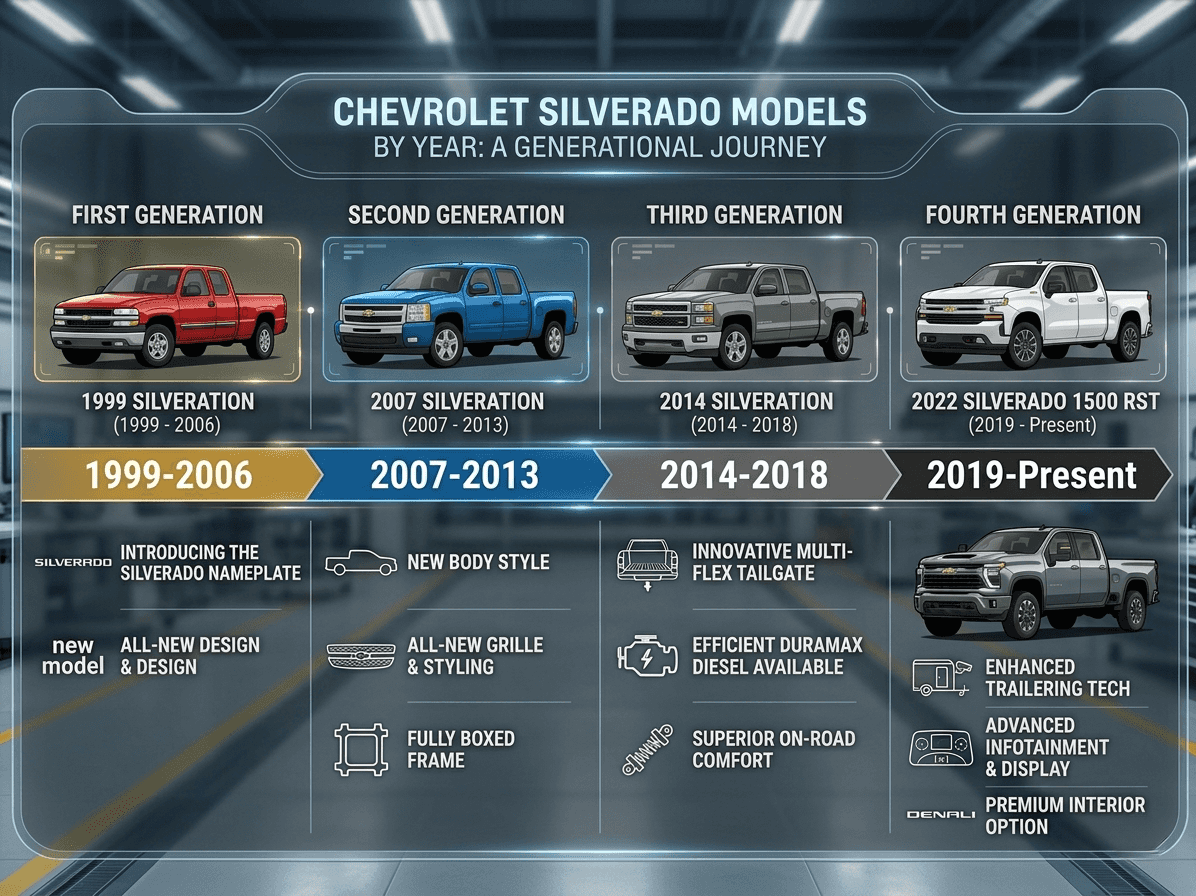
| Year | Method | User-Friendly? |
|---|---|---|
| 2019–2024 | Touchscreen > Settings > Units > US | Yes |
| 2014–2018 | Steering wheel DIC > Vehicle Settings > U.S. Units | Yes |
| 2007–2013 (with DIC) | Dash or cluster buttons > Hidden menu | Maybe |
| 2007–2013 (stem only) | BCM reprogramming required | No |
| 1999–2006 | Factory-set or programmed | No user change |
Tip: If you’re unsure of your model’s capabilities, start by pressing any DIC buttons on the steering wheel. If menus appear, you likely have user-accessible settings.
Alternative Controls for 2007–2014 Suburban and Yukon
For models like the 2009 Suburban that lack steering wheel DIC buttons, check for four vertical buttons located to the right of the steering wheel, next to the center air vents.
- The bottom two buttons control settings.
- The third button from the top accesses menus.
- The fourth button (check mark) selects settings.
If dash buttons are absent, look for small push selectors on the left and right sides of the speedometer cluster face. Specific sequences of these buttons may access hidden menus, though this varies by exact production date.
Frequently Asked Questions About Changing KM to Miles on Chevy Silverado
Will disconnecting the battery change km to miles on my Silverado?
No. The unit setting is stored in non-volatile memory within the BCM or infotainment head unit. Disconnecting the battery will not reset your preference.
How much does dealer reprogramming cost for base models?
Most dealers and qualified independent shops charge between $75 and $150 for BCM reprogramming to switch from metric to U.S. units.
Can I switch back to kilometers after changing to miles?
Yes. Simply repeat the same steps and select “Metric” or “Imperial” (depending on your model) instead of “U.S. Units.” The process is fully reversible.
Why does my Silverado show kilometers in the first place?
Common causes include Canadian imports, former fleet vehicles, or service work where the wrong regional settings were applied to the BCM during module programming.
Do all 2014–2018 Silverados have the DIC unit change option?
No. Base WT models often lack full DIC functionality. If your steering wheel doesn’t have arrow and OK buttons, you may need BCM reprogramming instead.
Will changing units affect my trip odometer readings?
No. Switching between metric and U.S. units converts the display but does not reset or alter your actual trip data. Your mileage history remains intact.
Key Takeaways for Changing KM to Miles on Chevy Silverado
Changing km to miles on Chevy Silverado models is straightforward when you know your truck’s generation. For 2019 and newer trucks, it’s a few taps on the touchscreen. For 2014–2018 models, steering wheel buttons get the job done in under a minute. Older trucks and base models without full DIC controls require professional BCM reprogramming, but it’s a quick and affordable fix.
Start by identifying your model year and checking for available controls. If you have steering wheel buttons or a touchscreen, you can complete the conversion yourself in minutes. If not, schedule a visit with a dealer or qualified mechanic who has GM diagnostic tools.
Next step: Locate your DIC buttons or touchscreen settings menu and follow the steps for your specific model year. You’ll have your dashboard speaking your language before you finish your next drive.