
If your Silverado radio is not working, you’re facing one of the most frustrating issues modern truck owners encounter. Symptoms range from total silence with a visible display to a black screen or audio that cuts out mid-drive. The cause depends heavily on your model year. Trucks from 2011 to 2017 typically suffer from hardware wear, while 2023 to 2026 models deal with software bugs in the Google-based infotainment system. This guide walks you through every proven fix, from a 30-second soft reset to a full battery disconnect, so you can solve the problem without a costly dealership visit.
Decode Your Silverado Radio Symptom

Pinpointing the exact failure mode is the fastest path to a working radio. Silverado radio problems fall into three main categories, each pointing to a different root cause.
Audio Off, Display On
The screen shows station names, time, or Apple CarPlay, but no sound plays from any source. AM, FM, SiriusXM, Bluetooth, GPS voice prompts, and even turn signal chimes go silent. This pattern is common in 2023 to 2026 Silverados and usually signals a software conflict. A key clue is that Apple CarPlay audio may still work while native radio is silent. Try switching from FM to XM or changing presets to see if sound returns briefly.
Complete Black Screen
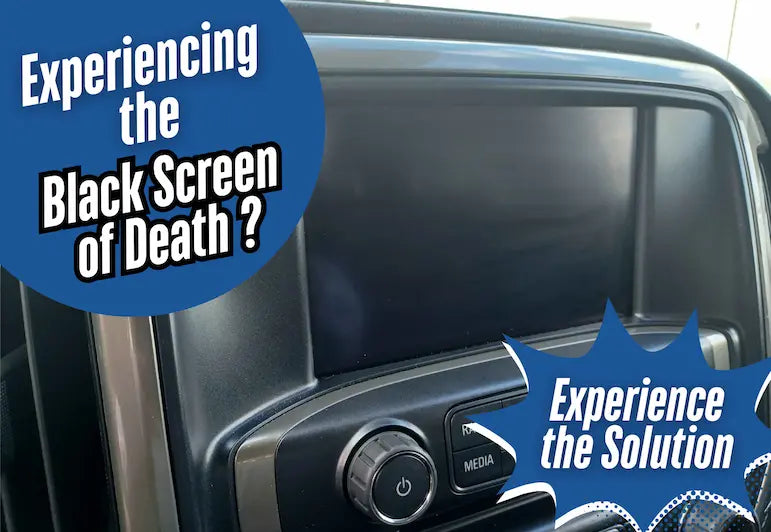
The infotainment display goes dark or cycles the Chevrolet logo repeatedly. Climate controls still respond, but the touchscreen is unresponsive. This is most common in 2021 Silverados and typically points to an infotainment module crash or a failed software load. If the screen reboots every five minutes with a logo flash, the module is stuck in a boot loop.
Intermittent Failure
The radio works on startup but cuts out after a few minutes or fails on the second start of the day. Many owners notice audio drops after a Lane Keep Assist warning or a MyChevrolet app sync. This pattern suggests a software loop, low-voltage boot issue, or a Google account timeout.
Fix Google Infotainment Glitches on 2023 to 2026 Models
Newer Silverados use a Google-powered system that is prone to audio dropouts, especially after safety alerts or app syncs.
LKA Muting Bug Explained
When the Lane Keep Assist system triggers, it sends a command to mute the audio. In affected models, the system fails to unmute afterward, leaving you in silence. Users consistently report that sound dies immediately after the steering wheel vibrates from an LKA alert. The fastest workaround is to restart the infotainment system using the soft reset methods below. If the issue keeps recurring, temporarily disable LKA in the Driver Settings menu.
MyChevrolet App Conflicts
The MyChevrolet mobile app can interfere with infotainment stability, especially during phone OS updates or login timeouts. If your radio fails right after your phone connects or the app syncs, delete the app and reinstall it. Log in fresh and ensure your Google account is actively signed in on the infotainment screen. Engineers confirm that an unlogged Google account can cause audio modules to fail on startup.
Google Account Login Required
A signed-in Google account stabilizes the interface and prevents boot loops. Tap Settings, then Google, and check whether you are signed in. If not, log in using your Google credentials. This single step resolves a surprising number of 2023+ audio failures.
Quick Reboot Methods That Fix Most Silverado Radios
Try these soft resets first. They resolve the majority of Silverado radio not working cases without tools or downtime.
Hold the Mute Button for 30 Seconds
This is the fastest soft reset for 2023 to 2026 models. Keep the truck running and press and hold the Mute button on the steering wheel. Hold it for 30 seconds until the screen goes black. Wait 5 to 10 seconds and the system will reboot automatically. A successful reset is confirmed when audio returns with the startup chime.
Press the Hang-Up Button to Reset
This method works on 2021 to 2026 models and acts as a hard reboot for the radio. With the engine on, locate the phone hang-up or decline call button on the steering wheel. Press and hold it for 10 to 30 seconds until the screen goes black. Release the button and let the system restart. Use this method when the Mute button does not respond. Avoid doing this while driving; pull over to a safe stop first.
Safe Mode and Factory Reset for Stubborn Software Issues
Use these in-menu fixes when soft resets fail. The vehicle must be parked because menu options lock while moving.
Restart in Safe Mode
Safe mode clears corrupted cache and failed over-the-air updates. Tap Settings, then System, and scroll to the bottom of the menu. Select Restart in Safe Mode and wait for the reboot. To exit properly, turn off the ignition, open the driver’s door, wait 60 seconds to let the module fully power down, then close the door and restart. This forces a clean boot that bypasses faulty startup routines.
Erase Infotainment Data
This is the last software resort before checking hardware. Go to Settings, then System, then Reset Options. Choose Erase Infotainment Data and confirm. This removes paired phones, saved Wi-Fi, custom radio presets, and navigation history. Re-pairing your devices takes 10 to 15 minutes, so do this at home when you have time.
Hard Reset Using the Fuse Box and Battery
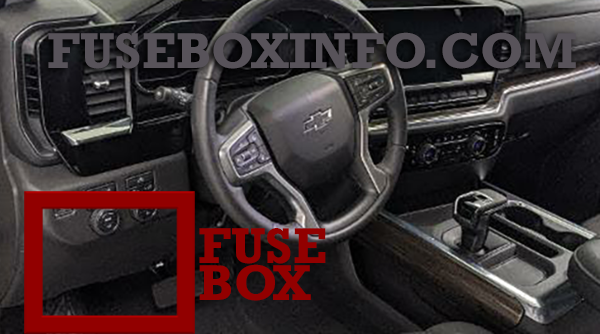
When software resets do not work, force a full power cycle to clear the infotainment memory.
Pull the INFO1 Fuse (Number 41)
This hardware reset requires no tools. Open the driver’s side door and locate the fuse box on the right side of the dash near the door hinge. Open the cover and find Fuse #41, labeled INFO1. Pull it out with a fuse tool or your fingers, wait 10 seconds, then reinsert it. Restart the vehicle and test the radio. This method cuts power to the infotainment module and clears its volatile memory.
Disconnect the Battery for 60 Minutes
This deep reset handles stubborn failures that survive a fuse pull. Turn off the truck and open the hood. Locate the negative battery terminal, marked with a black cap and a minus symbol. Loosen the clamp with a 10mm wrench, pull the cable off, and wait 60 minutes. Reconnect the terminal, tighten the clamp, and restart. For older models from 2011 to 2017, 15 to 20 minutes may be enough. Note that this may reset radio presets on some trims.
Diagnose Hardware Failures on Older Silverados

If resets fail, inspect these components. Hardware issues are most common in 2011 to 2017 models.
Check Radio Grounding
Poor grounding causes power-on but no-sound issues. Inspect the ground wire behind the head unit and near the firewall. Look for corrosion, looseness, or paint covering the contact point. Disconnect the battery, remove the ground bolt, and clean the metal surface with sandpaper. Reattach using a star washer for a tighter grip.
Test for Blown Fuses
Beyond the INFO1 fuse, check the amp fuse, radio fuse, and accessory fuse. Use a test light or multimeter to verify continuity. Replace any fuse with a broken filament.
Inspect the Amplifier and Speakers
Factory amplifiers fail over time, especially in damp climates. Play audio and tap the amplifier, usually located under the rear seat or in the trunk. If sound flickers when you tap it, the amp is failing. You can also test output by connecting a known-working speaker or an external amp.
Check Wiring Behind the Head Unit
Vibration and heat degrade wires over years of use. Look for frayed insulation, loose connectors, or a burnt smell. Reconnect or splice damaged wires using heat-shrink tubing for a durable repair.
Model-Specific Fixes for Common Silverado Years
Tailor your approach based on your truck’s production year.
2021 Silverado: Black Screen With Cycling Logo
This points to a failed infotainment module boot. Start with a Safe Mode Restart using the full 60-second door-open delay. If the screen stays dark, pull the INFO1 fuse. If the system is still unresponsive, the module likely needs a dealer reflash or replacement. Functional climate controls confirm the issue is isolated to the infotainment system.
2017 and Older: No Sound but Radio Powers On
Classic hardware degradation is the usual suspect. Check for a failed internal amplifier, a blown fuse, or a bad ground. A quick diagnostic shortcut is to try a Bluetooth phone call. If there is no voice audio, the head unit has likely failed. If call audio works but music does not, inspect the source settings or external amp.
2011 Silverado: Power On, No Audio
Age-related component failure is the norm. Common culprits include a failed Digital Signal Processor or a corroded circuit board. Swap in a used OEM radio, which is widely available online at low cost. Alternatively, install an aftermarket unit with Android Auto or Apple CarPlay for a modern upgrade.
When to Visit the Dealer
Some issues require professional tools, software access, or warranty coverage.
Software Updates and Technical Service Bulletins
Dealers can install pending over-the-air updates, apply Technical Service Bulletins for known bugs, and reprogram the infotainment module. Ask about warranty coverage, especially if you own a 2023 or newer model.
Module Replacement
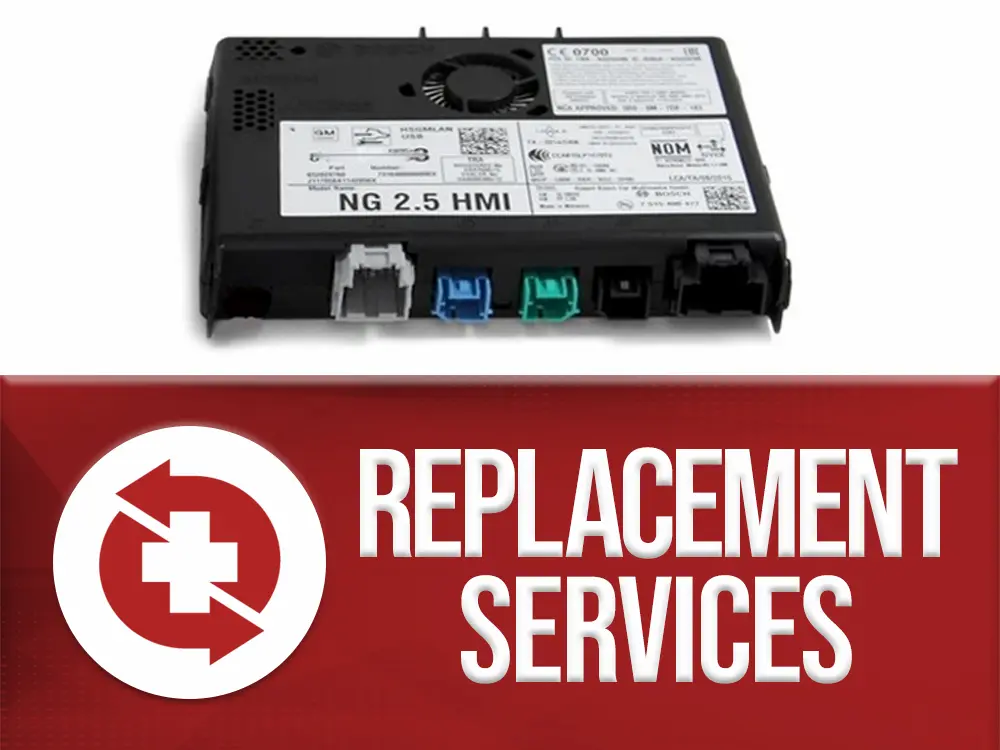
If hardware is confirmed dead, the dealer can replace the infotainment module on 2021+ models or the head unit on 2011 to 2017 models. Separate amplifiers can also be swapped. Note that new units may require VIN pairing, which only a dealership or qualified locksmith can perform.
Prevent Future Silverado Radio Failures
Stop the problem from coming back with these habits.
Avoid Low-Voltage Starts
Starting with a weak battery can corrupt infotainment boot sequences. Replace aging batteries before they fail. Warning signs include slow cranking and dim dashboard lights.
Keep Your Google Account Active
For 2023 to 2026 models, never log out of Google. Use a dedicated account just for the truck and enable auto-login to keep the interface stable.
Disable LKA Temporarily
If LKA keeps muting your audio, turn off Lane Keep Assist in the Driver Settings menu. Re-enable it once audio stability is confirmed.
Perform Monthly Soft Resets
Every 30 days, hold the Mute button for 30 seconds. This clears cache and resets the audio module before problems build up.
Frequently Asked Questions About Silverado Radio Not Working
Why does my Silverado radio have power but no sound?
This is typically caused by a software glitch on 2023+ models or a hardware failure on older trucks. Start with a 30-second Mute button hold. If that fails, check the INFO1 fuse and inspect the ground wires behind the head unit.
How do I reset my Silverado radio without disconnecting the battery?
Press and hold the Mute button on the steering wheel for 30 seconds until the screen goes black. The system will reboot automatically. You can also hold the phone hang-up button for 10 to 30 seconds as an alternative.
What does the INFO1 fuse do in a Silverado?
The INFO1 fuse, labeled Fuse #41, supplies power to the infotainment module. Pulling and reinserting it forces a hard power cycle that clears the module’s memory and resolves many software-related failures.
Can a bad battery cause the Silverado radio to stop working?
Yes. Low voltage during startup can prevent the audio module from initializing properly. If your radio fails on the second start of the day or after short trips, test your battery voltage and replace it if it is weak.
Why does my Silverado radio cut out after Lane Keep Assist activates?
This is a known bug in 2023 to 2026 models with Google-based infotainment. The LKA system sends a mute command that the radio fails to reverse. Restart the infotainment system or disable LKA until a software patch is released.
Will a factory reset fix my Silverado radio?
A factory reset via Settings, then System, then Reset Options can resolve persistent software glitches. Note that it erases paired phones, saved Wi-Fi, and custom presets, so use it as a last resort before hardware checks.
Final Thoughts on Fixing a Silverado Radio Not Working
A Silverado radio not working does not automatically mean an expensive repair. Most cases resolve with a free 10-minute fix you can do at home. Start with the Mute button hold or the INFO1 fuse pull, since these two methods solve the majority of issues. For 2023 to 2026 models, focus on software resets, Google account login, and LKA settings. For older trucks, prioritize fuse checks, ground inspections, and amplifier testing. If every reset fails, the infotainment module or head unit may need professional replacement. Diagnose the symptom first, follow the matching steps, and you will likely restore your radio without ever visiting the dealership.



