
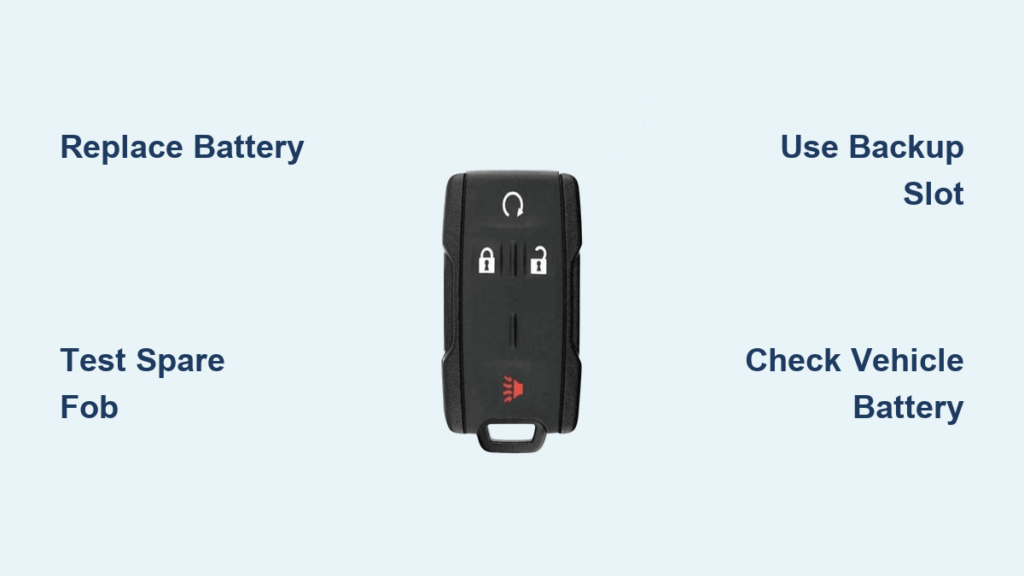
Your Silverado key fob not working can stop you in your tracks. One moment everything is fine, and the next you are standing next to your truck with zero response from the remote. This problem affects thousands of Silverado owners every year, often at the worst possible time. The good news is that most key fob failures have simple, affordable fixes you can handle at home in under an hour.
This guide walks you through every proven solution, from swapping a dead battery to diagnosing deeper electrical faults. You will learn how to test a spare fob, use the hidden backup slot, check your truck’s battery, and even reprogram the remote yourself. By the end, you will know exactly what to do before paying a dealer $200 for a problem you can likely solve in your driveway.
Replace the Key Fob Battery First

A dead or dying battery causes the majority of Silverado key fob failures. Even if the remote seems to work sometimes, weak power leads to inconsistent signals and shortened range.
Identify the Correct Battery Type
Most Silverado key fobs use a CR2032 or DL2032 coin-cell battery. These typically last around 3 years under normal use. However, heavy remote start usage shortens battery life because the fob constantly searches for the truck’s signal.
Step-by-Step Battery Replacement
- Locate the small seam or slot along the edge of the fob casing.
- Insert a flat tool like a coin, butter knife, or small screwdriver into the slot.
- Twist gently to pop the case apart.
- Remove the old battery and note which side faces up (positive side).
- Insert the new CR2032 battery with the correct polarity.
- Snap the two halves of the casing back together.
Pro Tip: Always work with clean, dry hands. Oils and moisture can corrode the internal contacts and cause permanent damage.
After replacing the battery, test the fob from 10 to 15 feet away. If it still fails to respond, move on to the next troubleshooting step.
Test with a Spare Key Fob
A spare key fob is the fastest way to isolate the problem. If you have a second remote programmed to your truck, grab it now.
Only One Fob Dead?
If the spare works perfectly, the issue is isolated to the original fob. The problem is likely a dead battery, internal corrosion, or physical damage to that specific unit.
Both Fobs Fail to Work?
When neither remote responds, the problem lies on the vehicle side. This usually points to a weak truck battery, signal interference, or a faulty receiver module. Always keep at least two programmed fobs to avoid complete lockouts.
Use the Center Console Backup Slot
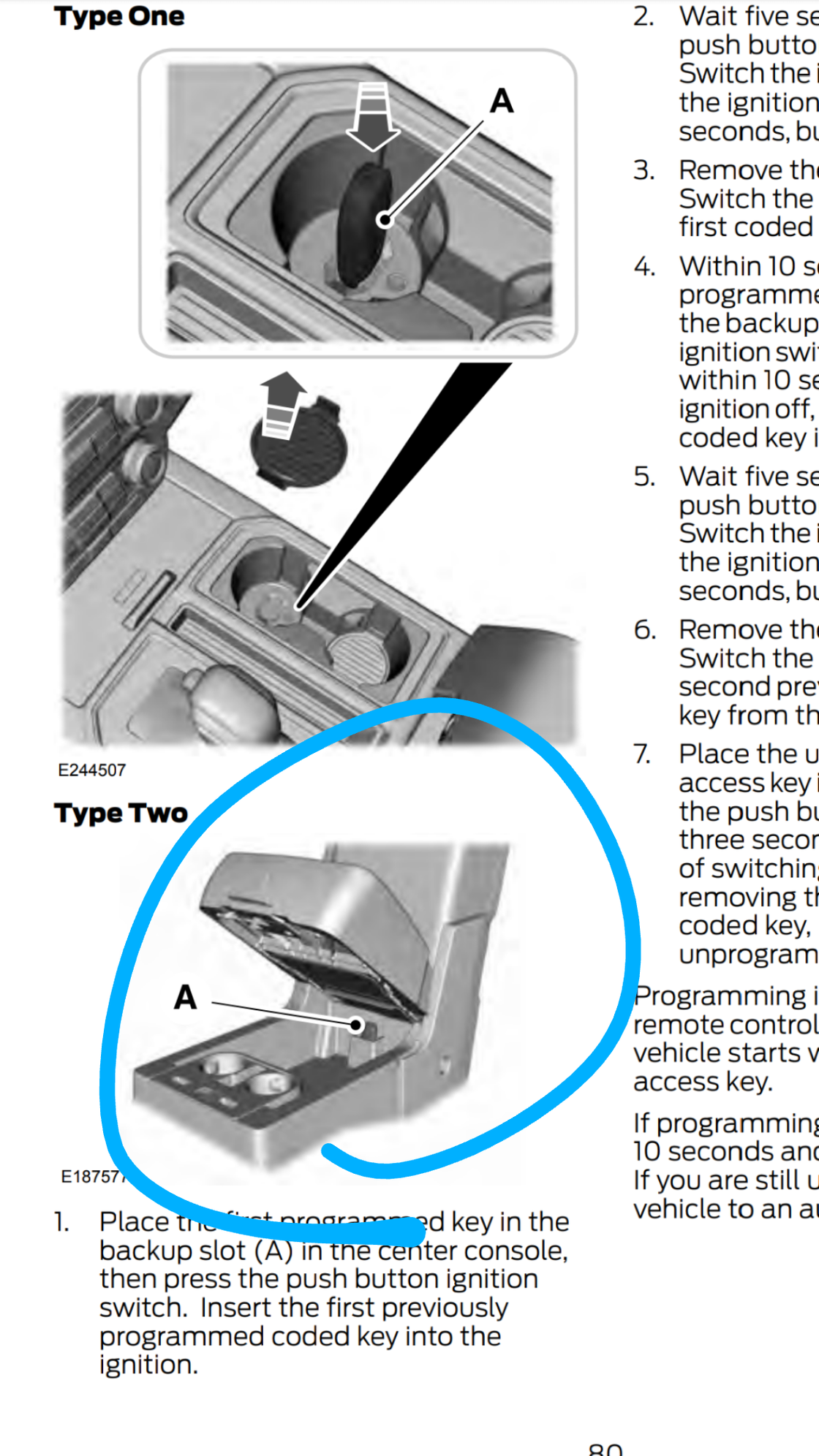
Modern Silverados include a hidden backup feature most owners never notice. A designated key fob slot sits inside the center console or cup holder area.
Start Your Truck with a Dead Fob
Place the unresponsive fob directly into this slot. The truck reads the fob through near-field communication, completely bypassing the wireless signal. This trick works even with a completely drained fob battery and requires no reprogramming.
- If the engine starts, your fob battery is weak or dead.
- If the engine still will not start, the issue may involve the immobilizer system or the Body Control Module.
Check the Vehicle Battery

A weak 12V vehicle battery causes more Silverado key fob problems than most owners realize. Sensitive electronics like the key fob receiver need stable voltage to function properly.
Why Your Truck Battery Matters
The Remote Control Door Lock Receiver (RCDLR) requires consistent power to communicate with the Body Control Module. Vehicle batteries typically last 3 to 5 years, and a four-year-old OEM battery can fail without warning.
Symptoms of a weak vehicle battery include:
– No response from any key fob
– Truck starts but will not shift out of park
– Dashboard warning lights flickering randomly
Quick Voltage Test
Do not guess about your battery condition. Use a multimeter to check voltage with the truck turned off. A healthy battery reads 12.6V or higher. If the reading is lower, try jump-starting with a known good battery from a jump pack or another vehicle. If the fob suddenly works after a power boost, replace your vehicle battery immediately.
Reprogram the Key Fob
Sometimes a working fob loses synchronization with the truck after a battery change or electrical glitch. Reprogramming restores the connection.
Standard Two-Key Programming Method
This method requires two working keys. If you only have one, you will need professional help.
- Insert the first working key into the ignition and turn to ON (do not start the engine).
- Within 5 seconds, insert the second working key and turn to ON.
- Within 10 seconds, turn both keys back to OFF.
- Within 5 seconds, press the accelerator pedal five times.
- Within 10 seconds, turn the first key back to ON.
- Within 5 seconds, press the accelerator pedal once.
- Turn both keys to OFF and remove them.
- Press any button on the fob. If the doors lock and unlock automatically, programming succeeded.
You can program additional remotes within 60 seconds by pressing their buttons.
Alternative Single-Key Reset
Some Silverado models accept this alternate sequence:
- Insert the key and turn it from ON to OFF 10 times within 10 seconds.
- Leave the key in the OFF position.
- Within 5 seconds, press the accelerator pedal five times.
- Within 10 seconds, turn the key to ON, then remove it.
- Press the accelerator pedal once.
- Press any button on the fob to sync.
Listen for a chime confirming programming mode is active.
Rule Out Signal Interference
Radio frequency interference blocks the communication between your fob and the truck. This is more common than most people think.
Common Interference Sources
- Wi-Fi routers and cell towers
- Power stations and electrical transformers
- Parking garages and underground structures
- Metal fences and thick concrete walls
Test in a Different Location
Move your truck to an open area away from buildings and electronic equipment. Try the fob again. If it works in the new location, your usual parking spot contains interference. As a temporary workaround, use the center console backup slot or cup your hand over the fob when pressing buttons to shield the signal.
Inspect for Physical Damage
Even minor physical damage can disable a key fob completely. A careful inspection often reveals the culprit.
Check the Casing
Look for cracks or breaks in the housing. Exposed internal circuits collect moisture and dust, leading to corrosion and failure.
Examine the Buttons
Sticky or unresponsive buttons usually mean dirt buildup or worn conductive pads. Clean the button surface with isopropyl alcohol and a cotton swab. Avoid soaking the fob.
Look for Liquid Damage
If the fob got wet, remove the battery immediately. Dry the interior thoroughly for at least 24 hours before reassembling. Internal corrosion from moisture is one of the most common causes of permanent fob failure.
Inspect Battery Contacts
Corroded battery terminals prevent proper power flow. Clean them gently with a baking soda and water solution, then dry completely before installing a new battery.
Diagnose Start-and-Shift Failure

A specific Silverado issue involves the truck starting but refusing to shift out of park. This problem ties directly to key fob communication.
Likely Causes
- Weak fob battery
- Poor signal reaching the Body Control Module
- Immobilizer system not fully authenticating the fob
Quick Fix Steps
- Place the fob in the center console backup slot.
- Press the brake pedal firmly.
- Attempt to shift the transmission.
If shifting works with the fob in the slot, the wireless signal was simply too weak. If shifting still fails, the vehicle may need a professional diagnostic scan to identify deeper error codes.
Replace Failed Hardware
When all troubleshooting steps fail, the problem requires hardware replacement.
When to Replace the Fob
Consider replacing the remote if:
– Battery replacement and reprogramming both failed
– The internal circuit board shows visible corrosion
– Buttons remain unresponsive after thorough cleaning
– The casing is cracked beyond repair
Replacement costs range from $70 to $200. Online retailers and auto parts stores sell fobs for $70 to $100, while dealerships charge $150 to $200 including programming fees. Always verify compatibility by checking the FCC ID printed on the back of your old fob.
When the Vehicle Module Is the Problem
If a brand new fob will not program, no fob responds, and the vehicle battery is strong, the issue likely involves the RCDLR (receiver) or BCM (Body Control Module). These components require professional diagnosis using a GM factory scan tool. Towing the truck to a dealer or qualified mechanic becomes necessary at this point.
Prevent Future Key Fob Failures
A few simple habits prevent most key fob problems before they start.
Replace the Battery Proactively
Set a calendar reminder to swap the CR2032 battery every 3 years, even if the fob seems fine. Keep a spare battery in your glove box for emergencies.
Use a Protective Case
A silicone or leather fob case shields against drops, water splashes, and heat damage. Avoid leaving the fob in direct sunlight on your dashboard.
Avoid Signal-Heavy Locations
Be cautious when parking near power stations, cell towers, or underground garages. These environments frequently block fob signals.
Always Carry a Spare
Program a second fob and store it in a safe location. Relying on a single remote leaves you completely stranded if it fails unexpectedly.
Clean the Fob Regularly
Wipe down the buttons and casing monthly with a dry microfiber cloth. This prevents grime buildup that causes sticky buttons and premature wear.
Frequently Asked Questions About Silverado Key Fob Problems
Why does my Silverado key fob only work when I am right next to the truck?
A drastically reduced operating range almost always indicates a weak or dying fob battery. The CR2032 battery inside the fob loses capacity gradually, shortening the effective signal distance. Replace the battery and test the range again from 10 to 15 feet away.
Can a dead car battery prevent the key fob from working?
Yes. The Remote Control Door Lock Receiver requires stable voltage from the vehicle battery to function. A weak or failing vehicle battery disrupts communication between the fob and the truck. Test your vehicle battery with a multimeter. A reading below 12.6V means the battery needs charging or replacement.
How do I start my Silverado if the key fob battery is completely dead?
Use the center console backup slot. Place the dead fob directly into the designated slot inside the cup holder or center console. The truck reads the fob through near-field communication, bypassing the wireless signal entirely. This method works without any battery power in the fob.
Do I need two working keys to reprogram a Silverado key fob?
The standard GM programming sequence requires two working keys to initiate the process. If you only have one working key, you must visit a dealership or locksmith for professional programming. Some Silverado models accept an alternative single-key reset sequence, but results vary by model year.
What is the average cost to replace a Silverado key fob?
Replacement costs range from $70 to $200 depending on the source. Online retailers and auto parts stores sell the hardware for $70 to $100, but you may need to program it yourself. Dealerships charge $150 to $200 including the fob and professional programming service.
Why does my Silverado start but not shift out of park?
This start-and-shift failure often relates to weak communication between the fob and the Body Control Module. Common causes include a weak fob battery, signal interference, or an incomplete immobilizer authentication. Place the fob in the center console backup slot and press the brake pedal firmly. If shifting works, the wireless signal was too weak.
Key Takeaways for Fixing Your Silverado Key Fob

Start every diagnosis with the simplest fix: replacing the CR2032 battery in the fob. Test with a spare remote to determine whether the problem is the fob or the truck itself. Use the center console backup slot to start the vehicle when the fob battery is dead or signals are weak.
Check your vehicle battery voltage before assuming the fob is broken, since low truck battery voltage disables the key fob receiver. Attempt reprogramming using the two-key sequence if the fob still fails after a battery swap. Rule out signal interference by testing the fob in a different location.
When all user-side fixes fail, the RCDLR or BCM likely needs professional attention. Keep this guide bookmarked so you can act quickly the next time your Silverado key fob stops working. A few minutes of troubleshooting saves you a costly tow and dealer visit.



