
You press the remote start button on your Silverado’s key fob, the lights flash, but the engine never cranks. It is one of the most frustrating issues, especially on a freezing morning when you count on a warm cabin. The Silverado remote start not working problem affects models from 2019 to 2024, and the causes range from a $5 battery to a hidden sensor failure.
The good news is that most issues can be diagnosed and fixed in under 30 minutes without special tools. This guide walks you through every possible cause, how to test each one, and the exact steps to resolve it. You will learn how to use the MyChevrolet app to isolate fob problems, reset the system after two consecutive starts, and identify when a faulty hood latch is the real culprit, even without a warning light.
Interpret the Remote Start Feedback Signals
What the Light Flash Patterns Actually Mean
When you press the remote start button and the lights flash but the engine does not turn over, the vehicle received your signal but an internal safety check blocked ignition. This is not a communication failure; it is a deliberate system rejection.
Common triggers include:
– Hood not fully latched
– Transmission not in Park
– Active Check Engine Light
– Valet mode enabled
– Brake pedal switch malfunction
The flash pattern itself offers clues. Two quick flashes followed by repeating cycles usually mean the request was denied due to a safety condition. If the lights stay on longer or blink rapidly, the issue may involve the key fob signal or the receiver.
Pro Tip: After any failed attempt, wait 10 seconds before retrying. Rapid pressing can trigger a temporary lockout.
Test the Key Fob Against the Mobile App
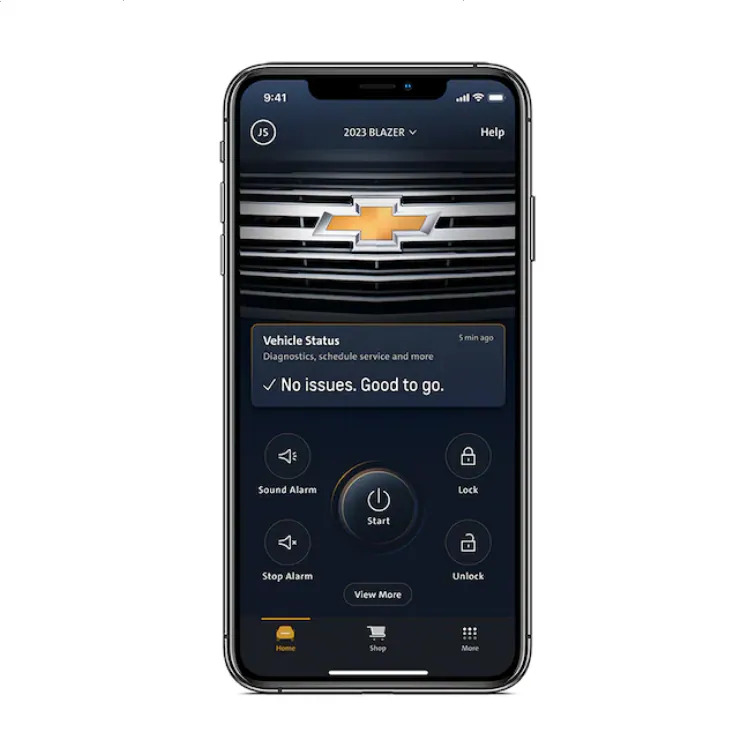
Use MyChevrolet App to Isolate the Problem
The fastest way to determine if the issue is your key fob or the truck itself is to try starting the vehicle through the MyChevrolet app (or MyGMC for Sierra models).
- Open the app and confirm your vehicle is connected.
- Tap the remote start icon and wait for confirmation.
Results Interpretation:
– App works, fob fails: The issue is isolated to the key fob, likely a weak battery or internal failure.
– App fails, fob fails: The problem is vehicle-side, involving the hood latch, BCM, or a system warning.
This single test saves hours of guesswork. If the app works, skip ahead to replacing the fob battery. If not, continue troubleshooting the truck’s sensors and software.
Note: Ensure your phone has strong cellular or Wi-Fi signal. A poor connection can delay or block the command entirely.
Replace the Key Fob Battery First
Install a Fresh CR2032 Battery
A dead or weak key fob battery is the number one cause of remote start failure. Even if the fob still unlocks the doors, it may lack the power to send the full encrypted remote start signal.
Symptoms of a low fob battery:
– Lights flash weakly or inconsistently
– Remote start fails beyond 10 feet
– App works but fob does not
Replacement Steps:
1. Use a flat tool to gently pry open the fob casing.
2. Remove the old CR2032 battery (positive side facing up).
3. Insert a new battery with correct polarity.
4. Snap the fob back together securely.
Test Immediately: Stand 20 feet from the truck, press Lock, then hold Remote Start for 5 seconds.
💡 Pro Tip: Buy two CR2032 batteries. They cost less than $5 and last 2–3 years. Keep one spare in your glovebox for emergencies.
Verify the Correct Remote Start Activation Sequence
Press Lock, Then Hold the Start Button
Many Silverado owners fail remote start simply because they use the wrong button sequence. The timing matters just as much as the buttons themselves.
Correct Sequence (Most Models):
1. Press and release the Lock button.
2. Immediately press and hold the Remote Start button (circular arrow) for at least 4 seconds.
3. Watch for turn signals to flash and the engine to crank.
Hold Time Matters: A 2-second press may flash the lights but fail to send the full command. Hold for 4–5 seconds to ensure the signal registers properly.
Model-Specific Variations:
– 2021 Silverado: Requires Lock + Hold Start
– 2023+ Denali/Sierra: May allow double-press of Start without Lock
– Aftermarket Systems: Often use double press or different timing
If the sequence fails, repeat it once after 10 seconds. If it still does not work, move on to system safety checks.
Confirm All Critical Safety Conditions Are Met
Pre-Start Checklist the System Runs Automatically
The Silverado’s remote start system runs a pre-start safety checklist before every ignition. If any condition fails, the engine will not start, even if the lights flash.
Transmission Must Be in Park
The system checks that the gear selector is fully seated in Park. A misaligned shifter or faulty park/neutral position switch can block remote start.
Fix:
1. Start the truck manually.
2. Shift firmly into Park.
3. Turn off the engine.
4. Try remote start again.
All Doors and Windows Must Be Closed
An open window or unlatched door prevents remote start. Even a slightly ajar door can trigger the safety lockout.
Check:
– Manually close all doors
– Ensure windows are fully raised
– Listen for the “door ajar” chime
Hood Must Be Fully Latched
This is a major hidden cause of remote start failure. The hood latch contains a sensor that sends a resistance signal to confirm closure. If it fails, the system believes the hood is open, even if no dashboard warning appears.
Test:
– Open and firmly close the hood.
– Listen for a solid “thunk” sound.
– Inspect the latch for debris or corrosion.
Diagnose a Faulty Hood Latch Sensor

The Leading Hidden Cause of No-Start Issues
The hood latch sensor is a frequent culprit in 2019–2023 Silverado and Sierra models. It fails silently, with no Check Engine Light and no error message, yet it completely blocks remote start.
Symptoms:
– Remote start fails randomly
– “Hood Open” message appears briefly then disappears
– False alarm triggers or “Theft Attempted” alerts
– Both app and fob fail to start the vehicle
Why It Fails: The anti-theft system expects a 2.2k ohm resistance from the sensor. A worn or corroded latch fails to deliver this value, causing the BCM to reject the start command.
Diagnostic Shortcut:
– Try remote start after firmly closing the hood.
– If it works occasionally, the latch is likely failing.
Permanent Fix: Replace the OEM hood latch assembly. Aftermarket units may not provide the correct resistance value.
🔧 Warranty Note: This repair is often covered under the 3-year/36,000-mile bumper-to-bumper warranty. For 2024 models, dealers may replace it even without a DTC if failure is confirmed through physical testing.
Reset the System After Two Consecutive Remote Starts
System Lockout After Repeated Cycles
Chevrolet limits remote start to two consecutive cycles. After that, the system locks out until you start the truck manually.
Example:
– Remote start at 7:00 AM (Cycle 1)
– Remote start again at 7:10 AM (Cycle 2)
– Third attempt at 7:20 AM → Fails
Solution: Start the truck with the key or push-button ignition. This resets the counter, and remote start will work again afterward.
Pro Tip: If you use remote start frequently, plan your schedule to include a manual start every few cycles to avoid lockouts.
Check for Hidden System Warnings
Scan for Check Engine and Service Messages
The remote start system scans for active fault codes before every ignition. If any are present, it automatically disables the feature.
Check Engine Light Blocks Start
Even a minor emissions code, such as a loose gas cap, will prevent remote start.
Action:
– Look for “Check Engine,” “Service Engine,” or “Reduced Engine Power” lights.
– If lit, use an OBD2 scanner to read the codes.
– Fix the underlying issue, then clear the code.
Other Blocking Service Messages
These warnings also disable remote start:
– Service Parking Brake
– Service 4WD
– Service ESC (Electronic Stability Control)
– Service Brakes
Even if no light is visible, a pending code may exist in the system. A professional scan tool can detect hidden faults in the BCM or remote start module.
Rule Out Valet Mode and Alarm Lockouts
Disable Valet Mode and Reset the Security System
If the truck is in Valet Mode, remote start is disabled by design.
How to Check:
– Look for a “Valet” or “Security” icon on the dashboard.
– Consult your owner’s manual for valet mode activation steps.
– To deactivate: Unlock the truck with the fob, then start it manually.
Alarm System Lockout
If the alarm was recently triggered, such as someone leaning on the truck, the system may be in a temporary lockout state.
Reset:
1. Unlock and lock all doors using the fob.
2. Wait 30 seconds.
3. Try remote start again.
Inspect the Vehicle Battery Health

Test for Minimum 12.6V Resting Voltage
A weak vehicle battery can silently block remote start without triggering any warning lights.
Why? The system checks voltage before allowing engine engagement. If the reading falls below 12.4V, it may prevent remote start to preserve power for manual ignition.
Test with Multimeter:
1. Turn off the truck and wait 10 minutes.
2. Set the multimeter to DC voltage.
3. Connect the red probe to the positive terminal and the black to the negative.
4. Read the voltage.
Results:
– 12.6V or higher: Battery is healthy
– 12.4–12.5V: Weak, may need charging
– Below 12.4V: Replace or recharge immediately
Also Check:
– Corrosion on battery terminals
– Loose ground connections
– Age of the battery (replace every 3–5 years)
Dim headlights or slow manual cranking are clear red flags.
Address Aftermarket Remote Start System Issues
Check Wiring and Bypass Modules
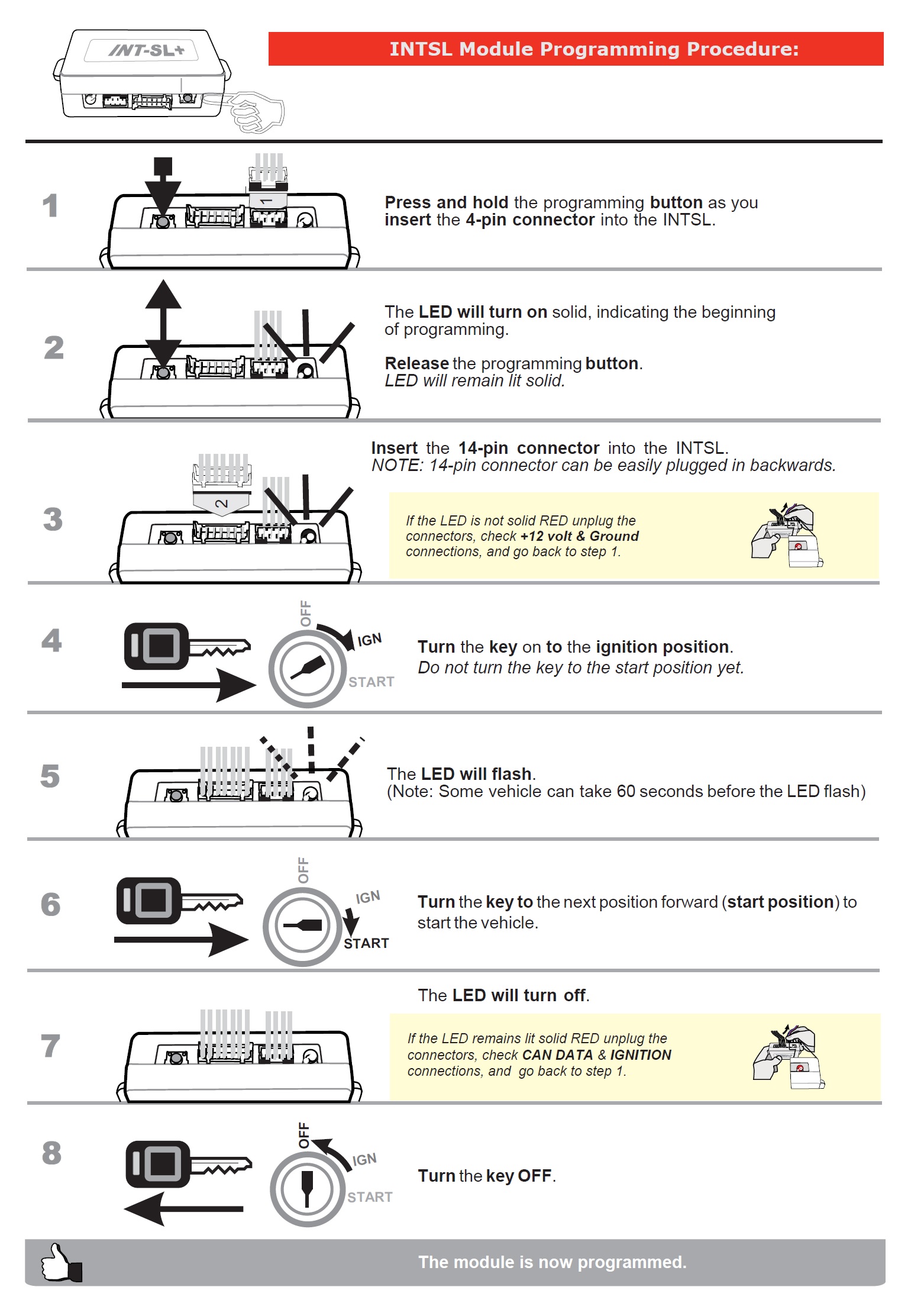
If your Silverado has an aftermarket remote start system (such as Viper or Compustar), additional failure points exist that factory diagnostics may not detect.
Common Problems:
– Loose or corroded wiring at the starter relay
– Failed ground connection
– Bypass module lost programming
– Incorrect integration with factory security
Diagnostic Steps:
1. Verify the system arms (security light flashes).
2. Listen for a click at the relay when pressing remote start.
3. Check for aftermarket fob LED indicators.
Reset Procedure (varies by brand):
– Turn ignition ON/OFF three times
– Press brake and remote start simultaneously
– Refer to the installer manual for brand-specific steps
If unsure, contact the original installer or a remote start specialist.
Seek Professional Diagnosis When Basic Steps Fail
When to Visit the Dealership
If basic troubleshooting does not resolve the issue, professional help is the next step, especially if your truck is under warranty.
Warranty-Covered Repairs
The following issues are often covered under bumper-to-bumper warranty:
– Hood latch sensor
– Body Control Module (BCM)
– Remote start receiver
– Software glitches
Software Updates Fix Known Glitches
Dealers can flash the BCM or remote start module with updated software to fix bugs that cause communication failures.
Example: Some 2021–2022 models had a known glitch where the remote start signal dropped after firmware updates.
Confirm Intermittent Hood Latch Failure
Technicians can:
– Monitor BCM data in real time
– Reproduce the failure by manipulating the latch
– Replace the latch even without a DTC if physical diagnosis confirms it
Quick Fixes Summary Table

| Step | Action | Time Required |
|---|---|---|
| 1 | Replace key fob battery (CR2032) | 2 min |
| 2 | Use MyChevrolet app to test | 3 min |
| 3 | Press Lock, then hold Start 5 sec | 1 min |
| 4 | Confirm hood, doors, windows closed | 2 min |
| 5 | Ensure truck is in Park | 1 min |
| 6 | Check for Check Engine or Service lights | 1 min |
| 7 | Verify only 1–2 remote starts used | Instant |
| 8 | Test vehicle battery voltage | 5 min |
| 9 | Disable Valet Mode if active | 2 min |
| 10 | Visit dealer if unresolved | Next day |
Frequently Asked Questions About Silverado Remote Start
Why does my Silverado remote start flash the lights but not crank the engine?
The lights flashing indicates the vehicle received your signal, but an internal safety check blocked ignition. Common causes include an unlatched hood, transmission not in Park, active Check Engine Light, Valet Mode, or a faulty hood latch sensor. Run through the pre-start safety checklist to identify the specific trigger.
How do I know if the problem is my key fob or the truck?
Use the MyChevrolet app to attempt a remote start. If the app successfully starts the vehicle but the fob does not, the issue is isolated to the key fob (usually a weak CR2032 battery). If both fail, the problem is vehicle-side, such as a hood latch sensor or BCM issue.
What battery does my Silverado key fob use?
Most Silverado key fobs use a CR2032 coin cell battery. These typically last 2–3 years. Even if the fob still unlocks doors, a weak battery may not transmit the full encrypted remote start signal.
Can a dead vehicle battery prevent remote start?
Yes. The remote start system checks voltage before allowing engine engagement. If the resting voltage falls below 12.4V, the system may block remote start to preserve power for manual ignition. Test with a multimeter and replace or charge the battery if needed.
Why does remote start work twice then stop?
Chevrolet limits remote start to two consecutive cycles. After two remote starts, the system locks out until you start the truck manually with the key or push-button ignition. This manual start resets the counter.
Is a faulty hood latch covered under warranty?
In most cases, yes. Hood latch sensor failures are typically covered under the 3-year/36,000-mile bumper-to-bumper warranty. Dealers may replace the latch even without a diagnostic trouble code if physical testing confirms the failure.
Key Takeaways for Fixing Silverado Remote Start Issues
Most Silverado remote start not working problems come down to a few common causes. Start by replacing the key fob battery with a fresh CR2032, then use the MyChevrolet app to determine whether the issue is the fob or the vehicle itself. Always verify the correct button sequence (Lock, then hold Start for 4–5 seconds) and confirm all safety conditions are met, including Park gear, closed doors, and a fully latched hood.
If basic steps fail, the hood latch sensor is the prime suspect, especially on 2019–2023 models. This component fails silently without triggering warning lights but blocks remote start by failing to deliver the correct resistance value to the anti-theft system. For persistent issues, schedule a dealership visit to check for software updates and warranty-covered repairs.
Your next step: Grab a fresh CR2032 battery and test the MyChevrolet app today. In most cases, you will have your remote start working again within minutes.



