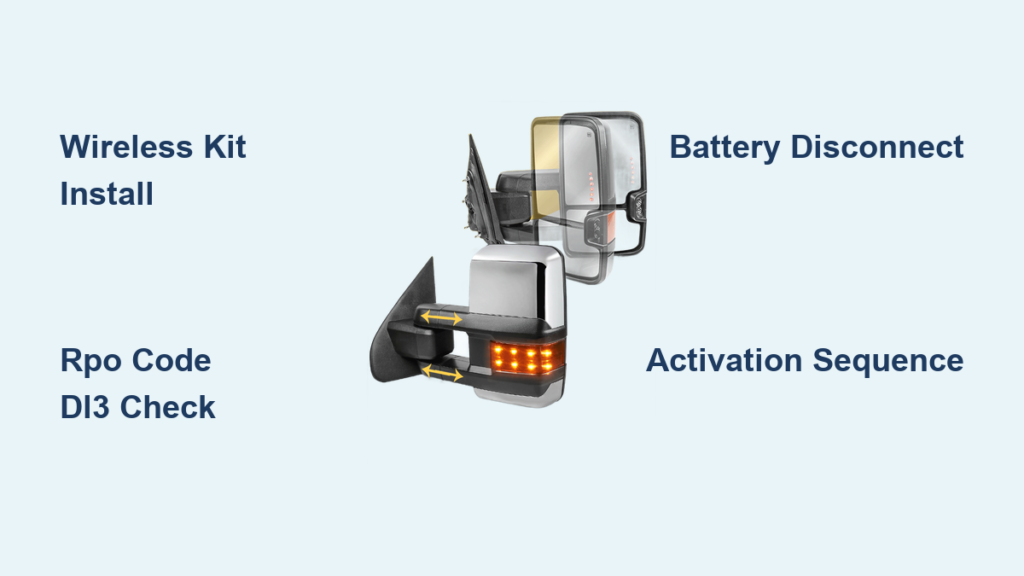
You shift your Chevy Silverado into Reverse and watch your side mirrors automatically tilt downward, ruining your carefully adjusted angle. This reverse tilt mirror feature, also called Curb View, aims to help you spot curbs when backing up, but many drivers find it more disruptive than useful.
The good news: you can disable it in minutes using your truck’s built-in controls. The exact method depends on whether you drive a 2004–2006 or 2007–2013 Silverado, and whether your truck has an auto-dimming mirror. This guide covers every disable method, customization option, and troubleshooting tip so you can permanently turn off reverse tilt mirrors on your Chevy Silverado.
Disable Reverse Tilt on 2004–2006 Silverado via the DIC Menu

Early GMT 800 platform Silverados manage this feature through the Driver Information Center (DIC). No touchscreen is required; just dashboard or steering wheel buttons.
Access the Curb View Setting
- Turn the ignition to ON (the engine can stay off).
- Confirm the transmission is in PARK.
- Press the Personalization or Info button on the instrument cluster or steering wheel.
- Keep pressing until “CURB VIEW” appears on the display.
Choose Your Preferred Setting
Once “CURB VIEW” shows up, press the Select button to cycle through these options:
- DRIVER
- PASSENGER
- BOTH
- OFF
Select OFF to stop both mirrors from tilting. Press the Personalization button again to save your choice and exit the menu.
✅ Pro Tip: If your Silverado supports multiple driver profiles, this setting saves per profile. Adjust it for each driver to maintain personalized preferences.
Disable Reverse Tilt on 2007–2013 Silverado Using the Mirror Button
Later GMT 900 models use a different system, especially when equipped with an auto-dimming rearview mirror and a factory backup camera. The control sits on the mirror itself.
Enter Setup Mode
- Turn the ignition to ON.
- Locate the “Auto” button on the bottom of your auto-dimming rearview mirror.
- Press and hold the “Auto” button for 5 to 10 seconds.
- Watch for a blink or twitch in the mirror; this confirms setup mode is active.
Toggle Off the Reverse Tilt Function
- Press and hold the “Auto” button again for 5 seconds.
- The mirror will tilt once or make a clicking sound, signaling the feature is disabled.
- Shift into Reverse to verify. The mirrors should remain in place.
⚠️ Warning: This only works on Silverados with the auto-dimming mirror. If your mirror lacks the “Auto” button, your truck likely uses the Body Control Module (BCM), which requires professional reprogramming.
What to Do When the Button Method Fails
If holding the “Auto” button produces no response, your Silverado may lack the factory Curb View system, or the BCM controls it.
Confirm Your Equipment First
- No auto-dimming mirror? The button method will not work.
- No backup camera? Reverse tilt may not be installed at all.
- Aftermarket mirror? The feature is likely disabled or incompatible.
When the BCM Controls the Feature
On some 2007–2013 trims without the auto-dimming mirror, the tilt function is hard-coded into the Body Control Module. In these cases:
- The DIC will not show “Curb View.”
- The mirror button sequence will fail.
- Only a GM Tech2 scan tool or dealership service can disable it.
🛠️ Expert Note: Some owners report success using aftermarket scan tools like GM MDI + GDS2 to access BCM settings and turn off mirror tilt. For most users, though, a dealership visit is the only reliable fix.
Customize Instead of Fully Disabling

You do not have to turn the feature off entirely. You can choose which mirror tilts instead.
Set Tilt to Driver or Passenger Only
- 2004–2006: In the DIC menu, pick DRIVER or PASSENGER rather than OFF.
- 2007–2013: While in setup mode, press the “Auto” button to cycle options. Some systems blink to indicate:
- 1 flash = Driver side
- 2 flashes = Passenger side
- 3 flashes = Both
- No flash = Off
✅ Use Case: Many drivers keep only the passenger mirror tilted to check curbs while parallel parking, which is ideal for city driving.
Troubleshoot Non-Working Reverse Tilt Mirrors
If your mirrors should tilt but do not, or they tilt and refuse to return, follow these diagnostic steps.
No Tilt in Reverse
- Check fuses: Inspect the backup light and mirror control circuits for blown fuses.
- Test reverse lights: If they fail to turn on, the reverse switch is not sending the trigger signal.
- Inspect wiring: Examine the door harness near the hinge for cracked or corroded wires.
- Clean contacts: Open the mirror housing and clean dirty electrical connectors.
Mirrors Will Not Return to Position
- This usually points to a memory function failure.
- Manually adjust the mirrors while in Park, then shift to Reverse and back.
- The system should relearn the default position.
- If it does not, reset through the DIC or mirror button sequence.
❌ Common Mistake: Adjusting mirrors while in Reverse overwrites the default tilt position. Always reset them in Park.
Prevent Future Reverse Tilt Issues
Keep the reverse tilt system running smoothly with a few simple habits.
Guard Against Moisture Damage
- Moisture inside the mirror housing can corrode gears and motors.
- If your mirror moves sluggishly, remove it and dry the interior.
- Apply dielectric grease to electrical contacts during reassembly.
Avoid Excessive Cycling
- The tilt motor is not built for constant use.
- Frequent toggling wears it out faster.
- Once you choose your setting, leave it alone.
🔧 Long-Term Fix: If the motor fails, replace the entire mirror glass assembly. It typically includes the motor and is sold as one unit.
Verify Compatibility by Model Year

Not every Silverado has this feature. Use this quick reference:
| Model Year | Platform | Control Method | Required Equipment |
|---|---|---|---|
| 2004–2006 | GMT 800 | DIC Menu | Power mirrors |
| 2007–2013 | GMT 900 | Mirror Button | Auto-dimming mirror + backup camera |
| 2007–2013 (base trims) | GMT 900 | BCM Programming | Not user-disableable without a scan tool |
📌 Note: LTZ and higher trims are most likely to include the feature. Base models often lack it entirely.
Confirm the Fix Works
After disabling the feature, run through these checks:
- Shift into Reverse.
- Watch both mirrors. They should not move.
- Shift back to Drive. Mirrors should stay in driving position.
- If they still tilt, repeat the disable process or ask a dealership about software updates.
✅ Success Signal: No movement in Reverse means the feature is off.
Frequently Asked Questions About Reverse Tilt Mirrors on Chevy Silverado
Will disabling reverse tilt mirrors affect my memory seat or radio settings?
No. The reverse tilt feature operates independently from seat memory and radio presets. Disabling it only changes how the side mirrors behave when you shift into Reverse.
Can I re-enable reverse tilt mirrors after turning them off?
Yes. Repeat the same disable process and choose DRIVER, PASSENGER, or BOTH instead of OFF. On 2007–2013 models, cycle through the “Auto” button options until the mirror blinks to confirm the new setting.
Why do my mirrors tilt but not return to position?
This usually indicates a memory function error. Adjust the mirrors manually in Park, then shift to Reverse and back to Drive so the system relearns the default position. Persistent failure may point to a failing tilt motor or BCM glitch.
Does the 2004 Silverado Suburban use the same disable method?
The 2004 Suburban shares the GMT 800 platform with the Silverado, so it uses the same DIC “Curb View” menu. Specific button labels may vary slightly, but the personalization menu remains the primary access point.
Do I need a scan tool to disable reverse tilt on a 2007–2013 Silverado?
Only if your truck lacks the auto-dimming rearview mirror. Models with the “Auto” button use the mirror button sequence. Base trims without that mirror require a GM Tech2, GM MDI, or dealership service to reprogram the BCM.
Will frequent toggling wear out my mirror motor?
Yes. The tilt motor is a small component not designed for constant cycling. Limiting how often you change the setting extends its lifespan.
Key Takeaways for Turning Off Reverse Tilt Mirrors on Your Chevy Silverado

- 2004–2006 models: Use the DIC menu, then select Curb View → OFF.
- 2007–2013 with auto-dimming mirror: Hold the “Auto” button for 5–10 seconds, then hold again for 5 seconds.
- No “Auto” button: Plan a dealership visit for BCM reprogramming.
- Always reset mirror positions in Park to avoid memory errors.
- Customize instead of disabling: Choose Passenger Only for curb viewing without losing your driver-side angle.
Turning off reverse tilt mirrors on your Chevy Silverado takes only a few minutes once you know the right method for your model year. Use this guide to regain full control over your mirrors and eliminate unwanted automatic movements for good.