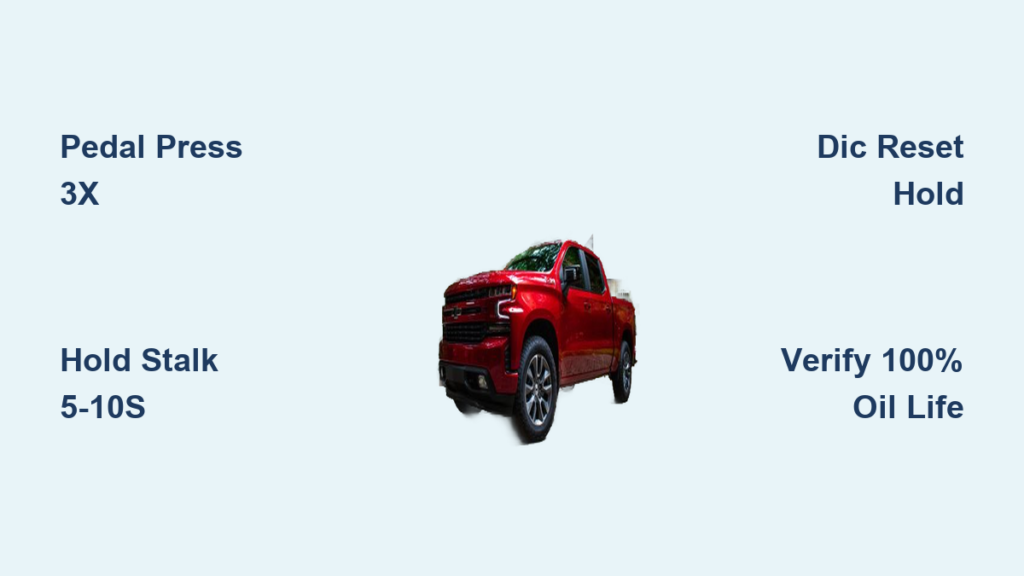
You just finished an oil change on your Chevy Silverado, but the “Change Oil Soon” light is still glaring at you. This is one of the most common frustrations Silverado owners face after a DIY service. The light is not automatic; it is a maintenance reminder tied to the Engine Oil Life Monitoring System that must be manually cleared after every oil change.
The Silverado tracks oil quality using engine load, temperature, driving style, and time, not just mileage. Once that calculation hits zero, the warning triggers. After fresh oil goes in, you have to tell the truck the service is done. Whether you drive a 2005 base work truck or a 2021 LTZ with a full Driver Information Center, there is a reset method built for your dashboard. This guide walks you through every version so you can clear the light in under a minute.
Identify Your Silverado’s Dashboard Type
The reset method depends entirely on your dashboard layout. Before touching any buttons, figure out which interface your truck uses.
- No DIC / Basic Cluster: Older or base models with a simple digital odometer and a small reset stalk.
- Odometer Reset Stalk with Oil Life Display: Mid-tier models showing oil percentage via a dash button.
- Driver Information Center (DIC): Newer models (2014 and up) with steering wheel controls and a message center.
- Accelerator Pedal Method: Found on pre-2014 trucks without digital menus.
Match your truck to the right category, then jump to the corresponding reset process.
Reset With the Accelerator Pedal (2005–2013 Models)
Older Silverados without a DIC rely on the gas pedal to clear the light. This method works on V6 and V8 models from 2005 through 2013, especially GMT900 platform trucks.
Press the Pedal Three Times in Five Seconds
- Sit in the driver’s seat and close all doors.
- Turn the ignition to the “On” position without starting the engine.
- Wait for the dashboard lights to fully illuminate.
- Slowly press the accelerator pedal all the way to the floor.
- Release, then repeat two more times for three full presses.
- Complete all three within a 5-second window.
Confirm the Reset Worked
- The oil light should flash or display a reset confirmation.
- Turn the ignition off, wait a few seconds, then turn back on.
- The “Change Oil Soon” message should be gone, and oil life should read 100% if your cluster displays a percentage.
⚠️ Pro Tip: Timing is everything. If the presses are too slow or too fast, the reset will not register. Restart the sequence if it fails.
Use the Odometer Reset Stalk (2010–2013 Base Models)

If your Silverado has a basic digital display near the speedometer and a small pin or button (the odometer reset stalk), this is your method. It is common on 2010–2013 work trucks without advanced infotainment.
Cycle to Oil Life and Hold
- Turn the ignition to “On” with the engine off.
- Press the odometer reset stalk repeatedly to scroll through display modes.
- Stop when “Oil Life” or “Remaining Oil Life” appears.
- Press and hold the stalk for 5 to 10 seconds.
- The display should flash and reset to 100%.
Verify the Light Is Off
- Turn the key off, then back on.
- The oil change light should not reappear.
- If it does, repeat the hold step, ensuring you hold for a full 10 seconds.
🔍 Note: If you see a physical stalk on the dash, this is likely your method rather than the pedal trick.
Reset via the Driver Information Center (2014–2022 Models)
Newer Silverados use a DIC controlled by steering wheel buttons. You will find a thumbwheel or arrow controls on the left side of the wheel. This method covers 2014–2022 models, including LT, LTZ, and High Country trims.
Navigate to Oil Life and Hold
- Turn the ignition to “On” or start the engine.
- Use the steering wheel controls to scroll through DIC menu options.
- Select “Oil Life Remaining” or “Remaining Oil Life”.
- Press and hold the center check or enter button for 3–5 seconds.
- A prompt may appear asking “Do you want to reset?” Choose “Yes.”
- The display updates to 100%.
Alternative: Pedal Method Still Works
Even with a DIC, some owners report success using the three-pedal-press method while the oil life screen is active. Try this if the button hold does not trigger the reset.
✅ Pro Tip: Always perform the reset with the engine off or in “On” mode. A running engine can block the sequence on some models.
Model-Specific Reset Tips

2005 Silverado: 3,500-Mile Reset Window
- Uses the accelerator pedal method.
- After reset, the system recalculates based on driving, typically defaulting to around 3,500 miles.
- Aggressive driving shortens the interval; highway driving extends it.
2010 Silverado: Stalk vs. Pedal Confusion
- Many 2010 models lack a full DIC.
- Primary method is the odometer stalk hold (5–10 seconds).
- Pedal method may work on some trims, but the stalk is more reliable.
2014–2021 Silverado: DIC Dominant
- Thumbwheel control is standard.
- If the hold does not work, try pressing and holding the trip odometer reset for 10 seconds as a fallback.
- Always confirm 100% appears at startup.
2018–2022: Shared Chevy Platform
- The same reset logic applies across Malibu, Tahoe, Blazer, and Colorado.
- If your truck shows oil life percentage, the “Hold to Reset” rule applies whether you use a stalk, button, or pedal.
Why the Oil Light Will Not Reset: Troubleshooting
Even with the correct steps, the light sometimes stays on. Here is what causes it and how to fix it.
Timing or Sequence Errors
- Pedal presses too slow: Must be three full presses in under five seconds.
- Holding the stalk too briefly: Hold for at least five seconds, ideally 10.
- Wrong display active: For stalk or DIC methods, oil life must be on screen before holding.
System Interference
- Door ajar: Some models cancel the reset if a door is open.
- Engine running: Most resets require ignition “On” with the engine off.
- Battery recently disconnected: The system may need recalibration. Let it run for a few minutes after the reset.
Hardware or Sensor Issues
If the procedure keeps failing:
- Faulty oil life sensor: Located near the oil pan, may need replacement.
- Wiring damage: Corrosion or breaks in the sensor circuit.
- Stored DTCs: Diagnostic trouble codes can block the reset and require an OBD2 scanner.
🛠️ When to See a Mechanic: If every method fails, visit a shop with a Chevrolet Tech2 scanner. They can force-reset the system and check for sensor faults.
How Often to Reset the Oil Light
The oil life system starts counting down immediately after a reset. How fast it drops depends on your driving.
- Stop-and-go traffic degrades oil faster.
- Towing or hauling shortens the interval.
- Frequent cold starts increase moisture in oil.
- Extreme heat or freezing weather stresses lubricant.
Most Silverados reset to 8,000–10,000 miles under ideal conditions, but harsh use can drop that to 3,000–5,000. Never ignore the “Change Oil Soon” message, even if you have not hit your usual mileage.
Best Practices After Reset
Always Verify the Reset
- Turn the ignition off, wait five seconds, then turn back on.
- Confirm the “Change Oil Soon” message is gone.
- Confirm oil life reads 100% if displayed.
- Confirm no warning lights appear at startup.
Reset Only After an Oil Change
- Never reset the light before changing the oil.
- Doing so tricks the system and risks engine wear from degraded oil.
- The reset is a confirmation, not a shortcut.
Keep Your Owner’s Manual Handy
- The factory-approved method for your exact trim and year is in the glove box.
- Manuals also cover TPMS resets and other maintenance tasks.
- Consulting it eliminates guesswork between pedal and stalk methods.
Quick Reference: Reset Methods by Dashboard Type
| Dashboard Type | Reset Method | Key Steps |
|---|---|---|
| No DIC / Older Models | Accelerator Pedal | 3 full presses in 5 seconds (ignition on) |
| Odometer Stalk | Hold Reset Button | Scroll to oil life, hold stalk 5–10 sec |
| Driver Info Center (DIC) | Hold Thumbwheel | Navigate to oil life, hold center button |
| All Models | Alternative Pedal Reset | Use while oil life is on screen |
💡 Try both methods if one fails. It is safe and often resolves stubborn resets.
Frequently Asked Questions About Resetting the Oil Change Light on Chevy Silverado
Why won’t my oil change light reset after pressing the gas pedal three times?
Timing is the most common issue. The three full pedal presses must happen within a strict 5-second window. If you press too slowly or too quickly, the system will not register the reset. Turn the key off, wait a few seconds, and try again with sharper, faster presses.
Do I need to reset the oil light if I had my oil changed at a shop?
Most Chevrolet-affiliated service centers reset the light automatically as part of the oil change process. However, non-Chevrolet shops or quick-lube locations sometimes skip this step. If the light stays on after a professional service, the reset was likely missed and you can perform it yourself.
Can I reset the oil light without actually changing the oil?
Technically, yes, the reset procedure will work either way. But you should never do this. The oil life monitor exists to protect your engine from degraded lubricant. Resetting without fresh oil tricks the system and can lead to accelerated engine wear or damage.
What does it mean if the oil light comes back on right after I reset it?
If the light reappears immediately at startup, the reset did not save. Repeat the procedure, making sure you hold the button or stalk long enough (5–10 seconds) and complete the pedal presses within five seconds. If it still returns, you may have a faulty oil life sensor or stored diagnostic trouble codes that require a scanner.
Is the accelerator pedal method safe for newer Silverados with a DIC?
Yes. On 2014 and newer trucks, the pedal method can serve as a backup if the steering wheel controls fail. Display the oil life percentage on the DIC, then perform three full pedal presses within five seconds. The screen should confirm the reset.
Final Thoughts on Resetting Your Chevy Silverado’s Oil Light
Resetting the oil change light on your Chevy Silverado takes under a minute and costs nothing. The right method depends on your model year and dashboard type: gas pedal for older trucks, odometer stalk for base models, and steering wheel controls for newer DIC-equipped Silverados. Always reset after a fresh oil change, verify the result by cycling the ignition, and keep your owner’s manual nearby for confirmation. A few seconds of effort keeps your engine protected and your dashboard free of nagging warnings. If every method fails, a quick visit to a Chevrolet service center will get the system sorted and rule out any underlying sensor issues.