If you’ve ever pressed the Park Assist button on your Chevy Silverado and gotten no response, you’re not alone. Many truck owners find themselves wondering whether the system is broken, disabled, or simply misunderstood. Park Assist is designed to activate automatically in most situations, but it can also be toggled manually and configured based on your driving setup. Whether you’re backing into a tight spot, towing a trailer, or using automatic parking, knowing how to turn on Park Assist and troubleshoot it can save time and prevent costly damage. In this guide, you’ll learn exactly how to activate Park Assist, fix common issues, and use the feature effectively across different Silverado models.
Locate the Park Assist Button on Your Silverado
Find the Center Stack Control
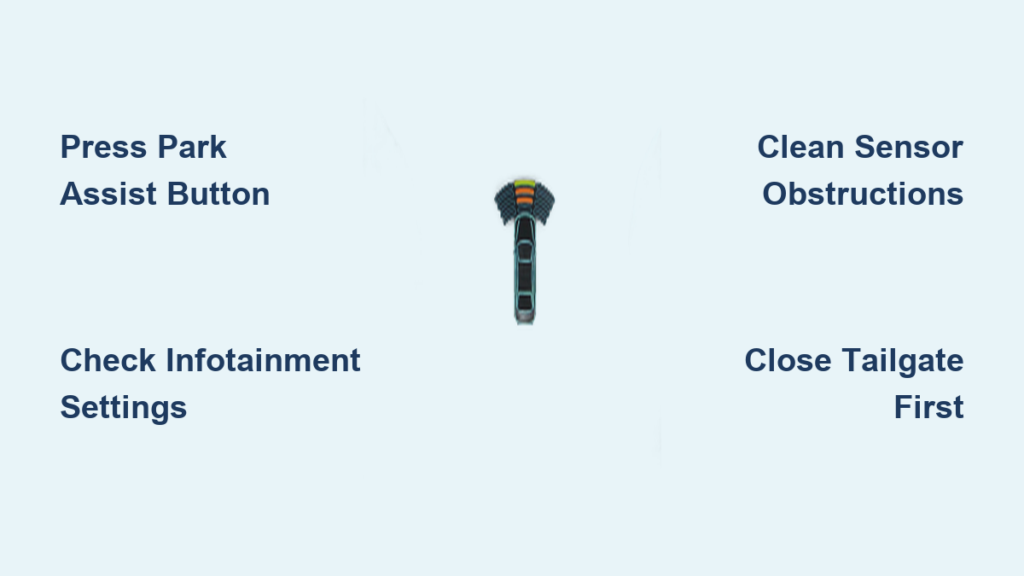
The primary way to turn on Park Assist is through the Park Assist button located in the center switch bank on your dashboard. Depending on your model year, this button is typically found just below the climate controls or near the gear shifter.
- Look for the icon: A small car with curved lines representing sensor waves.
- Check illumination: A lit button means the system is active. A dark button means it’s off or disabled.
Press the button once to toggle Park Assist on. You should hear a confirmation tone and see a system check animation in the Driver Information Center.
Button Not Responding? Check Settings First
If pressing the button does nothing, the system may be disabled at the software level. This often happens after a battery reset or a software glitch. Before assuming hardware failure, check your infotainment settings to verify the configuration.
Enable Park Assist Through the Infotainment Menu

Access Vehicle Settings
When the physical button fails to respond, the issue is usually a settings-level disable. To re-enable Park Assist through your screen:
- Tap Settings on the home screen of your infotainment display.
- Select Park Assist from the menu list.
- Choose one of the following options:
– On: Standard mode for everyday use.
– On with Towbar Attached: Use this if you have a trailer hitch, hitch cover, or bike rack installed.
– Off: Disables all alerts and sensors.
Select On or On with Towbar Attached depending on your setup.
Pro Tip: If you frequently tow or use a hitch cover, set it to “On with Towbar Attached” to prevent false obstacle detection.
Confirm System Readiness
After enabling the setting, test the system:
- Shift into reverse to activate rear sensors.
- Listen for a short beep and watch the DIC for a vehicle proximity graphic.
- Ensure the rear camera activates with parking guidelines.
If no response occurs, move on to the troubleshooting steps below.
Automatic Activation Conditions
Rear Sensors Triggered by Reverse Gear
You don’t always need to press a button. The Silverado’s rear Park Assist activates automatically when you shift into reverse, provided the system is enabled, no obstructions block the sensors, the tailgate is fully closed, and vehicle speed is under 5 mph.
Once engaged, low-toned beeps will sound as you approach objects behind the truck.
Front Sensors Activate at Low Speed
Front parking sensors turn on when:
- The truck slows below 5 mph while moving forward, or
- You shift into reverse (both front and rear sensors activate).
These sensors detect obstacles up to 4 feet ahead and emit high-pitched beeps that increase in frequency as you get closer.
Note: Front sensors deactivate when speed exceeds 5 mph and reactivate when slowing down again.
Troubleshoot Park Assist Not Turning On

Clean Sensors and Remove Obstructions
Dirt, ice, snow, or aftermarket accessories can block sensor signals. Common culprits include:
- Trailer hitch covers
- Mud flaps
- Ice buildup in winter
- Aftermarket grilles or lights
Solution:
1. Visually inspect all front and rear bumper sensors (small circular dots).
2. Clean them with water and a soft cloth.
3. Remove any hitch covers temporarily to test functionality.
Warning: If a hitch is present but the “Towbar” setting is off, the system may interpret it as an obstacle and refuse to activate.
Perform a Hard Reset
If Park Assist won’t turn on despite correct settings, a software glitch may be to blame.
Battery Reset Procedure:
1. Turn off the vehicle and remove the key.
2. Open the hood and disconnect the negative battery terminal.
3. Wait 10 minutes to clear stored module memory.
4. Reconnect the battery and close the hood.
5. Turn ignition to “Run” without starting the engine.
6. Re-enable Park Assist in settings.
7. Test by shifting into reverse.
This reset often resolves persistent “Park Assist Off” messages.
Update Vehicle Software
Outdated software can cause Park Assist malfunctions. Some users report that cameras stop auto-activating during parking, the system turns off unexpectedly, or button inputs are ignored.
Solution: Visit your local Chevrolet dealership. They can scan for module errors, install the latest software updates, and reprogram sensor calibration if needed.
Software fixes are common for 2014–2018 models experiencing intermittent failures.
Verify Tailgate Position
Critical Safety Rule: Rear Park Assist will not function properly with the tailgate down.
- The sensor field extends beyond the bumper, and a lowered tailgate disrupts detection.
- Attempting to use rear sensors with the tailgate open increases collision risk.
- Always raise and latch the tailgate before using reverse parking aids.
Use Automatic Parking Assist If Equipped
Activate Left or Right Side Parking
Some Silverado trims include Automatic Parking Assist (APA), which steers the truck into parallel or perpendicular spaces.
To start:
– Press the APA button on the dashboard (labeled with a car and steering wheel icon).
– For right-side parking, press the button directly.
– For left-side parking, activate the left turn signal or select “Left Side” in the infotainment prompt.
The system will scan as you drive slowly under 15 mph.
Follow On-Screen Prompts
When a valid space is detected, a chime sounds and text appears: “Suitable Space Found.” Follow these steps:
- Stop when prompted.
- Shift to Reverse.
- Release the steering wheel when vibration begins.
- Control accelerator and brake as directed.
Steering Wheel Vibration: A gentle pulse signals it’s safe to let go of the wheel. Keep hands nearby but do not interfere.
Complete the Park
- The system makes multiple steering adjustments.
- Beeps guide each phase.
- A final continuous beep and “Parking Complete” message signal the end.
- Apply brakes and shift to Park.
Driver Responsibility: You must remain alert and ready to brake at all times. APA is a driver aid, not autonomous parking.
Understand Audio and Visual Alerts

Decode Beep Patterns
Park Assist uses tone frequency and timing to communicate distance:
- Rear objects: Low-pitched beeps
- Front objects: High-pitched beeps
- Beep interval shortens as you get closer
- Continuous tone: Less than 12 inches from obstacle
Read Visual Cues
Key displays include:
- Driver Information Center (DIC): Shows proximity bars around a vehicle graphic.
- Rear Vision Camera: Displays caution symbols when objects are detected.
- Infotainment Screen: Shows step-by-step instructions during APA mode.
Customize Alert Type
Prefer vibration over sound? Change the alert method:
- Go to Settings > Collision/Detection Systems > Alert Type
- Choose:
– Beeps
– Safety Alert Seat (pulsing driver’s seat)
– Both
Factory Default: Most models use the Safety Alert Seat unless changed.
Avoid Common Park Assist Mistakes
Don’t Ignore the Towbar Setting
One of the top reasons Park Assist won’t turn on is that a trailer hitch is detected as an obstacle.
Fix: Always select “On with Towbar Attached” in settings when using a hitch, even without a trailer attached.
Don’t Rely on Sensors with Tailgate Down
Using rear assist with the tailgate open creates blind spots. The sensors cannot accurately detect objects behind the lowered gate. Always close it before parking.
Don’t Assume Full Automation
Even with APA, you control speed and braking. The system only steers. Failing to follow prompts can result in misalignment or collisions.
Maintain and Optimize Park Assist Performance
Regular Sensor Cleaning
Make it a habit:
- Wipe sensors during fuel stops or car washes.
- Use non-abrasive cleaner and avoid high-pressure sprays.
- Inspect for cracks or damage after off-road use.
Check for Firmware Updates Annually
Visit your dealer once a year to confirm all safety systems are up to date, re-calibrate cameras if replaced, and address recurring software bugs.
Test System Monthly
Simple monthly check:
- Park in a safe area.
- Shift into reverse.
- Walk behind the truck slowly and listen for beeps.
- Repeat for front sensors at low speed.
This ensures early detection of failures.
Frequently Asked Questions About Park Assist on Chevy Silverado
Why won’t Park Assist turn on even when I press the button?
The system may be disabled in your infotainment settings. Navigate to Settings > Park Assist and ensure it’s set to “On” or “On with Towbar Attached.” A software glitch or dirty sensors can also prevent activation.
Does Park Assist work with a trailer hitch installed?
Yes, but you must select “On with Towbar Attached” in the settings menu. Otherwise, the system will interpret the hitch as an obstacle and either stay inactive or trigger false alerts.
Can I use Park Assist with the tailgate down?
No. Rear Park Assist will not function properly with the tailgate lowered. The sensor field is compromised, increasing the risk of collision and tailgate damage. Always close the tailgate before using rear parking aids.
How do I know if my Silverado has Automatic Parking Assist?
Check your dashboard for an APA button (a car with a steering wheel icon). If present, your truck supports automatic parallel and perpendicular parking. Lower trims may only have basic Park Assist without auto-steering.
What does it mean when the DIC shows “Park Assist Off”?
This message appears when the system is disabled or has detected a malfunction. Check your settings, clean the sensors, and remove any obstructions. If the message persists, try a battery reset or visit a dealer for a software update.
How fast can I drive while using Park Assist?
Park Assist only operates at speeds below 5 mph. It is strictly a low-speed parking aid and will deactivate automatically once you exceed this threshold.
Key Takeaways for Turning On Park Assist on Your Chevy Silverado
Turning on Park Assist in your Chevy Silverado is usually as simple as pressing a button or shifting into reverse, but settings, obstructions, and software issues can interfere. Start by locating the Park Assist button in your center stack, then verify the system is enabled in your infotainment settings. If you tow or use a hitch cover, always select “On with Towbar Attached” to avoid false alerts. Keep your sensors clean, your tailgate closed, and your software updated for reliable performance. Test the system monthly to catch issues early, and visit your dealer if problems persist. Park Assist enhances safety, but you remain in control. Use it wisely and never rely on it completely, especially at speeds over 5 mph or with the tailgate down.