You’re cruising down a Kentucky highway, sun rising behind the hills, when you remember your Chevy Silverado has adaptive cruise control — a feature designed to reduce driver fatigue and maintain safe distances. But how do you actually turn it on? Unlike traditional cruise control, adaptive cruise adjusts your speed based on traffic ahead, using sensors and smart technology. Knowing how to activate and use this system properly ensures a safer, smoother drive — especially on long trips or busy interstates.
The process is simple once you know where the controls are and what conditions are required. Adaptive cruise control (ACC) uses a forward-facing camera mounted at the top center of your windshield to monitor vehicles ahead, communicating with your truck’s engine, brakes, and instrument cluster. It’s available even on base 2026 Silverado 1500 Work Truck models, making advanced driver assistance more accessible than ever. Whether you’re new to the feature or just need a refresher, this guide walks you through every step — from activation to troubleshooting.
Activate Adaptive Cruise Control
Press the ON/OFF Button
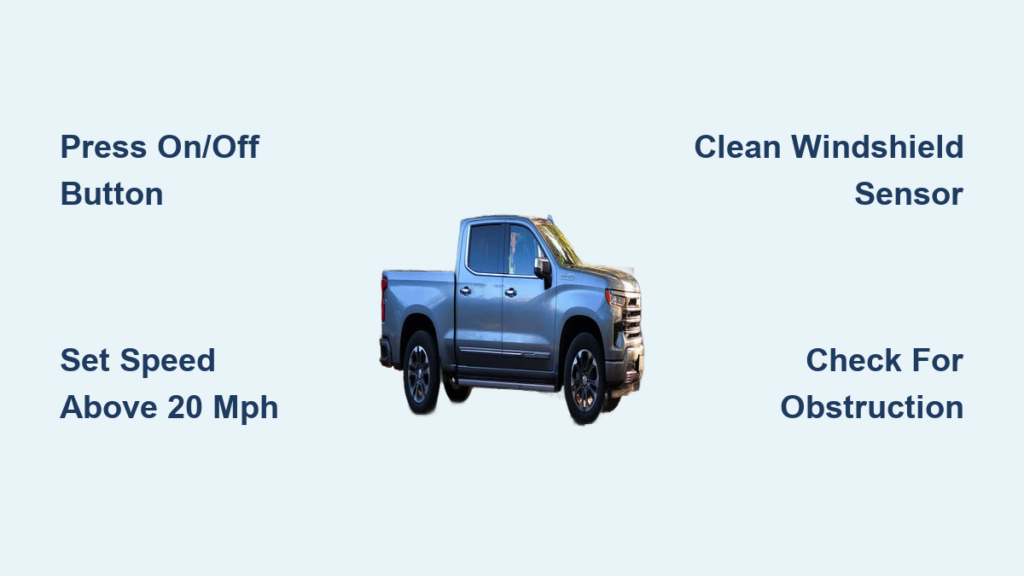
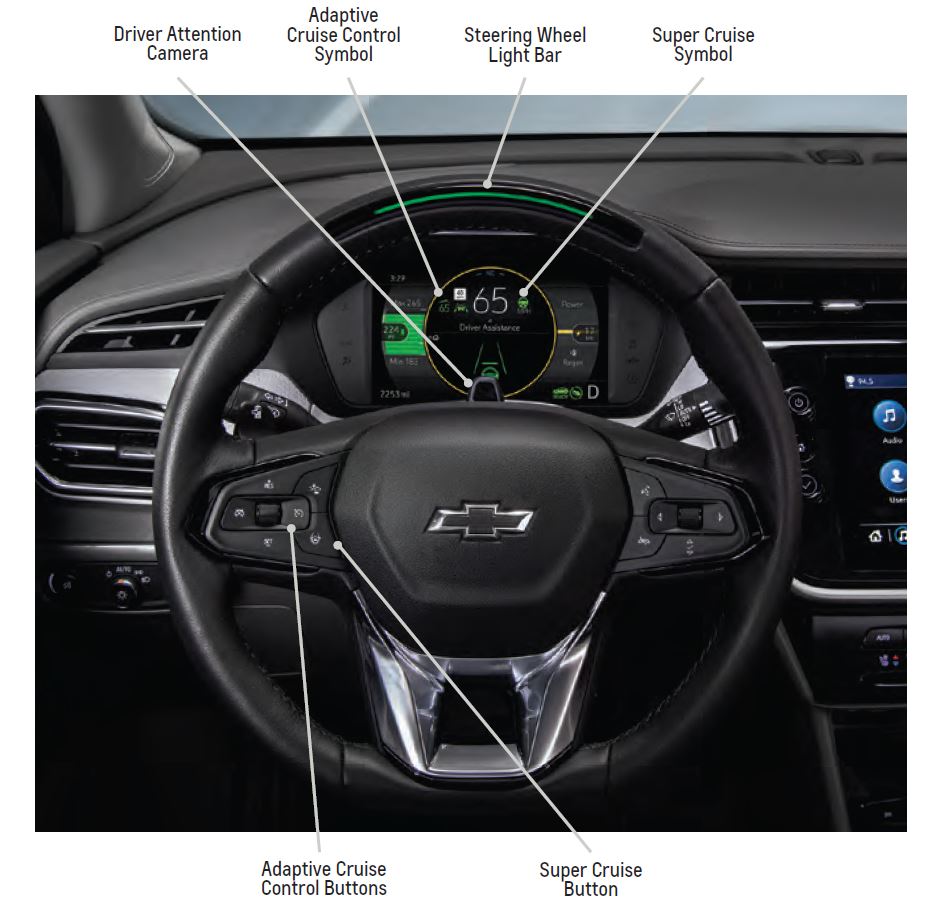
Locate the ON/OFF button for adaptive cruise control on your steering wheel. It’s typically labeled with a speedometer icon and a car symbol. Press it to power up the system. Once activated, a white cruise control icon will appear on your dashboard, indicating the system is ready but not yet engaged.
Note: The system requires a minimum speed of 20 mph to set a cruising speed. You can turn it on at lower speeds, but you won’t be able to set or maintain speed until you reach that threshold.
Use Correct Driving Conditions
Adaptive cruise control works best on open roads like interstates or highways — not in neighborhoods, parking lots, or heavy city traffic. Ensure you’re on a straight stretch of road with clear visibility. Poor lighting, bright sun glare (especially low winter sun), or snow-covered sensors can interfere with the forward-facing camera, causing the system to display “adaptive cruise is unavailable.”
Avoid using ACC on winding mountain roads in eastern Kentucky or during severe weather. These conditions limit the camera’s ability to detect vehicles ahead accurately.
Set Your Speed and Following Distance

Set Cruise Speed With SET Button
Once you’re traveling above 20 mph, press the SET button on the steering wheel to lock in your desired speed. This works like traditional cruise control when no vehicle is ahead. The dashboard icon will turn green, confirming your speed is now active.
To adjust speed while cruising:
– Tap the SET button briefly to increase speed in 1 mph increments.
– Hold the SET button to accelerate faster.
– To slow down, tap or hold the coast button (often marked with a minus sign).
The system maintains your set speed unless traffic slows you down.
Choose Your Following Gap
Press the gap distance button (usually marked with car icons at different distances) to select how closely you want to follow the vehicle ahead. Options include:
– Near – Shorter following distance (best for moderate traffic)
– Medium – Balanced space (recommended for most drivers)
– Far – Maximum buffer zone (ideal for cautious drivers or poor conditions)
The system automatically adjusts the gap based on your speed — the faster you go, the more space it maintains. The selected gap appears on your instrument cluster, helping you stay aware of your settings.
Manage Adaptive Cruise While Driving
Handle Traffic Slowdowns Automatically
When the truck detects a slower vehicle ahead, adaptive cruise control automatically reduces engine power and applies light braking to maintain your chosen gap. On most Silverado models, including the 2026 lineup, ACC can bring the vehicle to a complete stop and resume when traffic moves again — a feature especially useful in stop-and-go highway traffic.
However, you must stay alert. If the car ahead stops suddenly, the system may not react quickly enough. You’ll receive a visual or audible alert prompting you to apply brakes manually. Always keep your hands on the wheel and eyes on the road.
Resume After a Stop
After coming to a full stop, you can resume cruising in two ways:
– Press the RES button on the steering wheel to accelerate back to your original set speed.
– Gently press the accelerator to re-engage and resume control manually.
If traffic begins moving within a few seconds, the system may resume automatically, depending on model year and configuration.
Troubleshoot Common ACC Issues
Fix “Adaptive Cruise Unavailable” Message
This warning commonly appears due to:
– Camera obstruction: Snow, ice, road salt, or dirt blocking the windshield sensor area.
– Sun glare: Low-angle sunlight reflecting off snow, water, or other vehicles.
– Faulty sensor calibration: After windshield replacement or impact.
Solution: Clean the camera area at the top center of the windshield with a soft cloth. Avoid abrasive cleaners. If the message persists after cleaning and driving under clear conditions, the system may need recalibration by a certified Chevrolet technician.
Recognize When Not to Use ACC
Even advanced systems have limits. Avoid using adaptive cruise control in these situations:
– Winding or curvy roads where you can’t see far ahead
– Heavy rain, fog, or snow that impairs sensor visibility
– Construction zones with sudden lane changes or stopped equipment
– Parked or slow-moving vehicles that ACC may not detect in time
In these cases, switch to manual driving or use standard cruise control if appropriate.
Super Cruise vs Standard Adaptive Cruise

Know the Key Differences
While all newer Silverados offer adaptive cruise control, only select trims (like High Country) include Super Cruise, a hands-free driving system. Key differences:
| Feature | Adaptive Cruise Control | Super Cruise |
|---|---|---|
| Steering Assistance | No – hands must stay on wheel | Yes – hands-free on mapped highways |
| Sensors Used | Windshield camera only | Camera + long-range radar + GPS |
| Driver Monitoring | None | Infrared driver attention system |
| Highway Use | All highways | Only pre-mapped freeways |
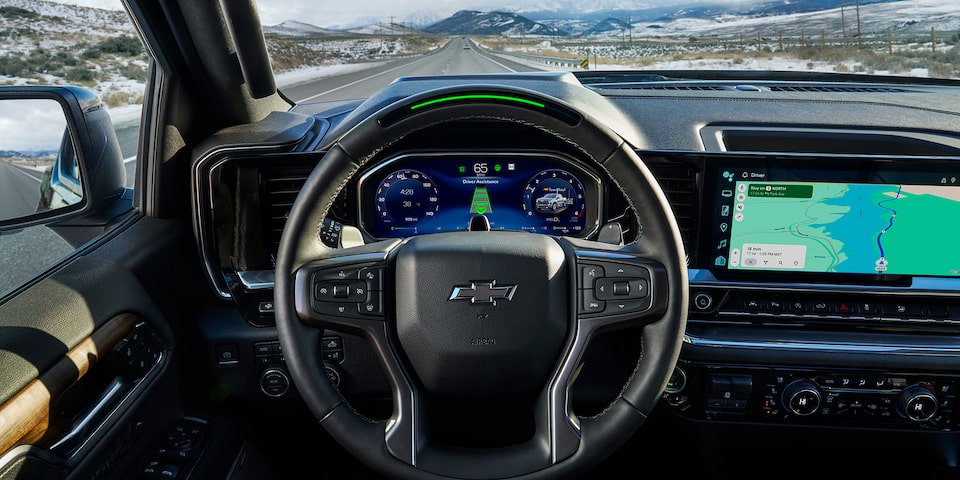
Super Cruise displays a blue steering wheel icon when active. Standard ACC requires constant hand contact and does not assist with steering.
Use Super Cruise Safely
If your Silverado has Super Cruise:
– Ensure the blue steering wheel icon turns solid white, then green, before releasing the wheel.
– The system monitors your attention using a small camera above the steering column.
– It will prompt you to take back control if you look away too long or exit a mapped zone.
Never attempt to trick the system — safety is paramount.
Maintain Peak ACC Performance

Keep Sensors Clean and Clear
The forward-facing camera is crucial for ACC function. Dirt, ice, or residue from bug splatter can block its view. Clean the top center portion of the windshield regularly, especially after winter drives or muddy conditions.
Use a glass cleaner safe for tinted or coated windshields. Avoid scraping the area — it could damage internal sensors.
Schedule Sensor Calibration When Needed
After any windshield replacement, front-end collision, or persistent ACC errors, the camera may need recalibration. This is not a DIY task — it requires specialized tools and software available only at authorized Chevrolet service centers.
Ignoring calibration needs can lead to inaccurate speed adjustments or complete system failure.
Final Tips for Confident ACC Use
Customize Settings to Your Style
Tailor adaptive cruise control to match your comfort level:
– Choose far gap for extra reaction time on icy roads.
– Use medium gap for everyday highway driving.
– Adjust speed gradually using tap-and-hold on the SET button.
Familiarity builds confidence — practice using ACC during light traffic hours to get used to how your truck responds.
Stay Alert, Even With ACC On
Adaptive cruise control is a driver assistance tool — not autonomous driving. You are still responsible for braking, steering, and overall vehicle control. Keep your hands on the wheel and stay ready to intervene, especially when:
– Entering or exiting ramps
– Approaching toll booths
– Navigating sudden traffic shifts
The system enhances safety but doesn’t replace attention.
Upgrade to Super Cruise for Hands-Free Driving
If you frequently drive long distances on major highways, consider a Silverado trim with Super Cruise. It reduces fatigue significantly on straight, well-mapped interstates by allowing hands-free operation — as long as you remain attentive.
Check your VIN or consult your dealer to see if your model supports Super Cruise activation.
Frequently Asked Questions About Chevy Silverado Adaptive Cruise Control
How do I turn on adaptive cruise control in a Chevy Silverado?
Press the ON/OFF button on your steering wheel, then accelerate above 20 mph and press the SET button to lock in your speed. A white icon means the system is on, and a green icon means it’s actively maintaining your set speed.
What does it mean when “adaptive cruise is unavailable” appears?
This message means the forward-facing camera cannot see the road clearly. Common causes include snow, ice, road salt, dirt, or bright sun glare blocking the sensor. Clean the top center of your windshield and try again under better conditions.
Can adaptive cruise control bring my Silverado to a complete stop?
Yes. On most Silverado models, adaptive cruise control can bring the vehicle to a full stop when traffic ahead stops. The system may resume automatically once traffic moves, or you can press the RES button or tap the accelerator to continue.
What’s the difference between adaptive cruise control and Super Cruise?
Adaptive cruise control manages speed and following distance using a windshield camera and requires your hands on the wheel. Super Cruise adds hands-free steering on mapped highways using radar, GPS, and a driver attention monitoring system.
Do all Chevy Silverado models have adaptive cruise control?
Most newer Silverados include adaptive cruise control, and even the 2026 Silverado 1500 Work Truck now comes with it as standard. Super Cruise remains limited to higher trims like the High Country.
How do I clean the adaptive cruise control sensor?
Wipe the top center area of your windshield with a soft cloth and a glass cleaner safe for tinted glass. Remove any snow, ice, road salt, or bug residue to keep the forward-facing camera unobstructed.
Key Takeaways for Using Adaptive Cruise Control in Your Chevy Silverado
Adaptive cruise control makes highway driving in your Chevy Silverado safer and less tiring — once you know how to turn it on and use it wisely. Press the ON/OFF button, set your speed above 20 mph, choose your following distance, and let the system manage pace based on traffic. Remember to keep the windshield sensor clean, avoid using it in poor conditions, and always stay engaged behind the wheel. With proper use, adaptive cruise control becomes one of your most valuable driving tools.