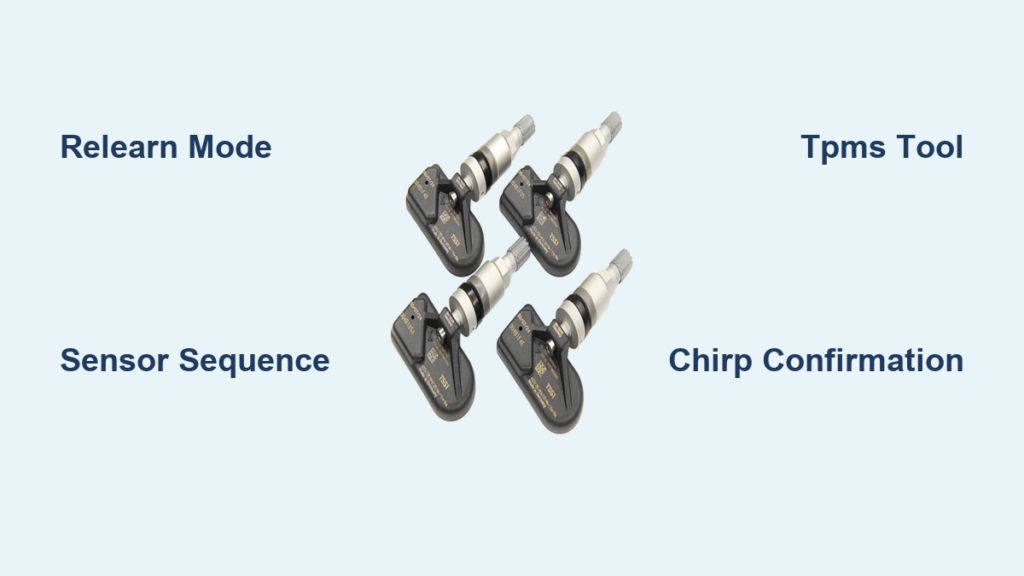
Your Silverado’s Tire Pressure Monitoring System (TPMS) protects you by alerting you when a tire loses pressure. But after rotating tires, replacing a sensor, or installing new wheels, the system needs to relearn each sensor’s position. Skip this step and your dashboard may show wrong readings or trigger a stubborn warning light.
The good news? You can set the tire pressure sensors yourself without a dealership visit. Whether you drive a 2004 base model or a 2020+ high-trim Silverado, this guide covers every step, tool requirement, and common pitfall. With the right method and timing, you can complete a full TPMS reset in under 10 minutes.
Let’s get your system re-mapped and your confidence behind the wheel fully restored.
Activate TPMS Learn Mode by Model Year

Your Silverado’s production year determines how to start the relearn process. Pick the correct method based on your truck’s dashboard setup.
2008–2014: Use Key Fob to Start
If your Silverado has remote keyless entry, use the fob to trigger learn mode with no extra tools required.
- Turn ignition to ON/RUN with the engine off.
- Press and hold LOCK and UNLOCK buttons on the key fob for 5 seconds.
- Listen for two horn chirps confirming “TIRE LEARNING ACTIVE” mode has started.
- Check the Driver Information Center (DIC) for the learning message.
Pro Tip: Use your primary fob. Some vehicles don’t accept spare or aftermarket remotes for this function.
2008–2014: Use DIC Button (No Key Fob)
Vehicles without keyless entry can use the DIC buttons to initiate relearn.
- Inflate all tires to placard pressure (found on the driver’s door jamb).
- Turn ignition to ON.
- Press the Vehicle Information button until “PRESS V TO RELEARN TIRE POSITIONS” appears.
- Press the V button to confirm.
- Two horn chirps confirm the system is ready.
2008–2014: Use Odometer Reset Stem
For basic trims with no DIC buttons or key fob, use the trip odometer stem.
- Set the parking brake and turn ignition to ON.
- Press the trip odometer reset stem repeatedly until “PRESS V TO RELEARN TIRE POSITIONS” shows.
- Press and hold the stem to enter relearn mode.
- Two horn chirps signal success.
2004–2007: Use DIC Menu Navigation
Older models rely on menu selection through the DIC.
- Adjust tire pressures to placard specs.
- Turn ignition to ON/RUN.
- Press MENU to enter the Vehicle Information Menu.
- Follow on-screen prompts to select “Relearn Tire Positions.”
- Wait for two horn chirps.
2015–2020: Access via DIC Settings
All 2015–2020 models use the DIC, though menu layout varies between base and uplevel displays.
- Ensure tires are inflated correctly.
- Apply the parking brake.
- Turn ignition to ON.
- Navigate to Vehicle Settings > Tire Pressure Monitor > Relearn.
- Confirm your selection.
- Listen for two horn chirps and verify “TIRE LEARNING ACTIVE” on screen.
Note: On some models, you may need to press and hold the INFO or RESET button to confirm.
Match Sensors in the Correct Order

Once learn mode is active, you must program each sensor in sequence. The system will not accept out-of-order inputs.
Follow the Activation Sequence
Match sensors in this exact order:
1. Driver Side Front (LF)
2. Passenger Side Front (RF)
3. Passenger Side Rear (RR)
4. Driver Side Rear (LR)
Deviating from this sequence causes system failure.
Activate Each Sensor
Use one of these methods per tire.
Method A: TPMS Activation Tool (Recommended)
- Remove the valve cap.
- Place your TPMS tool (such as ATEQ VT56) against the tire sidewall near the valve stem.
- Press the trigger to wake the sensor.
- Wait up to 30 seconds for a single horn chirp confirming pairing.
- Move immediately to the next tire.
Tool Tip: Use a 315 MHz tool for 2004–2018 models and 433 MHz for 2020+. 2019 models may need both.
Method B: Air Pressure Change (Manual Fallback)
No tool? Use your air compressor.
- Attach an air chuck to the valve stem.
- Increase or decrease pressure for 5 seconds.
- Wait for a single horn chirp.
- Return pressure to placard value before moving on.
Warning: Do not over-inflate. Stay within ±5 PSI of your target.
Confirm Completion
After programming the last tire (LR):
– Listen for two horn chirps.
– The DIC will show “TIRE LEARNING COMPLETE” or go blank.
– Turn ignition to LOCK/OFF.
If you hear two chirps before finishing, the process failed. Restart from step one.
Troubleshoot Common TPMS Failures

Even with the right steps, TPMS relearn can fail. Here’s how to fix it.
Fix: Relearn Times Out After 5 Minutes
The system enforces strict time limits:
– 2 minutes to start with the first tire
– 5 minutes total to complete all four
Solution: Start fresh. Have your tool ready and work quickly. Practice the sequence beforehand.
Fix: No Horn Chirp After Activation
If the horn doesn’t respond, the sensor isn’t being read.
Check for Signal Interference
– Lower the driver’s side window to improve RF signal reception.
– Move away from metal structures or other vehicles.
– Ensure the TPMS tool is pressed firmly against the tire.
Deep Wheels or Lifted Trucks?
6-inch lifts and deep-offset rims can block signals.
– Consumer tools often fail in these setups.
– A tire shop (such as Discount Tire) uses high-powered scanners that reach recessed sensors.
– Alternatively, invest in a pro-grade tool like the ATEQ VT56 with extended range.
Fix: TPMS Light Stays On
After completion, the light should go off within a few minutes of driving.
If it persists:
1. Recheck tire pressures.
2. Ensure all valve caps are installed to protect sensor seals.
3. Restart the relearn process.
4. Use an OBD2 scanner to check for TPMS DTCs (Diagnostic Trouble Codes).
Note: Some sensors take a few miles to fully sync after relearn.
Know Your TPMS Tools and Limits

Using the right tool makes all the difference, especially as model years change.
Choose the Right Frequency
| Model Year | Sensor Frequency |
|---|---|
| 2004–2018 | 315 MHz |
| 2019 | 315 MHz or 433 MHz (varies) |
| 2020+ | 433 MHz |
Critical: Using a 315 MHz tool on a 433 MHz system won’t work. Check your VIN or consult a dealer if unsure.
Use OBD Relearn for Faster Setup
Advanced tools like the ATEQ VT56 or VT46 support OBD Relearn:
- Plug the tool into the OBD2 port.
- Select Make > Model > Year > “Bonus OBD Relearn.”
- Program sensor positions directly with no air-down or horn chirps needed.
This feature is available on 2008–2020 models and saves time while eliminating user error.
DIY Advantage: One tool works across Silverado, Tahoe, Traverse, and other GM trucks.
Maintain Accuracy After Reset
Resetting TPMS isn’t a one-time fix. Ongoing care ensures long-term reliability.
Rotate Tires Every 7,500 Miles
Chevrolet recommends rotation every 7,500 miles (12,000 km).
- Promotes even wear
- Improves fuel economy and handling
- Requires TPMS relearn every time, or readings will be wrong
Example: After rotating, if the left rear sensor moves to the right front, the DIC will still label it “rear left” unless relearned.
Adjust for Non-Stock Tires
Running oversized or off-road tires? Update your TPMS settings accordingly.
- Maintain tire diameter within ±3% of stock.
- Match or exceed the original load rating.
- Adjust placard pressure in your TPMS tool if using different specs.
Never ignore load capacity, especially when towing.
Avoid the Dealer-Only Mindset
Many owners reset TPMS themselves to avoid dealership risks:
– Incorrect oil viscosity
– Loose lug nuts
– Missed relearn steps
With a $50–$150 tool, you’ll save hundreds in service fees over time.
User Verified: DIY relearn works reliably from 2007–2019 models when done correctly.
Final Checks Before Driving

Before hitting the road, complete these final steps.
Double-Check These Details
- All tires at placard pressure (check the door jamb label)
- Valve caps installed to prevent moisture damage
- Ignition turned OFF after completion
- Drive 5–10 minutes to confirm the TPMS light stays off
Pro Tips for Success
- Work in daylight for easier DIC reading and tool visibility
- Use a quiet area since horn chirps are subtle in noisy garages
- Keep a checklist to avoid missing steps under time pressure
- Label sensors during rotation to track positions
Frequently Asked Questions About Silverado TPMS
Do I need a special tool to reset the tire pressure sensor on a Silverado?
For 2008–2014 models with keyless entry, you can use the key fob to start relearn mode. For all other years, a TPMS activation tool (such as ATEQ VT56) is recommended for the fastest and most reliable results. Manual air-pressure changes also work as a fallback.
How long does the TPMS relearn process take?
You have a 2-minute window to match the first tire and 5 minutes total to complete all four. Most drivers finish the entire process in under 10 minutes when prepared.
Why does my TPMS light stay on after relearn?
Common causes include incorrect tire pressures, missing valve caps, or incomplete sensor pairing. Recheck pressures, confirm valve caps are installed, and restart the relearn process. If the light persists, scan for TPMS diagnostic trouble codes.
What frequency TPMS tool do I need for my Silverado?
Use a 315 MHz tool for 2004–2018 models and a 433 MHz tool for 2020+ models. 2019 Silverados may use either frequency depending on the build, so check your VIN if unsure.
Can I relearn TPMS on a lifted Silverado with deep-offset wheels?
Standard consumer tools often fail on lifted trucks with deep-offset wheels because the sensors sit too far inward. Professional tire shops use high-powered scanners that can reach recessed sensors, or you can invest in a pro-grade tool with extended range.
Does tire rotation require a TPMS relearn?
Yes. Chevrolet requires a TPMS relearn after every tire rotation so the ECU correctly maps each sensor to its new position. Without relearn, the DIC will display incorrect pressure locations.
Key Takeaways for Setting Your Silverado TPMS
Setting the tire pressure sensor on your Silverado is fast, free, and fully DIY-able. Start by choosing the correct relearn method for your model year, then match each sensor in the proper sequence (LF, RF, RR, LR). Use the right frequency tool for your truck and respect the 5-minute time limit to avoid failures.
Your next step: gather your TPMS tool (or key fob), inflate all tires to placard pressure, and run through the relearn procedure in a quiet, open area. Within minutes, your dashboard will read accurately and your TPMS light will stay off, giving you total control over your truck’s tire health.