
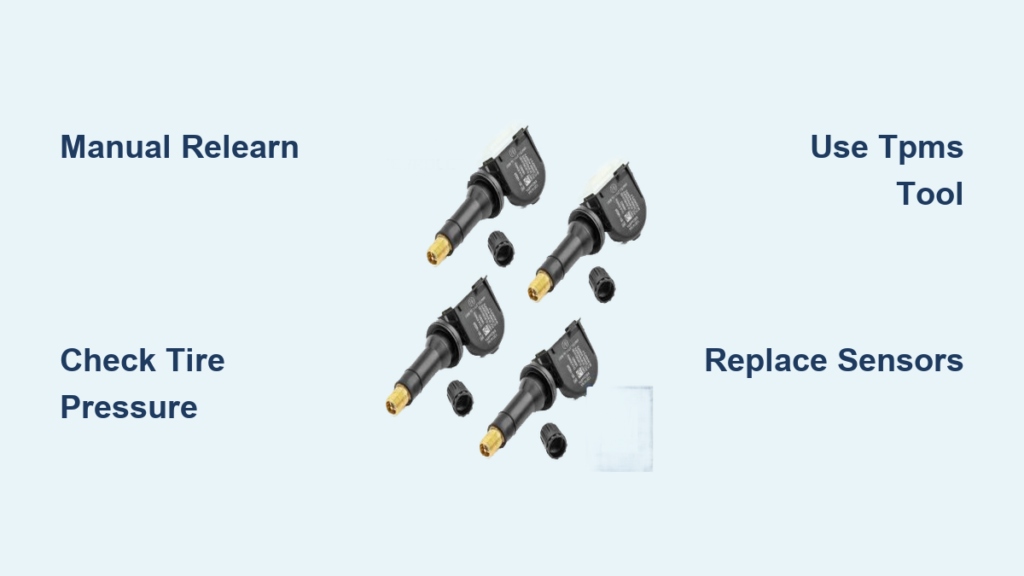
You’re behind the wheel of your Chevrolet Silverado, ready to hit the road, only to notice the tire pressure display is blank. No numbers. No warnings. Just dashes or empty fields where your front and rear tire readings should be. If your Silverado TPMS is not reading, you’re not alone. This issue affects models from 2004 to the latest builds, and while it may seem like a minor annoyance, it can compromise safety, fuel efficiency, and tire longevity.
The root of the problem usually lies in the Direct TPMS system, a network of battery-powered sensors inside each wheel that transmit real-time pressure data to your vehicle’s ECU. When communication breaks down, whether due to dead sensors, software glitches, or incorrect resets, your dashboard goes silent. The good news? Most TPMS reading failures are fixable without replacing parts, especially if caught early. From cold-weather battery drain to post-rotation sync errors, this guide walks you through every possible cause, diagnostic step, and repair method.
Decode Your TPMS Symptoms
Before grabbing tools, identify what kind of failure you’re facing. The pattern of the problem reveals the root cause.
Total System Blackout
If no tire shows a reading and all display fields are blank or stuck at zero, the system has likely lost synchronization with the ECU. This commonly occurs after a battery disconnect, long-term vehicle storage, or electrical reset.
A 2014 Silverado owner reported this exact issue after replacing the battery. No warning lights appeared, just empty pressure fields. A dealer performed a 10-minute relearn, and full readings returned without any parts replaced. This confirms a software sync issue rather than hardware failure.
Single or Intermittent Wheel Failure
When only one or two tires stop reporting, the problem could be isolated to specific components. A dead driver front sensor might result from pothole impact damage. Rear sensors often fail first due to lower usage and longer dormancy periods. Intermittent readings suggest a weak battery or signal interference.
A 2017 Silverado with 182,000 miles showed sequential failure starting with the Driver Front, then Driver Rear, then Passenger Front. Only the Passenger Rear worked. After rotation, the error followed the tires, confirming sensor battery depletion across the set.
Cold Weather Signal Drop
Many Silverado owners report TPMS failures only in winter. Cold temperatures reduce voltage output in aging sensor batteries. A sensor working fine in summer may fail to transmit below 30°F.
In a 2019 model case, the Left Front sensor stopped reading in January. Rotation and reset attempts failed. A TPMS tool detected no signal, confirming a dead battery. The fix required sensor replacement.
Verify the Basics First
Don’t jump to relearns or tool use. Start with simple checks that take under 10 minutes.
Check Actual Tire Pressure
Use a manual tire gauge to verify all four tires match the placard pressure, usually 34.5 to 36 PSI as listed on the driver’s door jamb. Even one underinflated tire can disrupt system logic.
Pro Tip: Some TPMS sensors won’t transmit if pressure is too low or too high. Bring all tires to spec before proceeding.
Inspect Valve Stems and Sensors
Look at each valve stem for visible damage. Corrosion is common in winter climates where moisture seeps in and damages internal electronics. A cracked grommet can cause air leaks and electrical failure. A loose or missing cap exposes the valve core and can lead to slow leaks.
If a stem looks damaged, especially on older models, the sensor is likely compromised.
Rule Out Interference
Aftermarket devices can block TPMS signals. Common culprits include LED wheel lights, radar detectors, USB chargers near the dash, and phone mounts with metal bases.
Unplug non-essential electronics and retry the relearn process to eliminate this variable.
Perform a Manual TPMS Relearn
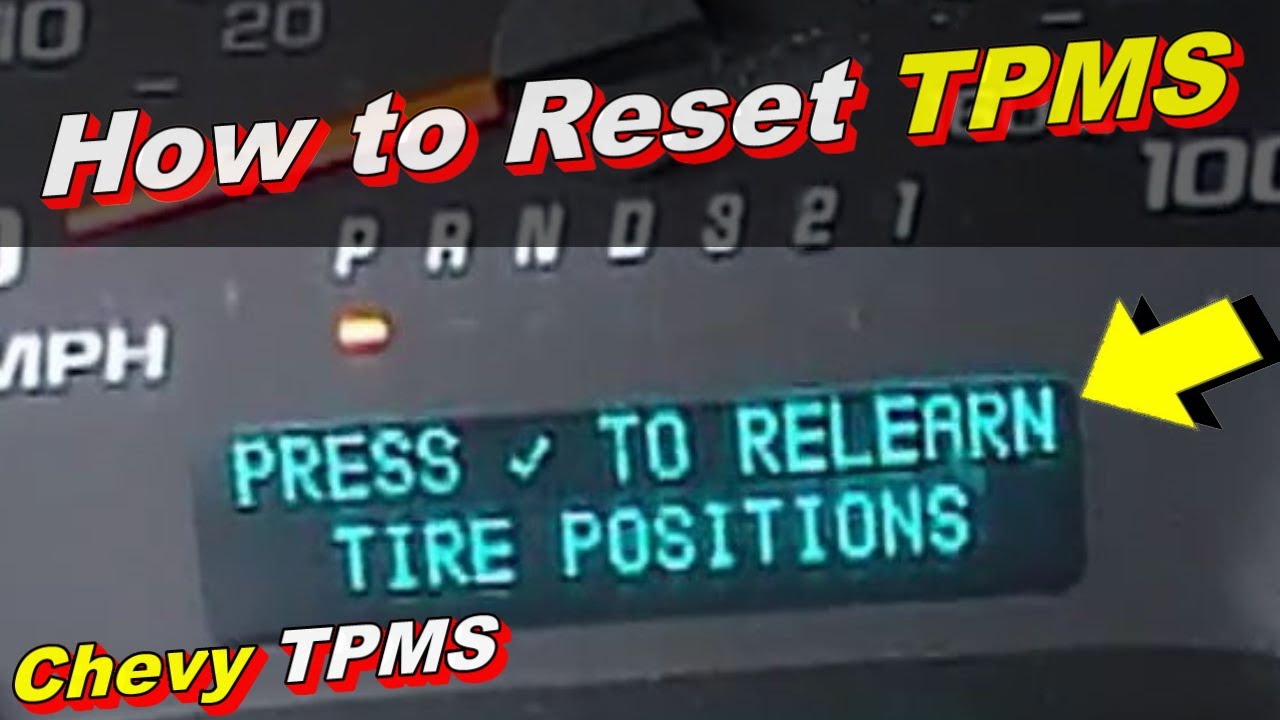
Most “no reading” issues are fixed with a relearn procedure that re-syncs each sensor’s ID to the ECU.
Know Your Model Year Method
The correct relearn path depends on your Silverado’s year and trim level.
2004–2007: Use the DIC Menu
- Inflate all tires to placard pressure
- Turn ignition to ON/RUN with engine off
- Press the MENU button on the Driver Information Center
- Scroll to Vehicle Information Menu
- Select TPMS Relearn
- Follow on-screen prompts
2008–2014: Three Reset Options
Option A: Remote Key Fob
– Press and hold Lock and Unlock buttons for 5 seconds
– Horn chirps once to confirm relearn started
– Activate each tire in order (LF, RF, RR, LR)
Option B: DIC Button
– Apply parking brake
– Turn ignition to ON
– Use DIC buttons to navigate to TPMS Reset
Option C: Odometer Trip Button
– Inflate tires to spec
– Turn ignition to ON
– Press and hold the trip reset button until “TPMS Learn” appears
2015–2020: Steering Wheel Select Button
- Navigate to Tire Pressure on the instrument cluster
- Press and hold the Select button (middle checkmark button on steering wheel)
- Hold until a beep sounds
- Begin activating sensors in order
Note: For 2019+ models, ensure your tool supports dual frequency (315/433 MHz).
Timing Is Critical
Manual relearns have strict time limits. You must activate the first tire within 2 minutes. All four tires must complete within 5 minutes. If the horn chirps twice, the process failed and you need to restart.
Pro Tip: Lower the driver’s side window during relearn. It improves signal reception from the RF tool to the ECU.
Use the Right TPMS Tools
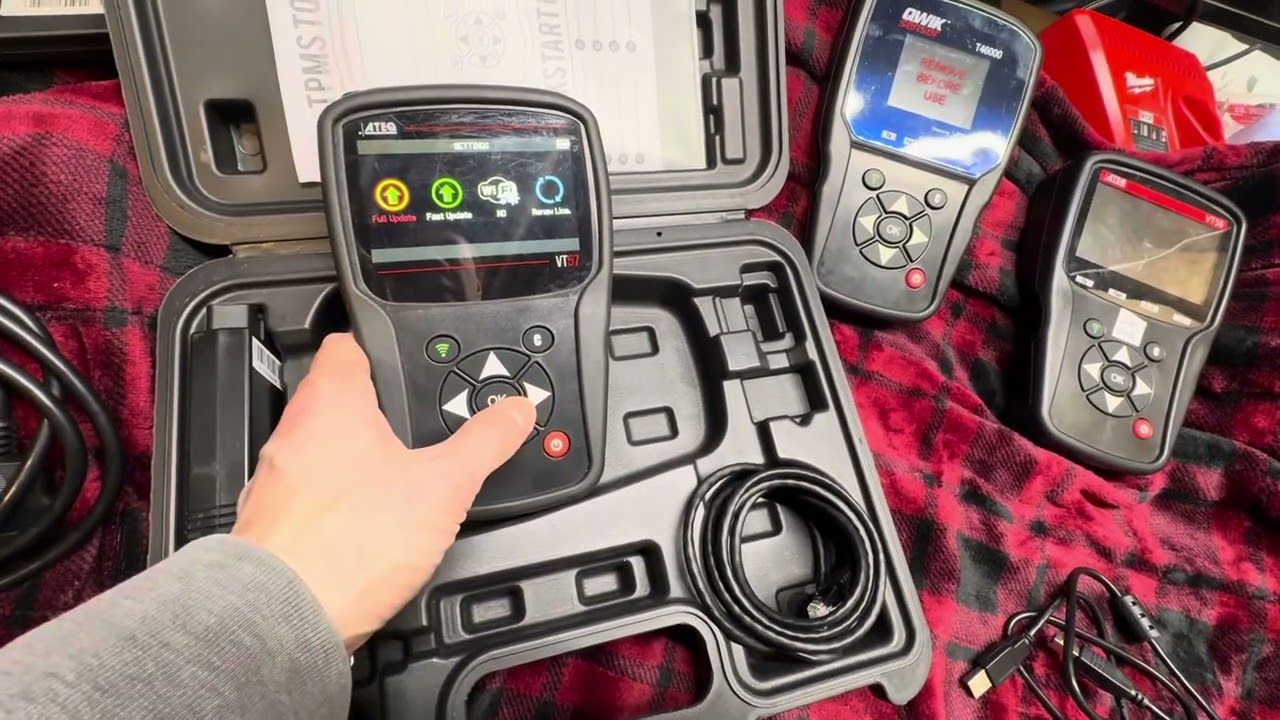
Generic OBD2 scanners can’t activate or reprogram TPMS sensors. You need a dedicated TPMS tool for proper diagnosis.
Best Tools for Silverado TPMS
| Tool | Key Features |
|---|---|
| ATEQ VT56 | Full diagnostics, OBD relearn, reads battery status, supports 315/433 MHz |
| ATEQ VT46 | Similar to VT56, ideal for cloning OE sensor IDs |
| ATEQ VT55/VT36 | Activation-only tools; cheaper but less diagnostic power |
These tools wake up dormant sensors, read sensor ID, pressure, temperature, and battery life, clone original IDs to new sensors, and perform OBD relearn without driving.
OBD Relearn: Fastest Professional Fix
For 2008–2020 models, OBD relearn is the gold standard:
- Connect tool to OBD2 port
- Select OBD Relearn mode
- Tool sends sensor IDs directly to ECU
- Done in under 2 minutes
No driving, no timing pressure. This method bypasses the 5-minute window and is 95% successful when sensors are alive.
Low-Cost Alternatives
The magnet method involves holding a strong magnet near the valve stem to trigger older sensors. This works on pre-2015 models but is unreliable now. Deflating and reinflating can wake a sleepy sensor but won’t fix sync issues.
Diagnose Dead or Faulty Sensors
If relearn fails, test sensor health directly.
Tool Activation Test
Use your TPMS tool by pointing it at the valve stem within 2 inches and pressing activate. If the tool reads the sensor, it is alive and the issue is sync or ECU related. If there is no response, the sensor is dead or damaged.
A 2019 Silverado showed no Left Front reading. The tool detected no signal. A new sensor fixed the issue immediately.
Rotation Test: Find the Real Culprit
This test helps determine if the problem is with the tire or the vehicle. Rotate tires by moving the Left Front to the Rear Right position, then perform a relearn and observe where the error appears.
If the error moves with the tire, you have a bad sensor. If the error stays at the same wheel location, you have a vehicle issue such as wiring, module, or hub interference.
A 2017 owner rotated tires and found the error stayed at the Driver Front hub, indicating a wiring or receiver fault rather than a sensor problem.
Replace Failed Sensors Correctly

If sensors are dead, replace them, especially if they are over 7 to 10 years old.
Choose the Right Frequency
For 2004–2018 models, use 315 MHz sensors only. For 2019 models, dual-frequency sensors supporting both 315 and 433 MHz are recommended. For 2020+ models, use 433 MHz sensors only.
Using the wrong frequency results in no signal transmission.
Install with New Service Kit
Always replace the rubber grommet, valve core, and cap when installing new sensors. This prevents leaks and corrosion. Never reuse old parts.
Clone Sensor IDs
With tools like VT56 or VT46, you can clone the original sensor ID to the new unit. This avoids a full relearn and keeps the ECU happy.
Note: Not all sensors support cloning. Use OEM-equivalent or programmable units for best results.
Post-Rotation TPMS Reset

Chevrolet recommends tire rotation every 7,500 miles. But failing to relearn after rotation causes false warnings.
If a low-pressure tire moves from rear to front, but the system still thinks it’s in the back, your dash shows a front warning when the real issue is rear.
Always perform a TPMS relearn after every rotation using either the manual or OBD method. Dealers and tire shops like Discount Tire often do this for free.
Prevent Future TPMS Failures
Monitor Sensor Age
Original sensors last 7 to 10 years. If your Silverado is a 2015 or older model with original sensors, plan for replacement soon, especially before winter arrives.
Avoid Aftermarket Interference
Use TPMS-safe wheel lights with low RF emission. Don’t overload 12V ports near the dash. Remove unused electronics that could cause signal interference.
Update ECU Pressure Settings
When switching to off-road tires, larger wheels, or different load ratings, update the expected pressure in the ECU using a TPMS tool. Keep overall tire diameter within ±3% of stock to avoid ABS and TPMS errors.
When to See a Pro
DIY works for sync issues. But seek professional help if all sensors fail to respond to tools, relearn keeps failing despite correct procedure, the error stays at one wheel location after rotation, or you lack TPMS tools.
Dealerships and tire centers can run full diagnostics, retrieve TPMS DTCs, replace sensors and perform OBD relearn, and test wiring and hub modules. Many shops offer free relearns if you just ask.
Frequently Asked Questions About Silverado TPMS Not Reading
Why does my Silverado TPMS show dashes instead of tire pressure?
Dashes on your tire pressure display indicate the system has lost communication with one or more sensors. This typically happens after a battery disconnect, software glitch, or when a sensor battery dies. Try a manual relearn procedure first to restore the connection.
Can cold weather cause Silverado TPMS to stop reading?
Yes, cold weather is a common cause of TPMS failures in Silverados. Low temperatures reduce voltage output in aging sensor batteries, causing sensors that worked fine in summer to fail below 30°F. If your TPMS stops reading in winter, the sensor battery is likely failing.
How do I perform a TPMS relearn on my Silverado?
The method depends on your model year. For 2004–2007 models, use the DIC menu. For 2008–2014 models, use the key fob, DIC button, or odometer trip button. For 2015–2020 models, use the steering wheel Select button. You must complete the procedure within 5 minutes.
Do I need a special tool to reset Silverado TPMS?
For manual relearns, no tool is required beyond your vehicle’s built-in buttons. However, for OBD relearn or to diagnose dead sensors, you need a dedicated TPMS tool like the ATEQ VT56 or VT46. Generic OBD2 scanners cannot activate TPMS sensors.
How long do Silverado TPMS sensors last?
TPMS sensors typically last 7 to 10 years. The internal battery is not serviceable, so when it dies, the entire sensor must be replaced. If your Silverado is over 7 years old with original sensors, plan for replacement soon.
Why does my TPMS warning appear after tire rotation?
Failing to perform a TPMS relearn after rotation causes the system to display incorrect tire positions. If a low-pressure tire moves from rear to front but the system still thinks it’s in the back, you’ll get a false warning. Always relearn after every rotation.
Key Takeaways for Fixing Silverado TPMS Not Reading
A Silverado TPMS not reading is rarely a mystery. It’s either a sync issue, a dead sensor, or a post-rotation oversight. Start with a manual relearn, verify pressures with a gauge, and use a TPMS tool to test sensor life if needed. Replace aging sensors before winter sets in, and always perform a relearn after any tire service.
Your next step: Check your tire pressures right now with a manual gauge, then attempt the relearn procedure for your specific model year. If readings don’t return within 5 minutes, invest in a TPMS activation tool or visit a tire shop for a free diagnostic.



