
If your Silverado’s OBD port isn’t working, you’re not alone. This common issue prevents scan tools from connecting to the vehicle’s computer, blocking access to critical engine data and diagnostic trouble codes. Whether you’re troubleshooting a check engine light or prepping for emissions testing, a dead OBD2 port can bring everything to a halt. The good news? In most cases, especially with 2005 and similar gasoline engine Silverados, the problem isn’t the port itself but a simple electrical fault that’s easy to fix.
This guide walks you through a step-by-step diagnosis, starting with the most common cause: blown fuses. You’ll learn how to test power at the port, rule out scanner issues, and identify deeper problems like BCM failure so you can get your truck back online fast.
Check the Cigarette Lighter First

Why It Matters: Shared Power Circuit
Your Silverado’s OBD2 port shares a power circuit with the cigarette lighter. If the lighter doesn’t work, the OBD2 port likely won’t either. This is the fastest way to triage the issue. Plug in a phone charger or test device into the 12V socket. If it doesn’t power on, focus on the fuse box instead of the port or scanner.
Quick Visual Test
No tools needed. Just observe a few key functions:
– Does the lighter heat up when pressed?
– Do interior dome lights work?
– Is the radio powered?
If multiple accessories fail, you’re dealing with a shared power loss. That points directly to a blown fuse, not a scanner or port defect.
Inspect Fuse #55 (Ltr)
Locate the Under-Hood Fuse Box
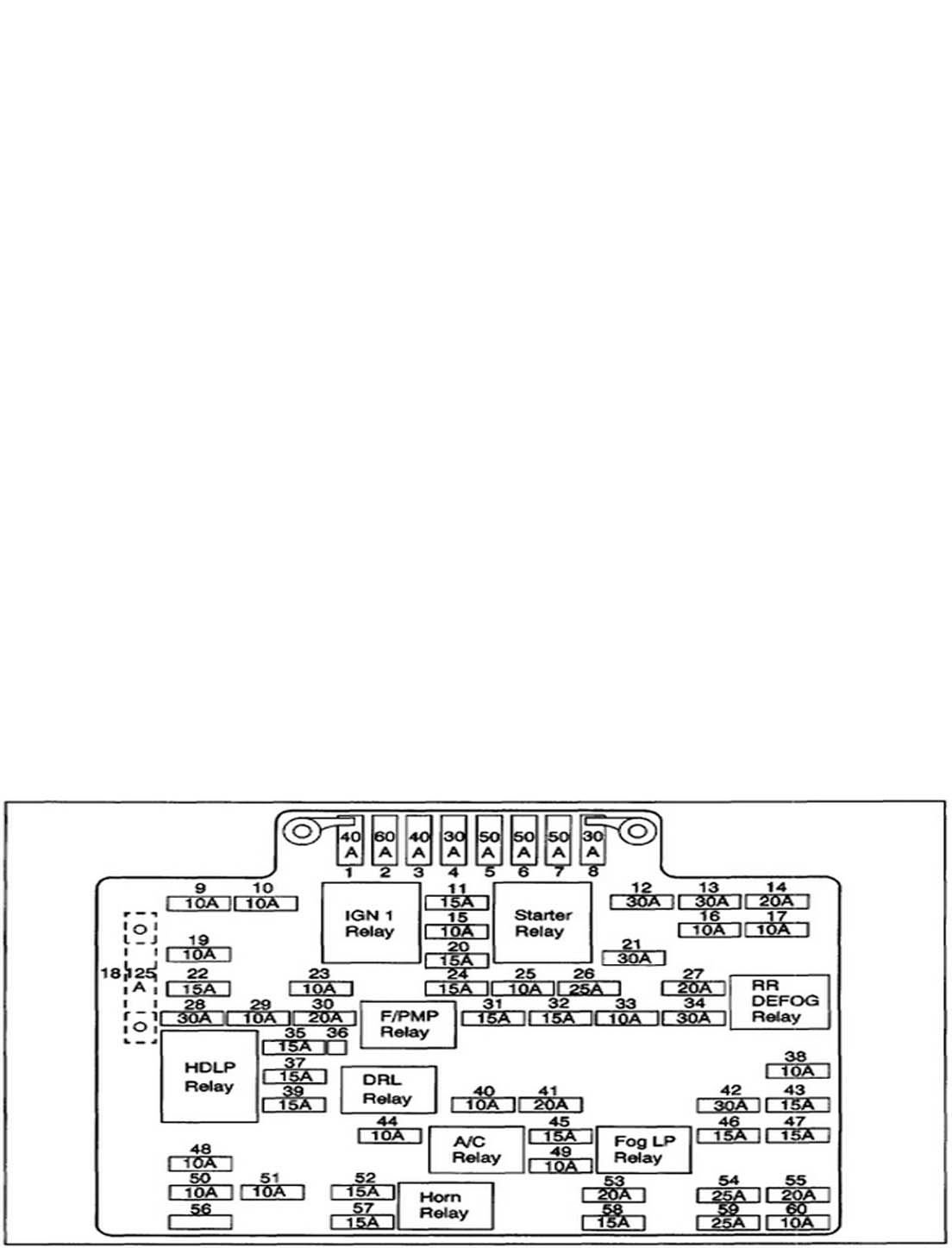
Open the hood and find the main fuse panel near the battery. On most gasoline-powered Silverados, this is where Fuse #55 lives. It’s labeled “Ltr” (for Lighter) and supplies 12V power to both the cigarette lighter and the OBD2 port.
Test and Replace
- Pull Fuse #55 using the fuse extractor tool in the box.
- Inspect visually and look for a broken filament, but don’t rely on eyes alone.
- Use a multimeter or fuse tester to check continuity. A hairline crack may not be visible.
- Replace with the same amperage, typically 15A or 20A. Never use a higher-rated fuse.
- Re-test the OBD2 port after replacement.
Pro Tip: Carry spare fuses labeled “Ltr” in your glovebox. Blown fuses are the number one cause of OBD2 failure.
Verify Other Shared Fuses
Check Interior and Secondary Panels
Some models have additional fuses tied to the OBD2 circuit inside the cabin. Look under the driver’s side dashboard for a secondary fuse box.
Test these circuits:
– Radio fuse
– Dome light fuse
– Accessory power fuse
If any are blown, replace them. These circuits often share power with the DLC (Data Link Connector).
Common Mistake: Ignoring Hidden Fuses
Many DIYers only check the under-hood box. But Silverados can route OBD2 power through interior panels. Consult your owner’s manual for exact fuse locations and labels like “OBD,” “DLC,” or “ACC.”
Test OBD2 Port Voltage
Power Check with Multimeter
When fuses are good but the port still doesn’t work, test voltage directly at the OBD2 connector.
Tools Needed: Digital multimeter
Ignition State: Turn key to “ON” or “ACC.” The port isn’t powered in “OFF” mode.
Pin 16: Power Supply Test
- Insert the red probe into Pin 16 (top-right corner of the OBD2 port).
- Place the black probe on Pin 4 or Pin 5 (ground pins).
- You should read approximately 12 volts.
No voltage? There’s a break in the power line, possibly damaged wiring or a hidden fuse.
12V present? Power is good. Move to data communication checks.
Ground Connection Check
Loose or corroded ground pins (4 and 5) can block communication even with power. Clean them with electrical contact cleaner and a soft brush. Re-test voltage after cleaning.
Inspect Port for Physical Damage
Bent or Corroded Pins
Look into the OBD2 port under the dash. Use a flashlight to check all 16 pins.
Watch for these issues:
– Bent pins, especially Pin 16 (power) or Pins 6/14 (CAN bus)
– Corrosion such as green or white buildup from moisture
– Debris like dirt, pocket lint, or broken plastic
Clean gently with:
– Electrical contact cleaner spray
– Plastic pick or non-metallic tool
– Compressed air
Never use metal to straighten pins, as it can short the port.
Rule Out Scanner Issues
Test Tool on Another Vehicle
A faulty or incompatible scanner mimics a dead OBD2 port. Plug your tool into a different car. If it fails there, the problem is the scanner, not your Silverado.
Confirm GM Protocol Support
Not all OBD2 scanners read Chevrolet systems fully. Basic code readers may connect but fail to pull manufacturer-specific codes (like P1xxx, U0xxx). Use a scanner that supports:
– GM-specific enhanced diagnostics
– Multiple protocols (CAN, ISO, PWM)
– Firmware updates
Recommended options include ANCEL V6 Pro, Autel MX608, or Snap-On MODIS.
Update Firmware
Older scanners may not handshake with updated Silverado ECUs. Visit the manufacturer’s website to check for firmware updates, re-flash the device, and re-pair with your truck.
Diagnose CAN Bus and Data Lines
Communication vs. Power Failure
If the scanner powers up but shows “No Communication,” the issue is data-related, not power.
In Silverados, this often involves:
– CAN bus lines (Pins 6 and 14)
– ECU (Engine Control Unit)
– Body Control Module (BCM)
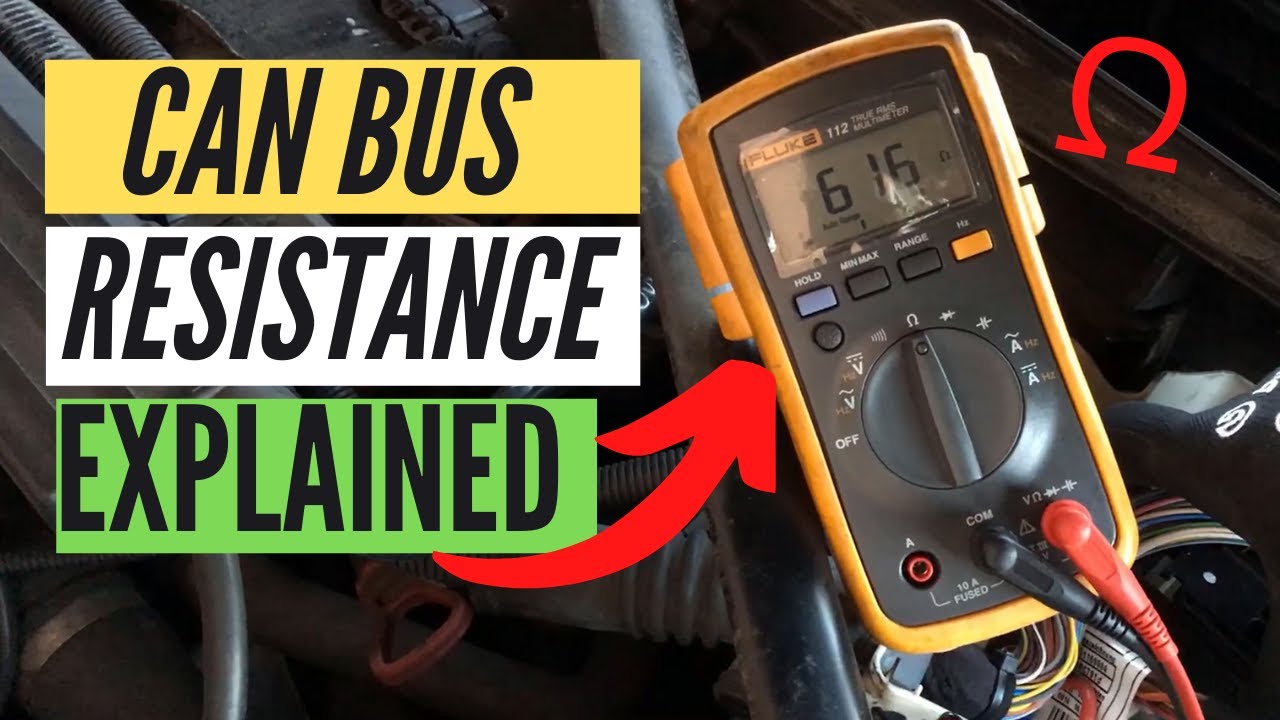
Use Multimeter on Data Pins
Set the multimeter to DC voltage:
– Probe Pin 6 (CAN High) and ground
– Probe Pin 14 (CAN Low) and ground
With ignition on:
– CAN High should read approximately 2.7V
– CAN Low should read approximately 2.3V
No voltage? You may have a broken wire, ECU fault, or BCM failure.
Suspect Body Control Module (BCM)
When Multiple Systems Fail
If your OBD2 port is dead and you have:
– ABS and battery lights on
– Fuel or temp gauges not working
– Door locks or windows failing
– Low voltage reading (around 10V) at port
Then the BCM is likely the culprit.
Trigger: Recent Electrical Work
Many Silverado BCM failures happen after jobs like block heater replacement. If the battery wasn’t disconnected during work, a surge could have damaged the module.
Reset the BCM
Try this before replacing:
1. Turn off ignition.
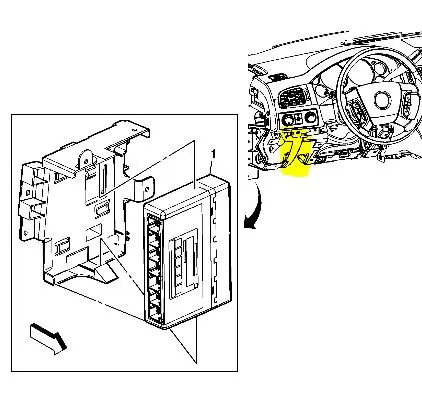
2. Locate BCM (usually under dash or center console).
3. Unplug all BCM connectors.
4. Wait 5 minutes.
5. Reconnect.
6. Turn key to “ON” and test OBD2 port.
If problems persist, BCM replacement is likely needed.
Prevent Future OBD2 Failures
Maintain Port and Battery
- Clean the port every 6 months with contact cleaner.
- Keep the battery charged, as low voltage prevents ECU wake-up.
- Avoid cheap scanners that can cause protocol conflicts.
Protect During Electrical Repairs
Always disconnect the negative battery terminal before working on:
– Block heaters
– Stereo systems
– Lighting upgrades
This prevents voltage spikes that can fry the BCM or ECU.
Use Quality Diagnostic Tools
Invest in a professional scanner that supports GM-specific codes, updates firmware regularly, and has good customer support. You’ll save time and avoid misdiagnosis.
Frequently Asked Questions About Silverado OBD Port Issues
Does the OBD2 port connect to all vehicle systems?
No. The port primarily interfaces with emissions, engine, and transmission control modules. Accessing ABS, SRS (Airbag), or proprietary body systems requires a scanner with specific protocol support and a functional data bus for those modules.
Can a damaged OBD2 port affect other car functions?
Yes. Because the OBD2 port is integrated into the vehicle’s electrical network, a short circuit within the port or its wiring can disrupt the CAN bus or blow shared fuses, causing failures in dashboard electronics, interior lighting, or even preventing the vehicle from starting.
Are OBD2 ports universal?
Physically, the 16-pin connector shape is standardized across all vehicles manufactured after 1996. However, the communication protocols vary by manufacturer. While basic engine codes are standard, deep-dive diagnostics often require manufacturer-specific software capabilities in the scanner.
Can OBD2 detect a blown fuse?
The OBD2 system cannot actively report a blown fuse as a diagnostic trouble code because the lack of power prevents the port from communicating. The absence of power is the symptom, necessitating manual fuse inspection.
What ignition position is needed to power the OBD2 port?
The port requires the key to be in the “ON” or “ACC” (Accessory) position. Most OBD2 systems do not receive power when the ignition is fully off.
Why does my scanner power on but show “No Communication”?
This indicates a data-related issue rather than a power failure. The problem likely involves the CAN bus lines (Pins 6 and 14), the ECU, or the BCM, even though power is reaching the port.
Key Takeaways for Fixing Your Silverado OBD Port

A non-working Silverado OBD port is rarely a port issue. It’s usually Fuse #55, a bad ground, or a BCM failure. Start with the cigarette lighter test to quickly identify shared circuit problems. Check the under-hood fuse box first, then verify 12V at Pin 16 with a multimeter. Rule out your scanner by testing it on another vehicle before diving deeper.
If multiple electrical systems are down alongside the OBD2 port, reset or replace the BCM. With this systematic approach, you can diagnose and fix 95% of OBD2 failures in under an hour, no dealership visit required.



