

Your Chevy Silverado won’t start, and the dashboard flashes “Service Theft Deterrent System.” The security light stays on or blinks erratically, and no matter how many times you turn the key, nothing happens. This frustrating issue is common across Silverado models and often triggers after a battery replacement, scan tool use, or even a loose wire. The good news? You can reset the anti theft system Chevy Silverado yourself in most cases, without paying dealership fees.
The root cause is a communication breakdown between the Body Control Module (BCM) and the Engine Control Module (ECM). When that link breaks, the system assumes a theft attempt and disables startup. The fix involves re-synchronizing these modules. Whether you drive a 2005 or 2016 Silverado, the methods below work across model years and trims.
Confirm the Issue Before Resetting the Anti Theft System
Before attempting any reset, verify that the anti-theft system is truly at fault. Many electrical problems mimic a security lockout but have simpler solutions.
Check Battery Voltage and Connections
A weak battery is the top cause of false theft alerts. Use a multimeter to confirm voltage reads at least 12.2V. If it’s lower, charge the battery fully before attempting any reset.
Inspect both battery terminals carefully. Even if they look tight, loosen and retighten them. A starter wire that’s connected but slightly pulled out can interrupt the start signal and trigger the security system. Ensure all cables are secure and free of corrosion.
Test for OBD2 Device Interference
Aftermarket modules like “Range AFM Disablers” or scan tools plugged into the OBD2 port have been directly linked to no-start conditions. Remove any non-OEM device from the port before proceeding. In documented cases, unplugging a range disabler cleared the “Service Theft Deterrent” message instantly.
Verify Fuse Integrity
Check all fuses in both the underhood and dashboard fuse boxes. Focus on BCM-related circuits. A blown fuse can cause “No Communication” errors that mimic a system lockout. Use a multimeter to test continuity, since some fuses appear intact but are internally broken.
Perform a Hard Reset on Your Silverado
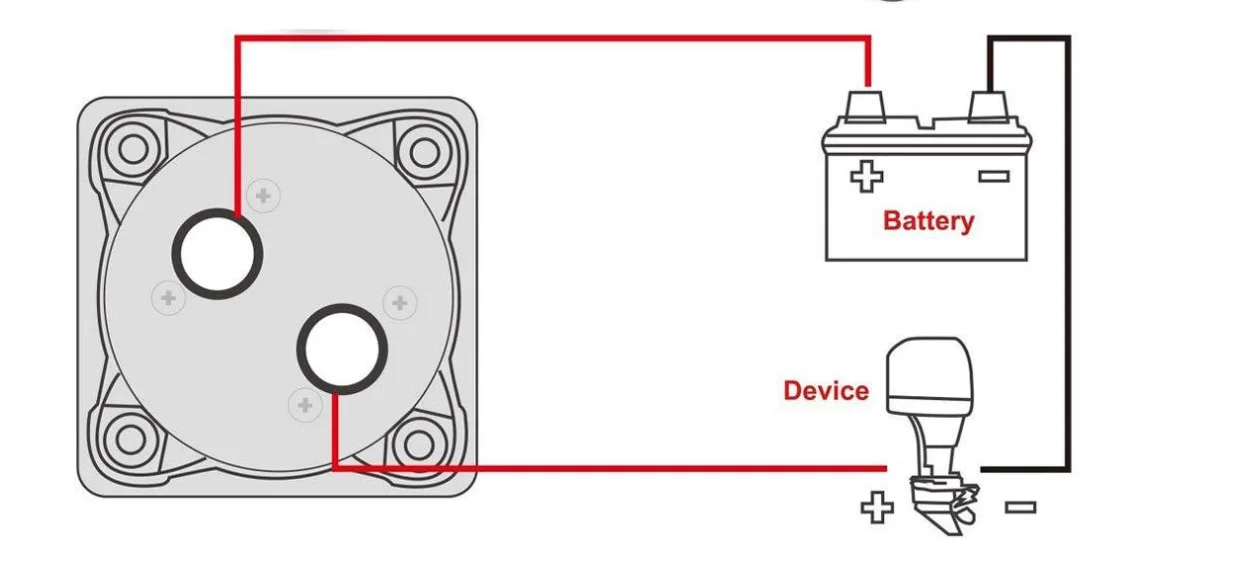
If the battery is good and no devices are interfering, start with the simplest fix: a hard reset. This clears temporary glitches in the BCM and often resolves the issue within minutes.
Disconnect the Battery for 5 Minutes
- Turn off the ignition and remove the key.
- Disconnect both the positive and negative battery cables.
- Wait at least 5 minutes to allow capacitors in the BCM to discharge.
- Reconnect the cables securely, starting with the positive terminal.
- Try to start the engine.
In multiple documented cases involving a 2016 Silverado, this method cleared the warning, restored traction control, and allowed normal startup.
Try Terminal Shorting for Stubborn Lockouts

If the standard disconnect fails, escalate to terminal shorting. This method forces a complete capacitor discharge, which is critical for GM trucks with sensitive BCMs.
Short Positive and Negative Cables Together
- Disconnect both battery cables from the battery posts.
- Hold the metal ends of the positive and negative cables together.
- Keep them touching for 45 to 60 seconds.
- Reconnect the cables to the battery.
- Attempt to start the vehicle.
This drains residual power from the BCM’s memory, forcing a clean reboot. It’s particularly effective on 2007–2014 Silverados, Tahoes, and Sierras. Success rates are high on GM trucks, though less reliable on other brands.
Execute the 30-Minute Relearn Procedure
If resets fail, the system needs to relearn your key’s transponder code. This manual relearn process takes about 30 minutes but costs nothing and requires no special tools.
Ensure Full Battery Charge First
The procedure demands stable voltage. If the battery drops during the process, it fails. Charge it fully before starting. Do not use a memory saver, as it can interfere with the relearn.
Complete Three 10-Minute Cycles
Cycle 1:
– Insert the key and turn to ON without cranking.
– Watch the SECURITY light; it should be illuminated.
– Wait 10 minutes until the light turns off.
– Turn the key to OFF and wait 10 seconds.
Cycle 2:
– Turn the key back to ON.
– Wait another 10 minutes until the SECURITY light turns off.
– Turn to OFF and wait 10 seconds.
Cycle 3:
– Turn the key to ON.
– Wait 10 minutes until the light turns off.
– Turn to OFF briefly, then immediately try to START the engine.
If the engine starts, the system has successfully relearned the key. If the SECURITY light stays on or flashes during any cycle, restart from Cycle 1. A voltage drop or interruption likely occurred.
Troubleshoot Common Failure Points
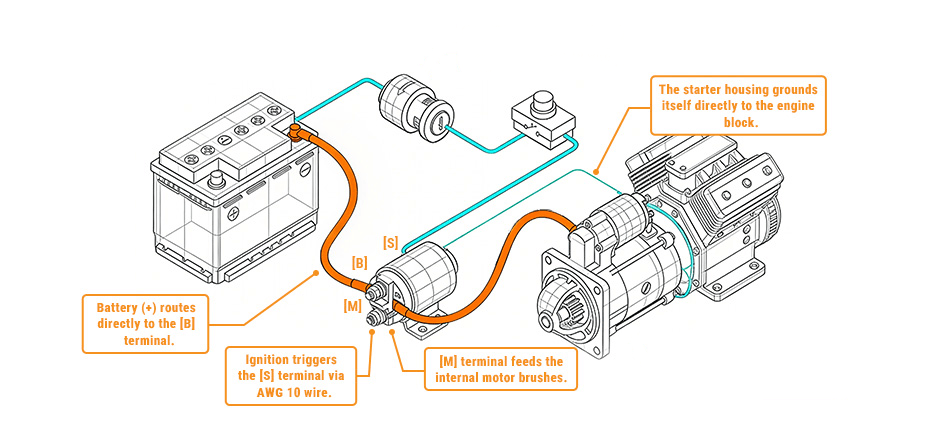
If the relearn procedure doesn’t work, hidden issues may be sabotaging your reset attempts.
Remove Aftermarket OBD2 Modules
Devices like “Range AFM Disablers” can corrupt BCM communication. One user experienced two no-start incidents in 2024, both resolved only after removing the module. Unplug it permanently or update it to the latest firmware.
Inspect Starter and Ground Wires
A slightly loose starter wire can mimic a security lockout. Check where the wire connects to the starter solenoid and ensure it’s fully seated. For trucks with aftermarket HID headlights, disconnect the HID ground wire separately from the main battery ground. Faulty grounding can disrupt BCM signals.
Check the Fuel Pump on Older Models
On 2005–2007 Silverados, the anti-theft system may disable the fuel pump instead of the starter. If the engine cranks but won’t start, listen for the fuel pump priming when you turn the key to ON. No sound? Try pulling and reseating the fuel pump fuse.
When to Use a Professional Scan Tool
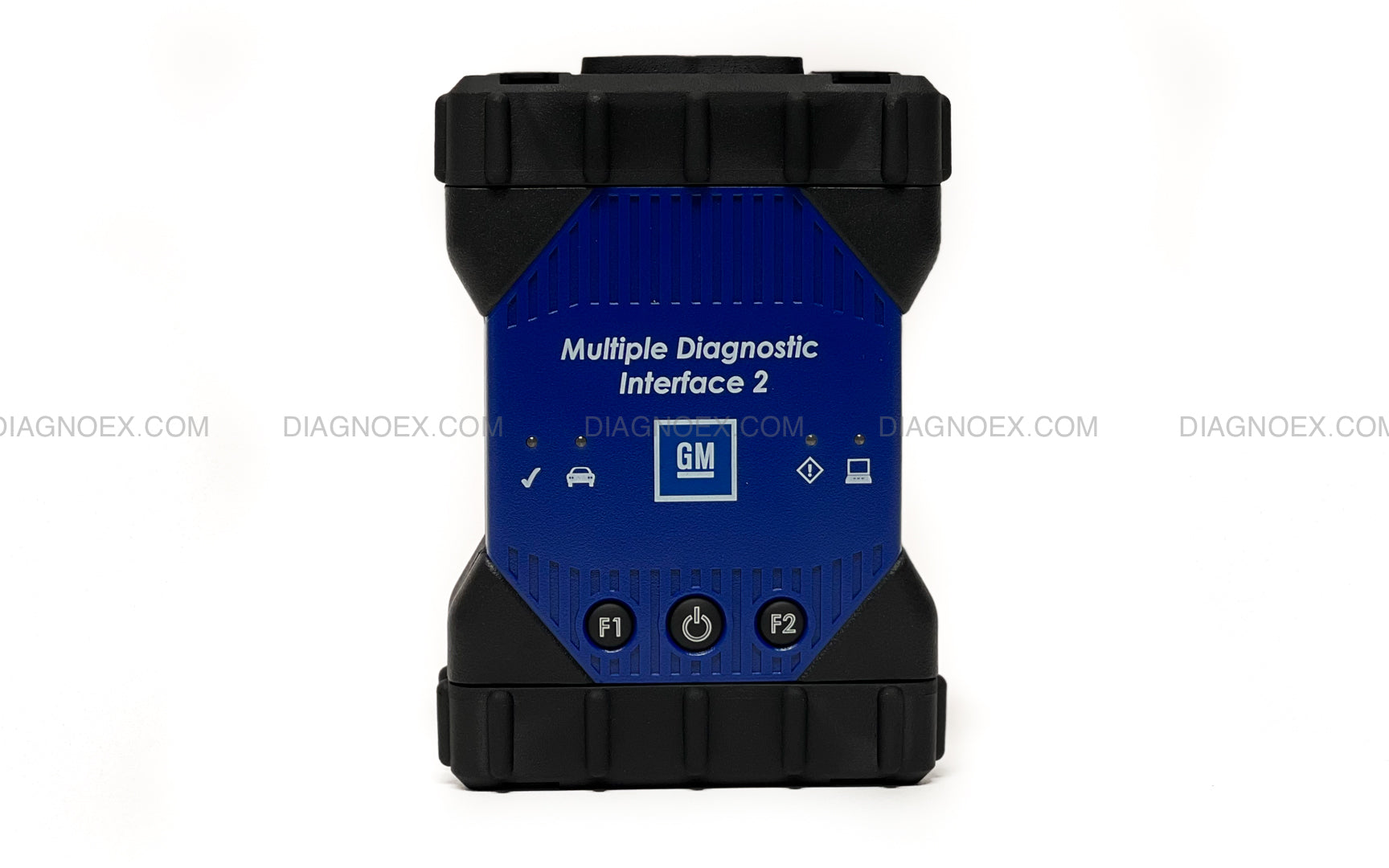
If all else fails, the BCM may need a forced reset or reprogramming. Consumer-grade scanners often show “No Communication” with the BCM, even when power is present.
Seek a Dealer or Certified Technician
GM dealerships use GDS2/MDI systems that access VIN-specific security data. They can perform a Security Relearn or VATS Reset that DIY tools cannot. Independent GM specialists with high-level scanners like Autel MaxiCOM or Snap-on can also reset the system. Dealership resets typically range from $75–$150, but they’re guaranteed if the BCM is faulty.
Prevent Future Anti-Theft Activation
Avoid repeating this hassle with a few simple precautions.
Avoid Scan Tool Risks
Don’t use aftermarket tools to clear TPMS or other DTCs unless absolutely necessary. Some tools disrupt BCM communication. If you must use one, ensure the battery is fully charged and stable.
Maintain Power During Battery Work
When replacing the battery, use a memory saver plugged into the OBD2 port or cigarette lighter to maintain power. This prevents the BCM from losing sync. If you disconnect power, expect to perform the 30-minute relearn afterward.
Use OEM-Grade Replacement Parts
Aftermarket keys or BCMs may not sync properly. Stick with OEM or professionally programmed parts from trusted sources.
Frequently Asked Questions About Resetting the Anti Theft System Chevy Silverado
Will disconnecting the battery reset the anti-theft system?
Yes, disconnecting both battery cables for at least 5 minutes can reset the anti-theft system in many cases. This allows the BCM to discharge and clear temporary glitches. However, if the issue persists, you may need to perform the 30-minute relearn procedure.
Why does my Silverado say “Service Theft Deterrent System” after a battery replacement?
Battery disconnection can break communication between the BCM and ECM. The system interprets this power loss as a potential theft attempt and disables startup. A relearn procedure or hard reset typically resolves this.
Can an OBD2 scanner cause the anti-theft system to activate?
Yes, aftermarket scan tools and modules like Range AFM Disablers have been directly linked to triggering the theft deterrent system. Removing the device from the OBD2 port often clears the warning immediately.
How long does the 30-minute relearn procedure take?
The full relearn takes approximately 30 minutes, consisting of three 10-minute cycles. Each cycle requires waiting for the SECURITY light to turn off before proceeding to the next.
What if the relearn procedure doesn’t work?
If the relearn fails, check for low battery voltage, loose starter wires, or aftermarket OBD2 devices. If none of these are the cause, a dealership or certified technician may need to perform a professional VATS reset using GM-specific tools.
How much does a dealership charge to reset the anti-theft system?
Dealership resets typically cost between $75 and $150. This includes diagnostics and a forced relearn using OEM equipment. If the BCM is faulty, replacement and programming costs will be higher.
Final Thoughts on Resetting Your Chevy Silverado Anti-Theft System
Resetting the anti theft system Chevy Silverado doesn’t require a trip to the dealer in most cases. Start with a 5-minute battery disconnect, escalate to terminal shorting if needed, and finish with the 30-minute relearn if the system remains locked. Most issues resolve with these steps alone.
The key to success is patience. Let each cycle complete fully, and ensure your battery is strong throughout the process. By following this guide, you’ll save time, avoid unnecessary costs, and get back on the road quickly. If all DIY methods fail, a professional scan tool reset is your reliable backup plan.



