
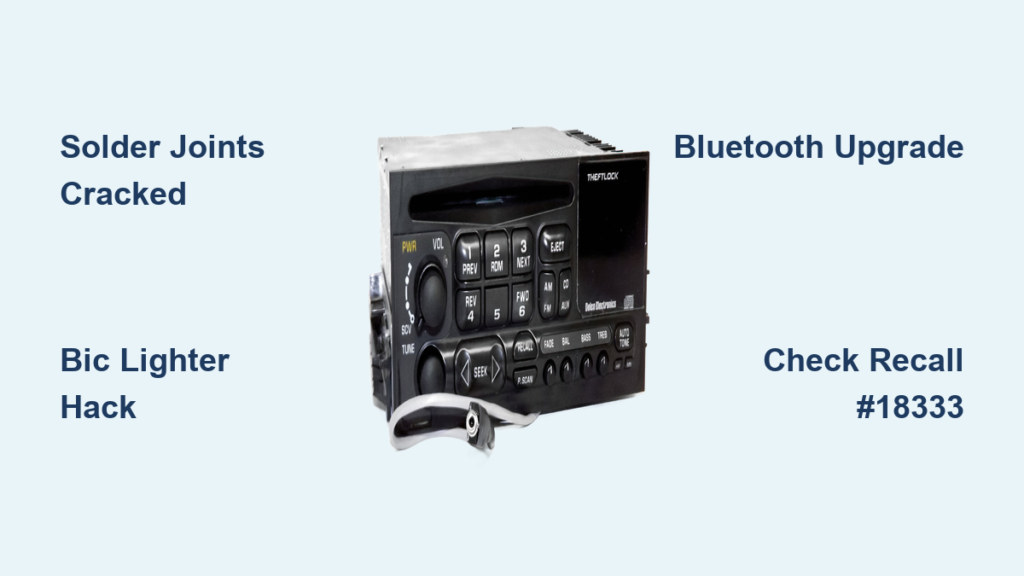
That crackling silence when your favorite song cuts out mid-drive is maddening. If your Chevy Silverado’s AUX port keeps losing connection, plays sound from only one speaker, or won’t detect your phone at all, you’re dealing with a well-known issue that plagues trucks from 2007 to 2019. The root cause varies by model year, but the symptoms are frustratingly similar across the board.
This guide breaks down every proven fix, from a $0 temporary hack to permanent soldering repairs and modern Bluetooth upgrades. You’ll learn how to pinpoint the exact problem, avoid costly mistakes, and restore full stereo sound to your factory radio for under $10 in most cases.
Diagnose the Real Problem Before You Start
Jumping straight into repairs wastes time and risks damaging your radio. Take five minutes to identify what you’re actually dealing with.
Match Your Symptoms to the Cause
- Audio cuts out on bumps → Loose connection or cracked solder joints on the circuit board.
- Only one speaker plays → One audio channel is broken inside the jack.
- Radio switches to AUX randomly → Internal short or failing port detection circuit.
- No sound but device shows connected → Wiring fault, blown fuse, or head unit failure.
- Port feels wobbly or loose → Mechanical failure where the jack meets the board.
Rule Out Simple Causes First
Before cracking open the dash, eliminate the easy stuff:
- Test with multiple devices (different phones, an MP3 player, a tablet).
- Try different AUX cables, especially high-quality or OEM options.
- Inspect the port for lint, dust, or bent pins and clean gently with compressed air.
- Confirm your phone’s audio output isn’t muted or set to mono.
If the problem persists across devices and cables, you’ve confirmed the issue is in the truck itself.
Fix Cracked Solder Joints (2007–2013 Models)

For early-generation Silverados, the culprit is almost always cracked solder joints on the radio’s circuit board. Years of vibration cause the tiny connections holding the AUX jack to fracture. A fresh re-solder fixes this permanently.
Remove the Radio Faceplate
- Turn off the vehicle completely.
- Use a plastic trim tool to gently pry the faceplate from the top edge.
- Pull forward slowly—never force it.
- On SLE trims, you may need to remove part of the center console trim first.
Pro Tip: Wrap your trim tools in tape to prevent scratches on the dash.
Access the Circuit Board
- Locate the two 3mm screws behind the faceplate.
- Remove them with a 3mm socket or a modified paperclip if needed.
- Disconnect the main wiring harness from the back of the unit.
- Remove additional 3mm screws securing the main PCB (printed circuit board).
- Lift the board slightly to expose the underside of the AUX jack.
⚠️ Warning: Avoid touching conductive traces with metal tools. A single scratch can kill the radio entirely.
Reflow the Solder Connections
- Inspect the four solder pads under the 3.5mm jack.
- Look for cracks, lifted pads, or dull, grainy solder.
- Heat each pad with a fine-tipped soldering iron and apply fresh solder.
– Use index cards to shield adjacent pads and prevent bridging.
– Never connect two terminals—this causes a short circuit. - Let the joints cool, then inspect them. They should appear shiny and smooth.
Stabilize and Reassemble
- Optional: Apply a small dab of hot glue around the base of the jack to reduce future stress.
– Only glue the outer housing—never the plug slot. - Reattach the PCB, reconnect the harness, and reinsert all screws.
- Snap the faceplate back into place.
✅ Test Before Closing: Plug in your phone and drive over a bumpy surface. If audio stays solid, you’ve nailed the repair.
Try the Bic Lighter Fix (Quick Temporary Fix)
No soldering iron? No problem. This field hack stabilizes a loose port in under a minute.
Jam a Plastic Shim into the Port
- Remove the safety tab from a Bic lighter (or use any small plastic strip).
- Insert it into the AUX port alongside your cable.
- Push both in until snug. The added friction holds the plug firmly in place.
This works best when the jack is loose but the solder joints are still intact. It won’t fix broken circuits, but it’s a reliable stopgap until you can do a permanent repair.
Upgrade to Bluetooth (Permanent Modern Fix)

Replace the failing AUX port with seamless wireless streaming while keeping your factory radio intact.
Install a USB Bluetooth Receiver
- Purchase a compact USB Bluetooth audio receiver (around $15 online).
- Connect it to a 3.5mm AUX cable that plugs into the existing AUX board.
- Wire the USB power using:
– A 12V-to-5V step-down converter.
– A relay connected to the RAP (Retained Accessory Power) line so it powers on and off with the ignition. - Route wires behind the dash and secure them with zip ties.
Enable Auto-Pairing
- Power the receiver from ignition-switched voltage.
- Pair your phone manually the first time.
- After that, it reconnects automatically every time you start the truck.
⏱️ Note: Expect a 5–6 second delay on startup before audio plays. Once connected, streaming is lag-free.
📞 Limitation: This setup streams music only. Phone calls still route through your phone or factory Bluetooth (if equipped).
Troubleshoot Electrical and Software Issues
If soldering didn’t help or you drive a 2014+ model, check for deeper faults.
Test Fuses and Power
- Open the fuse box (driver’s side dash or under the hood).
- Find the fuse labeled “Radio,” “AUX,” or “Infotainment.”
- Pull it out and inspect the metal strip. Replace it if broken.
- Use a multimeter to verify continuity.
Fuse failure is rare but can happen after aftermarket installations or power surges.
Reset the Infotainment System
A soft reset clears software glitches that prevent AUX detection:
- Turn off the vehicle.
- Disconnect the negative battery terminal.
- Wait 10–15 minutes to drain residual power.
- Reconnect the terminal and restart the truck.
This resets the head unit’s logic board and often restores AUX functionality without any physical repair.
Check for Recalls (2014–2019 Models)

Don’t waste time soldering if GM will fix it for free.
Look Up Recall #18333
- Applies to: 2014–2019 Silverado and Sierra models with factory infotainment.
- Issue: Software bug prevents AUX detection or causes random mode switching.
- Fix: Free software update at any authorized GM dealership.
- Action: Call your local dealer with your VIN ready. They’ll check eligibility in minutes.
Review Service Bulletin #2017-012
- Applies to: 2016–2018 models.
- Problem: Degraded wiring harness near the AUX port.
- Symptoms: Intermittent audio, no signal, or static.
- Solution: Dealer replaces or repairs the harness section, often covered under goodwill warranty.
Even without an active warranty, dealers sometimes offer discounts on harness repairs for known issues.
Replace Faulty Cables and Prevent Future Damage

Sometimes the problem isn’t the truck at all. It’s the cable.
Use a Right-Angle AUX Cable
- Reduces strain on the port when a phone is plugged in.
- Prevents leverage damage from dangling devices.
- Ideal for daily drivers and off-road use alike.
Choose High-Quality Cables
- Avoid cheap, thin wires that break internally.
- Opt for braided, shielded cables with reinforced connectors.
- Test new cables before assuming the port is dead.
Avoid Common Repair Mistakes
Even experienced DIYers make these errors. Don’t let them ruin your fix.
Using the Wrong Screw Size
- Factory screws are 3mm, not standard metric.
- Forcing a 4mm tool strips the head permanently.
- Fix: Use a modified 4mm socket or order replacement Phillips screws for easier future access.
Bridging Solder Contacts
- Melting solder across two pads creates a short circuit.
- Causes distortion, mono sound, or complete failure.
- Prevent: Shield nearby pads with index cards or Kapton tape during soldering.
Gluing the Port Incorrectly
- Applying glue to the plug path can jam the jack.
- Glue that bonds to the dash transfers vibration stress to the board.
- Correct method: Apply only a tiny bead around the jack’s base on the PCB side.
When to See a Professional
If all else fails, expert help may be necessary.
Get a GM Scan Tool Diagnosis
Dealers and specialty shops use GM-specific scanners to:
– Read error codes from the audio module.
– Check CAN bus communication.
– Confirm whether the head unit needs replacement.
A failing head unit may require reprogramming or a new unit, which typically costs between $200 and $500.
Consider a Head Unit Upgrade
If your radio is outdated or beyond repair:
– Install an aftermarket unit from brands like Pioneer or Alpine.
– Keep the factory look with a dash kit and wiring harness adapter.
– Gain modern features like Bluetooth, Android Auto, and Apple CarPlay.
Total cost usually falls between $150 and $400 depending on features and installation complexity.
Final Tips for Long-Term Reliability
Once your AUX port is working again, protect the repair.
Seal the Port When Not in Use
- Insert a dust plug to keep out moisture and debris.
- This is especially important in humid or dusty climates.
Minimize Plug and Unplug Cycles
- Leave the cable connected if it’s safe to do so.
- Frequent insertion wears out the jack contacts over time.
Upgrade Screws for Easier Access
- Replace factory Torx or security screws with standard Phillips head screws.
- Label and store the originals in case you sell the truck.
Frequently Asked Questions About Chevy Silverado AUX Port Repair
Why does my Chevy Silverado AUX port only play through one speaker?
A single working speaker usually means one audio channel inside the jack is broken. This happens when solder joints crack or internal contacts wear out. A re-solder of the four contact pads on the circuit board typically restores full stereo output.
How much does it cost to fix an AUX port in a Silverado?
A DIY solder repair costs less than $10 for basic materials. A Bic lighter hack costs nothing. Bluetooth upgrades run $15 to $30 for parts. Dealer repairs under recall are free if your vehicle qualifies.
Can I use Bluetooth instead of fixing the AUX port?
Yes. You can install a USB Bluetooth receiver connected to the AUX board for wireless streaming. Expect a 5–6 second startup delay, but audio plays lag-free once connected. Phone calls still route through your phone or factory Bluetooth.
Is there a recall on Chevy Silverado AUX ports?
Recall #18333 covers 2014–2019 Silverado and Sierra models with software glitches affecting AUX detection. Service Bulletin #2017-012 addresses wiring harness degradation in 2016–2018 trucks. Contact a GM dealer with your VIN to check eligibility.
Will the Bic lighter trick damage my AUX port?
The Bic lighter hack is a temporary friction fix that won’t damage the port if done carefully. However, it doesn’t repair broken solder joints or electrical faults. Use it as a stopgap until you can perform a permanent repair.
Key Takeaways for Fixing Your Silverado’s AUX Port
For 2007–2013 models, cracked solder joints are the almost-certain culprit. A re-solder of the four contact pads costs under $10 and provides a permanent fix. For 2014–2019 trucks, always check Recall #18333 and Bulletin #2017-012 before attempting physical repairs. A free dealer software update or harness replacement could save you hours of work.
Start by testing multiple devices and cables to rule out simple causes. If the problem persists, diagnose your symptoms against the checklist above, then choose the repair method that matches your skill level and budget. With the right approach, you can restore crystal-clear stereo sound and keep your factory radio working like new.



