
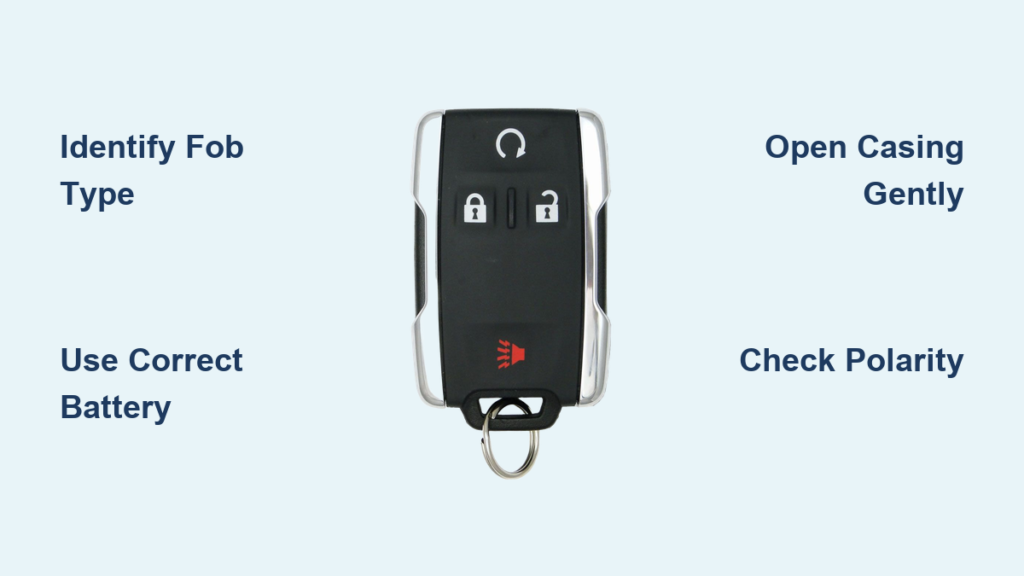
Is your Chevy Silverado key fob unresponsive when you press the lock or unlock buttons? Do you find yourself standing right next to the truck just to get it to respond? These are classic signs that the battery inside your key fob is dying. The good news is that replacing the battery in your Chevy Silverado key fob is a five-minute job that requires no special tools and no trip to the dealership.
This guide covers every Silverado key fob style, from older standard remotes to the newest smart keyless fobs. You will learn how to identify your fob, pick the correct battery, open the case without cracking it, and get everything working again. Let’s get you back to one-press convenience.
Identify Your Chevy Silverado Key Fob Type
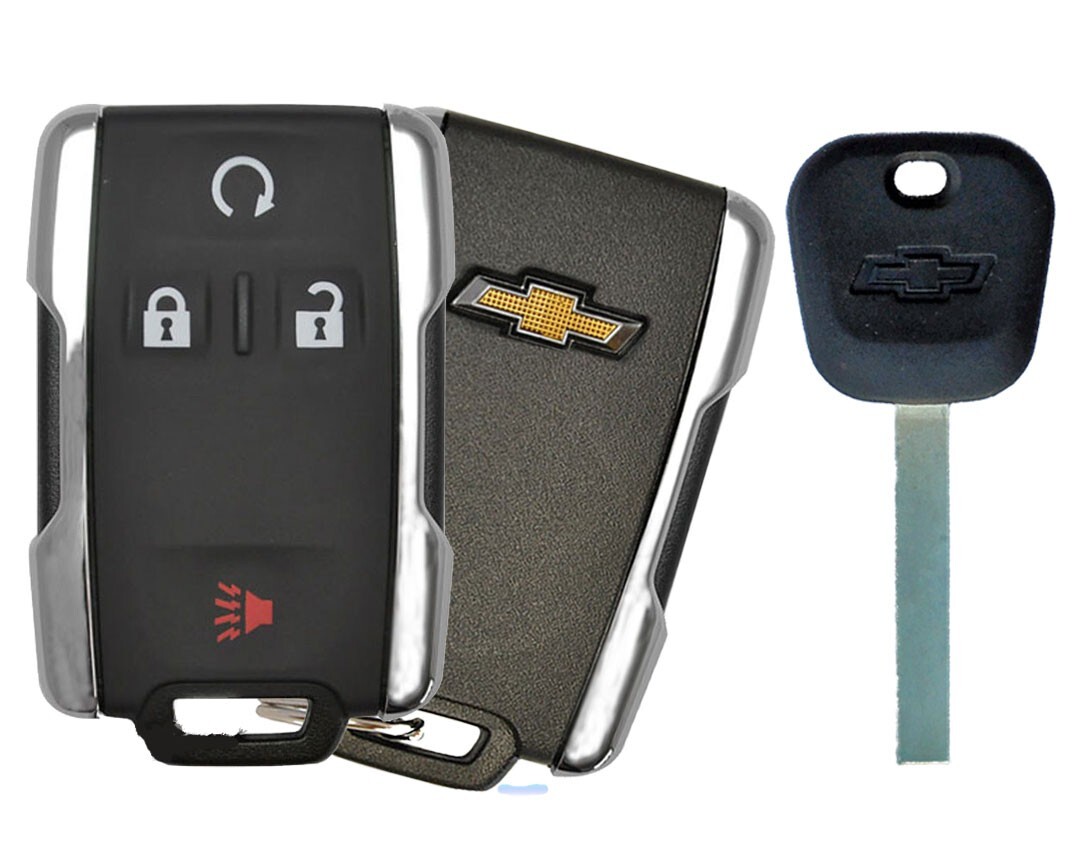
The first step in changing your key fob battery is figuring out which design you have. Each style opens differently and uses a specific battery. Using the wrong battery or forcing the wrong opening method can damage the housing.
Smart Keyless Entry Fob (2020+)
This is the modern fob found on newer Silverados with push-button start. It has a sleek body with a chrome release button on the side that ejects a hidden metal emergency key. This fob uses a CR2450 battery and opens through the key slot.
Flip Key Fob (2010–2016)
Common on mid-2010s Silverados, this fob has a metal key that flips out from inside the plastic body when you press a button. The case splits along a seam and typically uses a CR2032 battery.
Standard Remote Fob (Pre-2010)
Older Silverados use a rectangular remote with a separate metal key on a ring. You will see a visible seam and a small slot on the side. This version also uses a CR2032 battery.
Choose the Correct Replacement Battery
Picking the right battery is critical. Installing the wrong size can result in poor contact, no response, or even cracked plastic.
CR2450 vs CR2032: Know the Difference
- CR2450: Used in 2020+ Smart Key fobs. Thicker and larger in diameter.
- CR2032: Used in older Flip Key and Standard fobs. Slimmer and slightly smaller.
These two batteries are not interchangeable. A CR2450 forced into a CR2032 slot can crack the housing. A CR2032 in a CR2450 compartment will not make proper contact.
Where to Buy and What to Spend
- Cost: Under $5 per battery
- Retailers: Walmart, AutoZone, Target, pharmacies, and online stores
- Brand: Any reputable name like Duracell, Energizer, or Panasonic works fine
Gather Tools and Prepare Your Workspace
You do not need a toolbox for this job. A few simple items will protect your fob and prevent lost parts.
Tools You Will Need
- Small flathead screwdriver or the emergency key built into your fob
- Clean, flat surface to work on
- Dry hands to keep contacts clean
Safety and Disposal Tips
- Recycle old batteries at any hardware store or electronics retailer
- Avoid moisture when opening the fob
- Work slowly to prevent snapping plastic clips
Replace the Battery in a Smart Keyless Fob (2020+)
If your Silverado has push-button start, follow these steps.
Step 1: Eject the Emergency Key
Press the chrome release button on the side and pull the metal key out. Set it aside because you will use it to open the fob.
Step 2: Pry Open the Casing
Look at the empty key slot. Insert the tip of the emergency key into the gap at the top of the slot. Twist gently until you hear the clips release and the two halves separate.
Step 3: Remove and Replace the Battery
- Lift out the old CR2450 battery and note that the positive (+) side faces up
- Insert the new battery with the positive side up
- Avoid touching the circuit board with your fingers, since oils can cause corrosion
Step 4: Reassemble the Fob
Align the two halves and press them together firmly until they click. Slide the emergency key back in until it locks. Test the fob within 10 feet of the truck.
Replace the Battery in a Flip Key Fob (2010–2016)

For Silverados with a flip-out key, use this method.
Step 1: Flip Out the Metal Key
Press the release button so the key blade springs outward. This gives you access to the hinge area where the case splits.
Step 2: Locate the Opening Slot
Look for a small notch near the base of the key or along the side seam. This is your entry point.
Step 3: Separate the Housing
Insert a small flathead screwdriver into the slot and twist gently to pop the front and back halves apart. Plastic clips can break if you force them.
Step 4: Swap the CR2032 Battery
- Remove the old CR2032 battery
- Insert the new one with the + side facing up (check internal markings)
- Avoid bending the metal contacts
Step 5: Snap It Back Together
Align the two halves and press firmly until they click. Fold the key back into the closed position and test all buttons.
Replace the Battery in a Standard Remote Fob

For older Silverados with a basic remote and separate key, follow these steps.
Step 1: Find the Access Slot
Inspect the edge of the fob for a small groove, usually near a corner or along the bottom.
Step 2: Carefully Pry Open
Insert a flathead screwdriver into the slot and twist gently to break the seal. You can slide the tool along the seam if needed, but do not force it because older plastic becomes brittle.
Step 3: Replace the CR2032 Battery
- Lift out the old battery
- Insert the new CR2032 with the correct polarity (positive side up)
- Make sure the battery sits flat and makes full contact
Step 4: Reattach the Housing
Press the two halves together starting at one corner. Work your way around the edges until the entire unit clicks shut. Test immediately.
Recognize the Signs of a Dying Key Fob Battery
Do not wait for total failure. These warning signs tell you it is time to replace the battery.
Multiple Presses Needed
If you have to press lock or unlock more than once, the battery is weakening. This is the most common early symptom.
Reduced Operating Range
Instead of working from 30+ feet away, you need to be right next to the truck. Signal strength drops as voltage decreases.
Intermittent Function
The fob works sometimes depending on the angle or which button you press. This points to poor contact or weak power.
No Response at All
Complete failure usually means the battery is dead or has shifted out of place. Replace it before assuming the fob itself is broken.
Troubleshoot Problems After Battery Replacement
If the fob still does not work after you swap the battery, try these quick fixes.
Check Battery Polarity
Reversed battery orientation causes most post-replacement failures. Open the fob and confirm the + side is up. A reversed battery breaks the circuit entirely.
Clean the Battery Contacts
Dirt or corrosion can block the connection. Use a dry cotton swab to wipe the metal terminals inside the fob. Do not use water or alcohol.
Reset or Resync the Fob
Most Silverado fobs do not need reprogramming after a battery change. But if the battery was out for hours, you may need to resync.
How to Resync Your Key Fob
- Sit in the driver’s seat with all doors closed
- Insert the key into the ignition (or press the start button)
- Turn the ignition to ON (do not start the engine), then back to OFF
- Repeat this cycle three times, ending in the ON position
- Press any button on the fob. You should hear a door lock chime
Exact steps vary by model year, so consult your Owner’s Manual for the correct sequence.
Avoid Common Key Fob Battery Mistakes
Even a simple job can go wrong if you rush. Keep these tips in mind.
Do Not Use Excessive Force
The fob opens with gentle leverage, not brute strength. Cracked casings are the number one user error. Use the emergency key or a screwdriver tip and work slowly.
Never Mix Battery Types
CR2032 and CR2450 look similar but are completely different sizes. Double-check the model before buying or installing.
Store Fobs Properly
Avoid tossing the key in a pocket or bag where buttons get pressed accidentally. This drains the battery faster. Use a key hook or hard case instead.
Maintain Your Key Fob for Long-Term Reliability
A little care extends battery life and prevents future headaches.
Test the Battery Annually
Check your fob every 12 months. If the response feels slow, replace the battery even if it still works. This prevents getting locked out at the worst moment.
Protect from Extreme Temperatures
Do not leave the fob on a hot dashboard or in freezing conditions. Heat and cold accelerate battery drain.
Inspect for Physical Damage
Check for cracked casing, sticky buttons, or corrosion. Address small issues early before they become bigger problems.
Emergency Access When the Fob Battery Dies
Even with a completely dead fob, you can still start your Silverado.
Use NFC Bypass Mode
Newer Silverados with push-button start allow you to start the truck with a dead fob:
- Hold the fob against the steering column or console start button
- Press the brake and push the start button
- The truck reads the fob via NFC, bypassing the dead battery
Keep a Spare Battery Handy
Store a fresh CR2032 or CR2450 in your glove box so you are ready when the fob dies unexpectedly.
Consider a Spare Fob
If you rely on remote start or frequent access, having a backup fob with a fresh battery is a smart investment.
Frequently Asked Questions About Chevy Silverado Key Fob Batteries
What battery does a Chevy Silverado key fob use?
Pre-2020 Silverado key fobs use a CR2032 battery. 2020 and newer models with smart keyless entry use a CR2450 battery. These are not interchangeable due to size differences.
How long does a Chevy Silverado key fob battery last?
Under normal usage, the battery typically lasts 3 to 4 years. Premature drain can happen if buttons get pressed accidentally or if the fob is stored near electronics.
Do I need to reprogram my key fob after changing the battery?
In most cases, no reprogramming is needed. The fob retains its memory during a battery swap. However, if the battery was out for an extended period, you may need to resync using the ignition cycle method.
Can I start my Silverado with a dead key fob battery?
Yes. On models with push-button start, hold the fob against the steering column or start button while pressing the brake and pushing the start button. The truck uses NFC to read the fob and bypass the dead battery.
Where can I buy a replacement battery?
You can find CR2032 and CR2450 batteries at Walmart, AutoZone, Target, pharmacies, and online retailers for under $5. Any reputable brand like Duracell, Energizer, or Panasonic works.
What happens if I install the wrong battery?
A CR2032 in a CR2450 slot will not make proper contact and the fob will not work. A CR2450 forced into a CR2032 slot can crack the plastic housing. Always verify the battery type before installation.
Final Thoughts on Changing Your Chevy Silverado Key Fob Battery
Changing the battery in your Chevy Silverado key fob is quick, affordable, and completely doable at home. The key steps are simple: identify your fob type, use the correct battery (CR2032 or CR2450), open the case gently, and install the new battery with proper polarity. Most fobs work immediately without any reprogramming.
To keep your fob working reliably, test the battery once a year, store it away from extreme temperatures, and keep a spare battery in your glove box. If problems persist after replacement, check the battery orientation and clean the contacts before assuming something more serious is wrong. With these habits, your key fob will keep your truck accessible for years to come.



