
If you drive a 2019–2026 Chevy Silverado, you already know the frustration of the Auto Start/Stop system kicking in at every red light, then resetting itself the next time you start your truck. You press the button to turn it off, but it stubbornly reactivates with every ignition cycle. This feature causes cabin vibration, disrupts driving flow, and delivers minimal fuel savings for most drivers. While GM does not offer a permanent software disable, a reliable hardware solution exists. In this guide, you will learn exactly how to permanently disable Auto Start Stop on your Chevy Silverado, confirm the correct part for your model year, avoid cheap knockoffs, and complete a clean installation.
Choose the Right Disable Method

Two hardware-based solutions effectively eliminate Auto Start Stop from reactivating at startup. Unlike temporary fixes or unreliable OBD-II tricks, these methods ensure the system remembers your “Off” preference across every ignition cycle.
Plug-in Bypass Modules
These devices connect to your truck’s wiring near the Auto Start/Stop button or OBD-II port and simulate a manual button press at startup. Units like the Range Technologies Pulsar are popular for their ease of installation and reversibility. Once powered on, they automatically disable the system with no user action needed. They are ideal for owners who want a clean, removable fix, especially before dealership visits or resale. Most plug-in modules take under 15 minutes to install, though access to the button harness may require minor trim removal.
Switch-back Eliminators
The Autostop Eliminator (AE030 or AE039) is a switch-back module that installs behind the dashboard button and tricks the system into remembering the “Off” state. It does not alter ECU code or cut wires. It simply modifies the signal from the physical switch. This method is considered the most reliable because it works within GM’s intended electrical logic. While installation requires more disassembly than plug-in modules, it is still a DIY-friendly, one-time fix with near-perfect reliability.
Confirm Your Silverado Model and Harness
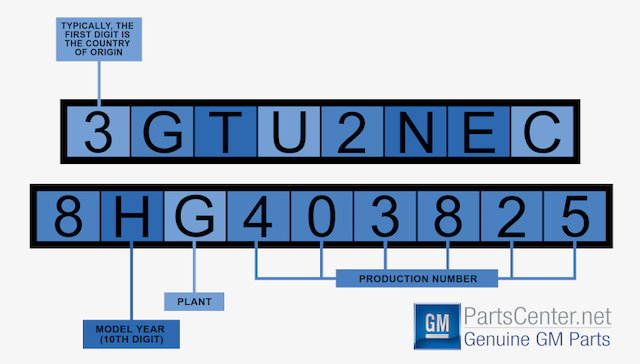
Using the wrong hardware can lead to failure or electrical issues. The correct eliminator depends on your Silverado’s model year and internal wiring architecture.
2019–2021 Silverado Models
Use the AE030 harness. These models share a consistent electrical design, making part selection straightforward. If your truck was manufactured between 2019 and 2021, the AE030 is guaranteed compatible.
2023–2026 Silverado Models
Use the AE039 harness. These newer models use updated wiring and communication protocols, requiring the newer eliminator for proper function.
2022 Silverado: Check Your VIN
The 2022 model year is a split. Some trucks use the old system, others the new. To determine which harness you need:
- Locate the 12th digit of your VIN.
- If it is 4 or lower, use the AE030.
- If it is 5 or higher, use the AE039.
Failure to verify this can result in a non-functional install. Always confirm before ordering.
Install the Switch-back Eliminator
For permanent, set-and-forget performance, the switch-back method is the gold standard. Follow these steps to install the Autostop Eliminator behind your dashboard button.
Remove Lower Dashboard Trim
Begin by clearing access to the steering column area. Use a plastic trim tool to gently pry off the lower dash panels on both driver and passenger sides. These are held by plastic clips. Pull firmly but evenly to avoid cracking. Next, remove the lower steering column cover by pulling it downward and outward until the tabs release.
Unfasten 7 mm Dashboard Bolts
Locate and remove the 7 mm screw on the lower left of the steering column. On the passenger side, open the fuse panel cover and remove three 7 mm bolts: two securing the lower trim and one at the top of the center panel. Open the glove box to access and remove the top screw holding the center dash panel.
Lower Steering Wheel and Remove Bezel
Tilt the steering wheel to its lowest position for better access. Gently lift the top edge of the instrument cluster bezel and pull it forward. It is made of soft plastic and snaps into place with no tools needed. Behind it, remove the single 7 mm screw securing the climate control panel frame.
Remove Climate Control Panel
The large center panel houses the climate controls and must be removed to access the button harness. Locate and remove six 7 mm screws:
– One at the top in the rounded slot
– Two on each side
– One at the bottom center
Once all screws are out, carefully pull the panel forward about an inch to disengage it from the dash.
Access and Unplug Button Connector
Look at the top edge of the dashboard behind the climate panel. Remove the small rubber plug to expose two 7 mm screws. Only remove the outer two. The center screws hold the main dash structure and must stay in place.
With the panel loose, locate the main electrical connector for the Auto Start/Stop button. It has a red locking tab. Use a small flathead screwdriver to lift it straight up. Press the small release tab and disconnect the harness.
Connect the Eliminator Module
Take the Autostop Eliminator and plug its female end into the vehicle-side connector. Snap it securely into place and re-engage the red locking tab to prevent vibration-induced disconnection. Then, plug the other end of the eliminator into the button-side harness (this side has no lock).
Use the included zip tie to secure the wiring and prevent strain. Avoid sharp edges or moving parts.
Reassemble Dashboard Components
Reverse the disassembly process:
– Reinstall the climate control panel and tighten all six 7 mm screws.
– Snap the instrument cluster bezel back into place.
– Reattach the lower dash and steering column panels.
– Replace all screws and ensure clips are fully seated.
Double-check that no wires are pinched and all components fit snugly.
Install a Plug-in Module (Alternative)
If you prefer a faster, less invasive method, a plug-in module like the Range Pulsar offers a solid alternative, especially for temporary disablement or resale-friendly setups.
Access the Start/Stop Button Harness
Some plug-in modules require access to the back of the Auto Start/Stop button. This may involve removing the same lower trim and climate panel as the switch-back method. Once access is clear, locate the wiring harness connected to the button.
Plug in the Module
Disconnect the factory harness and insert the module between the vehicle connector and the button. The device will automatically send a “disable” signal at startup. No programming or tuning required.
Verify Function and Secure Wiring
Start the truck. The Auto Start/Stop system should remain off without pressing the button. If it works, tuck the module and wiring out of sight and secure with zip ties. Avoid heat sources or areas prone to moisture.
Avoid Cheap Knockoff Modules

Not all disable devices are created equal. Low-cost alternatives on Amazon or eBay often fail due to poor build quality.
Spot the Difference: Real vs. Fake
Authentic units like the Autostop Eliminator use OEM-grade connectors designed to withstand engine vibration and temperature swings. Counterfeits use cheap Chinese clones that loosen over time, leading to intermittent failures or complete disconnects.
True automotive-grade modules contain temperature-rated circuitry and are built in ISO-certified facilities. Knockoffs use generic electronics not rated for under-dash conditions, risking shorts or damage to your truck’s electrical system.
Risks of Inferior Hardware
- Intermittent Function: Vibration can cause loose connections, making the system randomly reactivate.
- Electrical Damage: Poor insulation or soldering can short the start/stop module.
- No VIN Compatibility Checks: Fake units do not account for 2022 model variations, increasing the chance of failure.
Stick with reputable brands like Autostop Eliminator or Range Technologies, sold through official websites or authorized dealers.
Disable DFM (Optional Enhancement)

Many Silverado owners also disable Dynamic Fuel Management (DFM), which shuts off cylinders during light-load driving. Like Auto Start/Stop, DFM can cause drivetrain shudder and reduced throttle response.
Combine DFM and Start/Stop Disable
Some plug-in modules (e.g., Range Pulsar) offer dual disable functionality. You can choose to turn off both systems simultaneously for smoother engine operation, especially when towing or driving in hilly terrain.
Decide: Keep DFM or Not?
If you prioritize maximum fuel economy and rarely tow, keeping DFM may be acceptable. But for a more consistent driving feel, disabling both systems enhances throttle sensitivity and engine responsiveness. Modules allow you to select configurations: Auto Start/Stop only, DFM only, or both.
Test the System After Installation
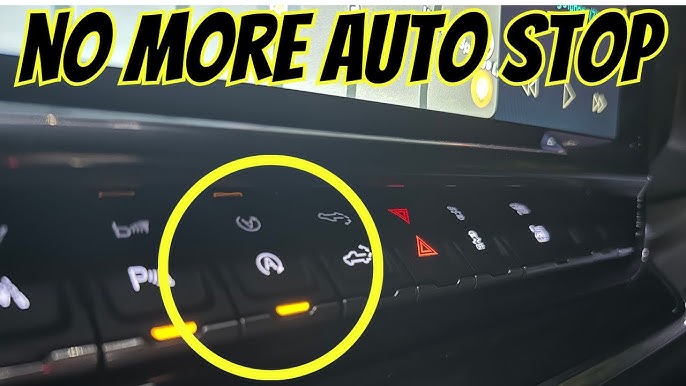
Never assume it works. Verify before closing up the dash.
Start the Truck and Observe
Turn the ignition on. The Auto Start/Stop indicator light should not illuminate. If it does, the module may not be seated properly or the wrong harness was used.
Bring the truck to a complete stop in drive (with foot on brake). The engine should not shut off, even after several seconds.
Cycle the Ignition Multiple Times
Turn the truck off and wait 30 seconds. Restart and confirm the system remains off. Repeat 3–4 times. A successful install will keep Auto Start/Stop disabled every time.
Check for Warning Lights
Ensure no check engine lights or service messages appear. A properly installed module does not trigger diagnostics because it mimics a user action, not a system fault.
Reversibility and Warranty Safety
One of the biggest advantages of hardware eliminators is that they do not void your warranty or permanently alter your truck.
Restore Factory Settings Anytime
To return to stock:
– Unplug the eliminator module.
– Reconnect the original harness.
– Reassemble the dash.
Your truck will behave exactly as it did from the factory, which is ideal for trade-ins or dealership service.
Warranty Implications
Since these devices do not reprogram the ECU or cut wires, they are generally considered non-invasive. GM cannot deny warranty coverage solely because a switch-back module was installed, unless it directly caused a failure (e.g., a short circuit from a damaged unit).
Using a high-quality, properly installed device minimizes risk and maintains warranty integrity.
When to Permanently Disable Start/Stop
Not every driver needs this mod, but for many, it is essential.
Cold Weather Driving
In freezing temperatures, Auto Start/Stop can delay cabin heat, reactivate unexpectedly, or struggle to restart. Disabling it ensures consistent warmth and engine performance.
Towing and Hauling
Frequent engine shutoffs while towing can strain the starter and reduce responsiveness. Keeping the engine running maintains hydraulic pressure, transmission temperature stability, and immediate power when needed.
Low Annual Mileage
If you drive under 5,000 miles a year, the fuel savings from Auto Start/Stop are negligible, often less than $20 annually. The wear and annoyance far outweigh the benefit.
Stop-and-Go Traffic
In city driving, the constant shudder and restart cycle disrupt comfort and focus. A permanently disabled system delivers smoother, quieter commutes.
Frequently Asked Questions About Disabling Auto Start Stop on Chevy Silverado
Can I permanently disable Auto Start/Stop through the truck’s settings menu?
No. GM does not provide a factory setting to keep Auto Start/Stop disabled across ignition cycles. The only reliable way to achieve a permanent disable is through hardware modification.
Will installing an Auto Start/Stop eliminator void my Silverado’s warranty?
In most cases, no. Switch-back and plug-in modules do not alter ECU code or cut wires, so they are considered non-invasive. Warranty coverage cannot be denied solely because of the device, unless it directly causes an electrical failure.
How do I know if I need the AE030 or AE039 harness?
For 2019–2021 Silverados, use the AE030. For 2023–2026 models, use the AE039. For 2022 trucks, check the 12th digit of your VIN: 4 or lower means AE030, 5 or higher means AE039.
How long does installation take for a switch-back eliminator?
First-time installers typically need 30–40 minutes. Experienced installers can complete the job in 15–20 minutes using a 7 mm socket, a small flathead screwdriver, and a plastic trim tool.
Can I remove the eliminator and restore factory settings later?
Yes. Both switch-back and plug-in modules are fully reversible. Simply unplug the device, reconnect the original harness, and reassemble the dash to return to stock behavior.
Are cheap Auto Start/Stop disablers from Amazon safe to use?
Most low-cost units use non-automotive-grade connectors and electronics. They are prone to vibration loosening, electrical shorts, and compatibility issues. Stick with reputable brands like Autostop Eliminator or Range Technologies for reliable, long-term performance.
Key Takeaways for Permanently Disabling Auto Start/Stop on Your Chevy Silverado
Permanently disabling Auto Start/Stop on your Chevy Silverado is straightforward with the right hardware. Confirm your model year and VIN digit before ordering the AE030 or AE039 harness. Choose a switch-back eliminator for maximum reliability or a plug-in module for quicker installation. Avoid cheap knockoffs that risk electrical damage. After installation, test the system across multiple ignition cycles to confirm it stays disabled. With a quality device and careful installation, you will enjoy smoother, uninterrupted driving every time you start your truck.



